Você está no 3DFinder
Buscamos em Thingiverse, MakerWorld e Printables ao mesmo tempo para te dar o melhor de cada uma.
Descrição
AMAZING TIMELAPS FINALLY AVAILABLE FOR MULTICOLOR PRINTS TOO!!! EASY STEP-BY-STEP EXPLANATION ;)
Follow me on Instagram for all the latest news. [https://www.instagram.com/jc_geisi_creator](https://www.instagram.com/jc_geisi_creator)
I've created a simple modification for our Bambu Lab A1 that allows you to easily create timelapse videos using your smartphone using just 3 printed parts: Perfect for TikTok, Instagram, and YouTube Shorts, or to surprise your friends!
The solution for multicolor prints:
It was to use the y-axis movement of the plate instead of using, unlike others, the x-axis movement of the print head to trigger the remote control... thus eliminating accidental bursts of shots during material purging and color changes.
I've designed a removable remote control holder so it can be easily removed when not in use.
use my printing profiles the bracket requires supports
TO MOUNT THE BRACKET YOU NEED TO REMOVE THE SMALL FRONT COVER OF THE BAMBULAB A1
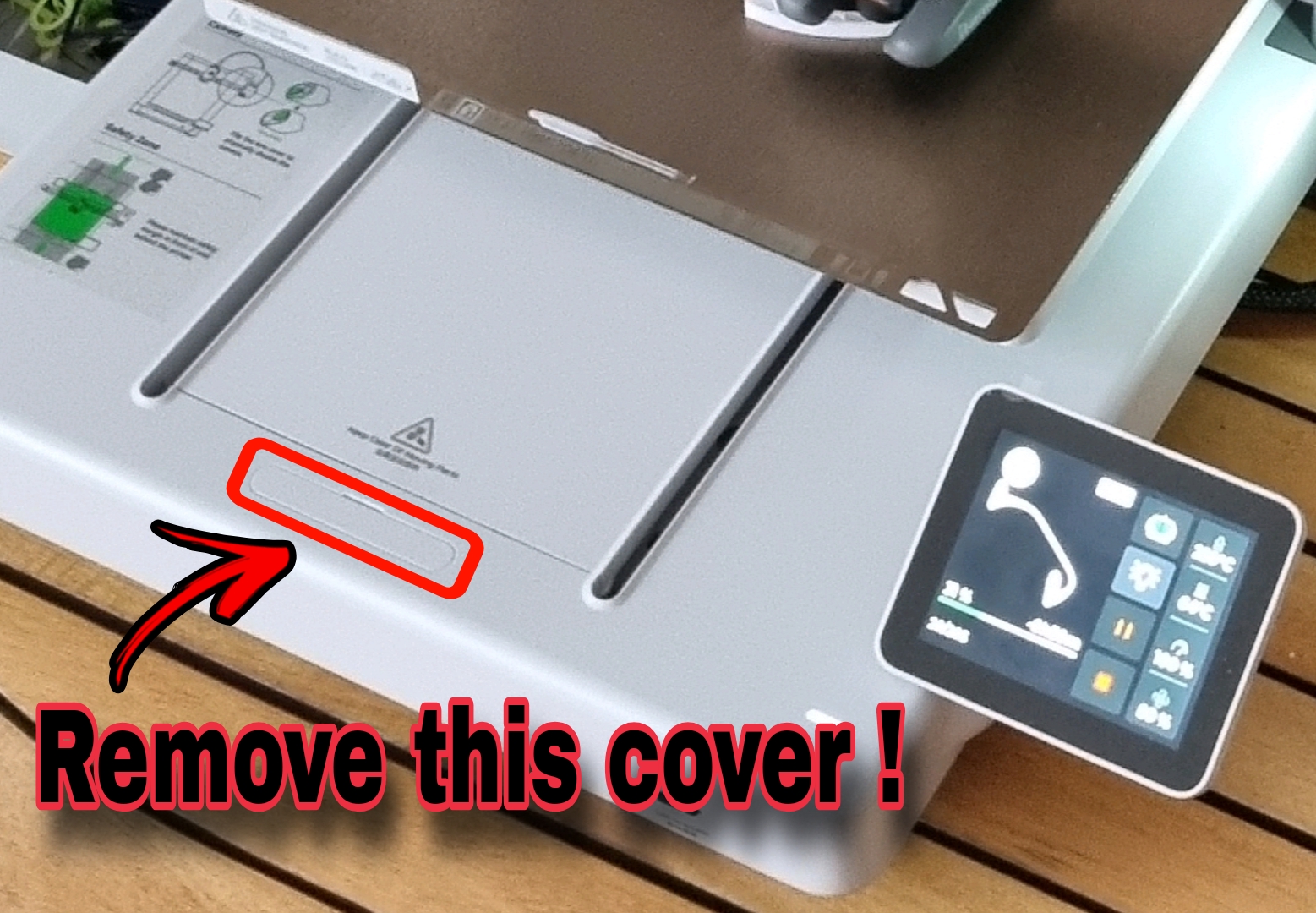
Required Materials:
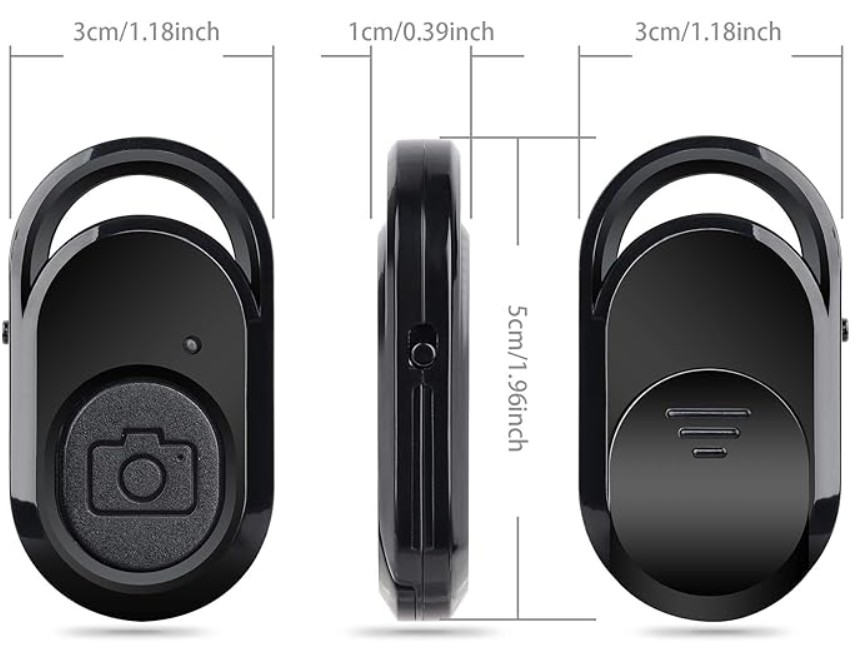
- A Bluetooth remote control for taking photos with an Android/iOS smartphone, available here: [https://amzn.eu/d/6bgcr17](https://amzn.eu/d/6bgcr17)
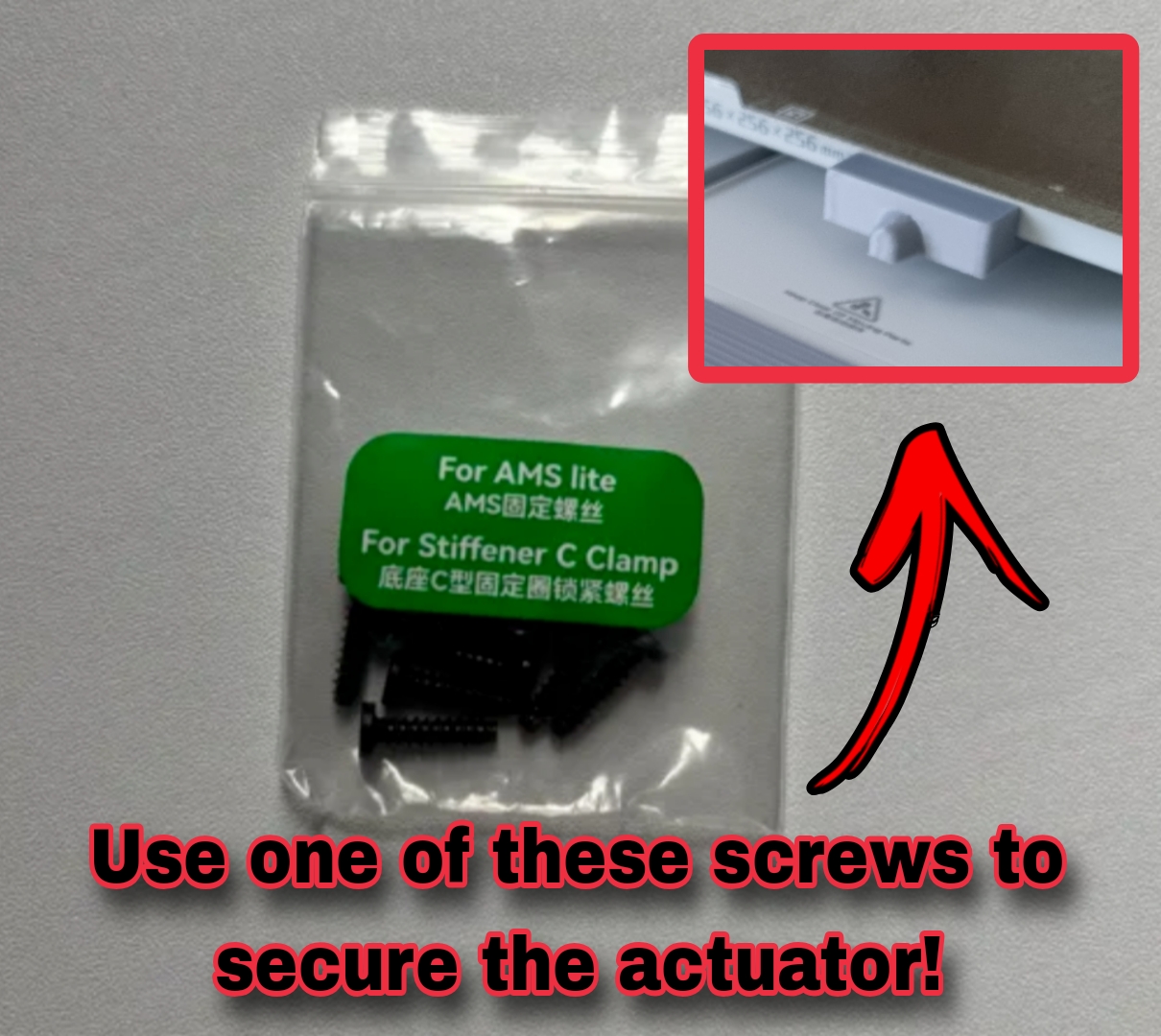
- An ams lite BT3-12 reinforcement screw (included in the A1 toolbox) to secure the activator to the print bed.
- A smartphone holder/tripod...coming soon to my library ;) Follow me to stay updated...
Required Software
- A free editing app: such as Velocity Lapse (Mobile app) to edit your shots into a video; just select "Import image sequence" and "Export MP4."
- Open Camera app (Android, free) – allows you to lock ISO, shutter speed, and white balance so that each frame matches uniformly and keeps your smartphone active throughout the process.
Configuring the Timelapse G-code:
To get everything working, you'll also need to slightly modify the timelapse G-code section in your print profile... just copy and paste the following lines of code... the first and last lines remain the same (they're just there to help you understand the exact location of the G-code).
G1 X0 Y{first_layer_center_no_wipe_tower[1]} F18000 ; move to safe pos
G1 X-48.2 F3000 ; move to safe pos
M400
M1004 S5 P1 ; external shutter
M400
G1 Y250 F18000
M400 P500
G1 Y264.5 F3000
M400 P10
G1 Y261 F8000
M400 P1000
M971 S11 C11 O0
They should be replaced instead of the green block in the image.
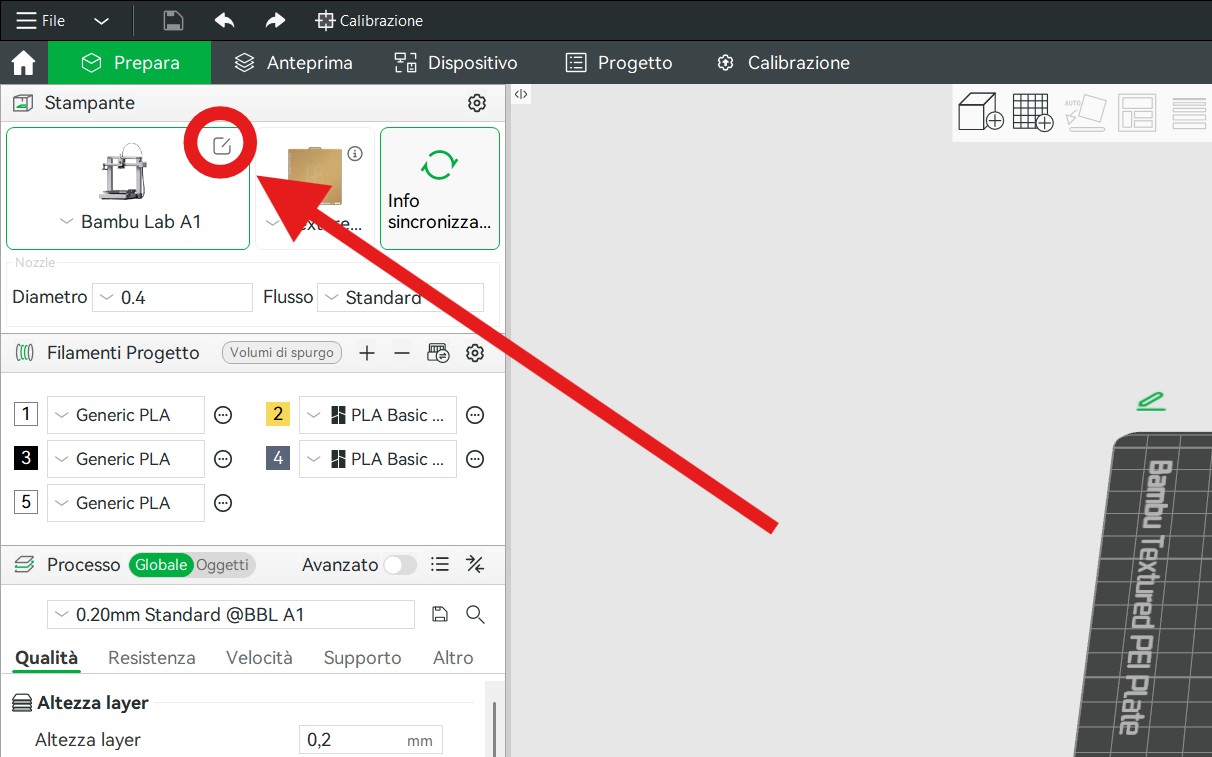
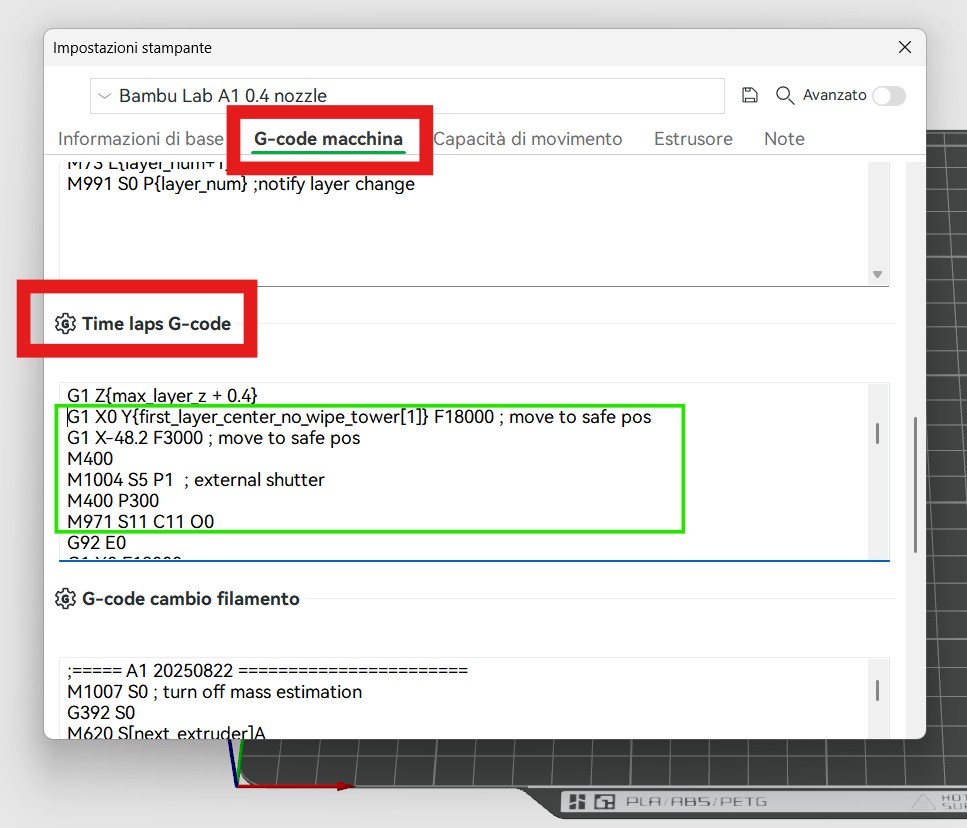
Be careful not to make any mistakes; I'm not responsible for any problems.
Save the profile!
If you want the bed to remain still for a longer or shorter period of time while the photo is taken, you need to change the "P1000" in the second-to-last line, which means a pause of 1000 milliseconds, or one second.