Você está no 3DFinder
Buscamos em Thingiverse, MakerWorld e Printables ao mesmo tempo para te dar o melhor de cada uma.
Descrição
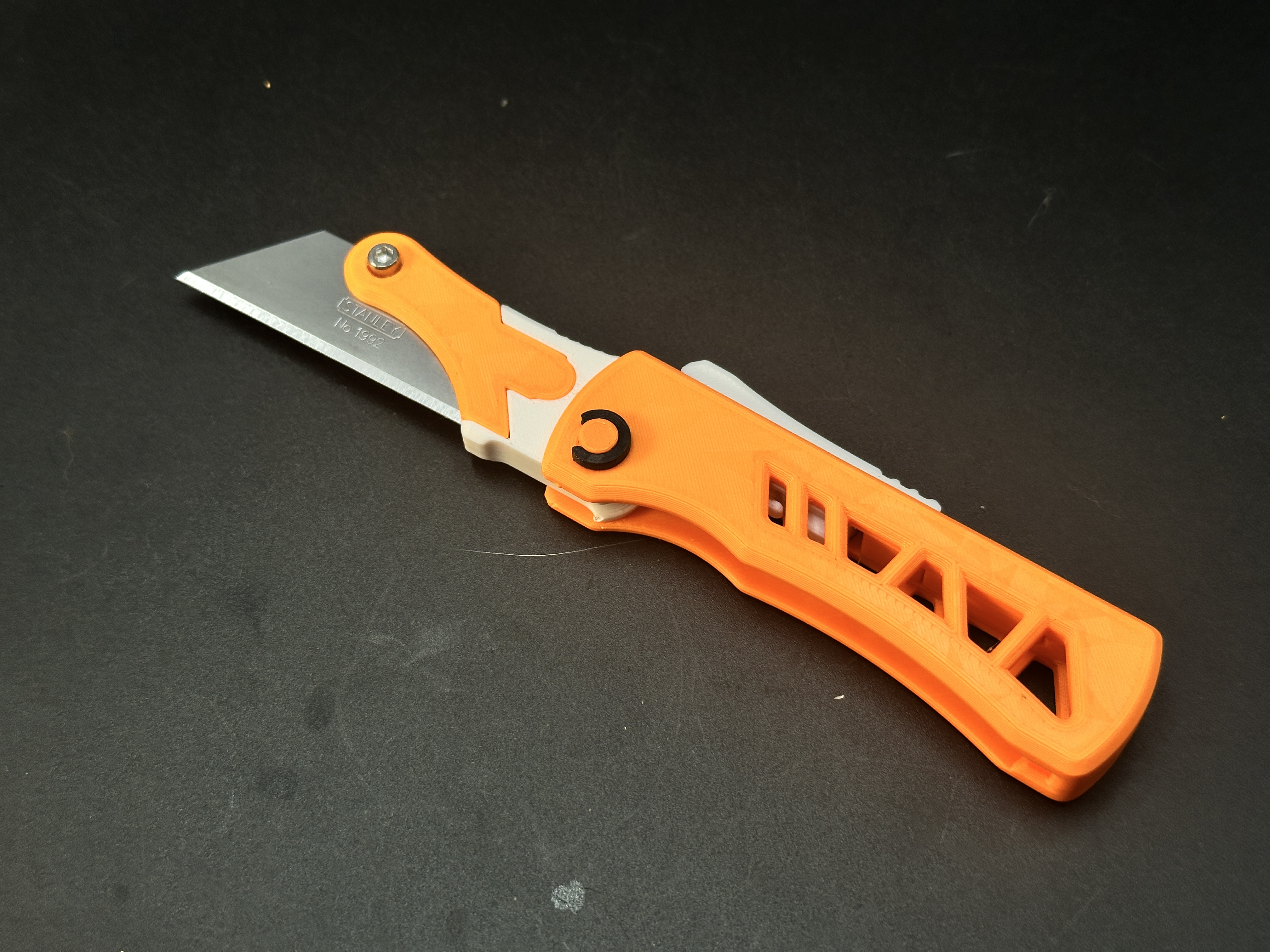
This is an automatically deploying side-opening folding utility knife that achieves rapid automatic deployment.
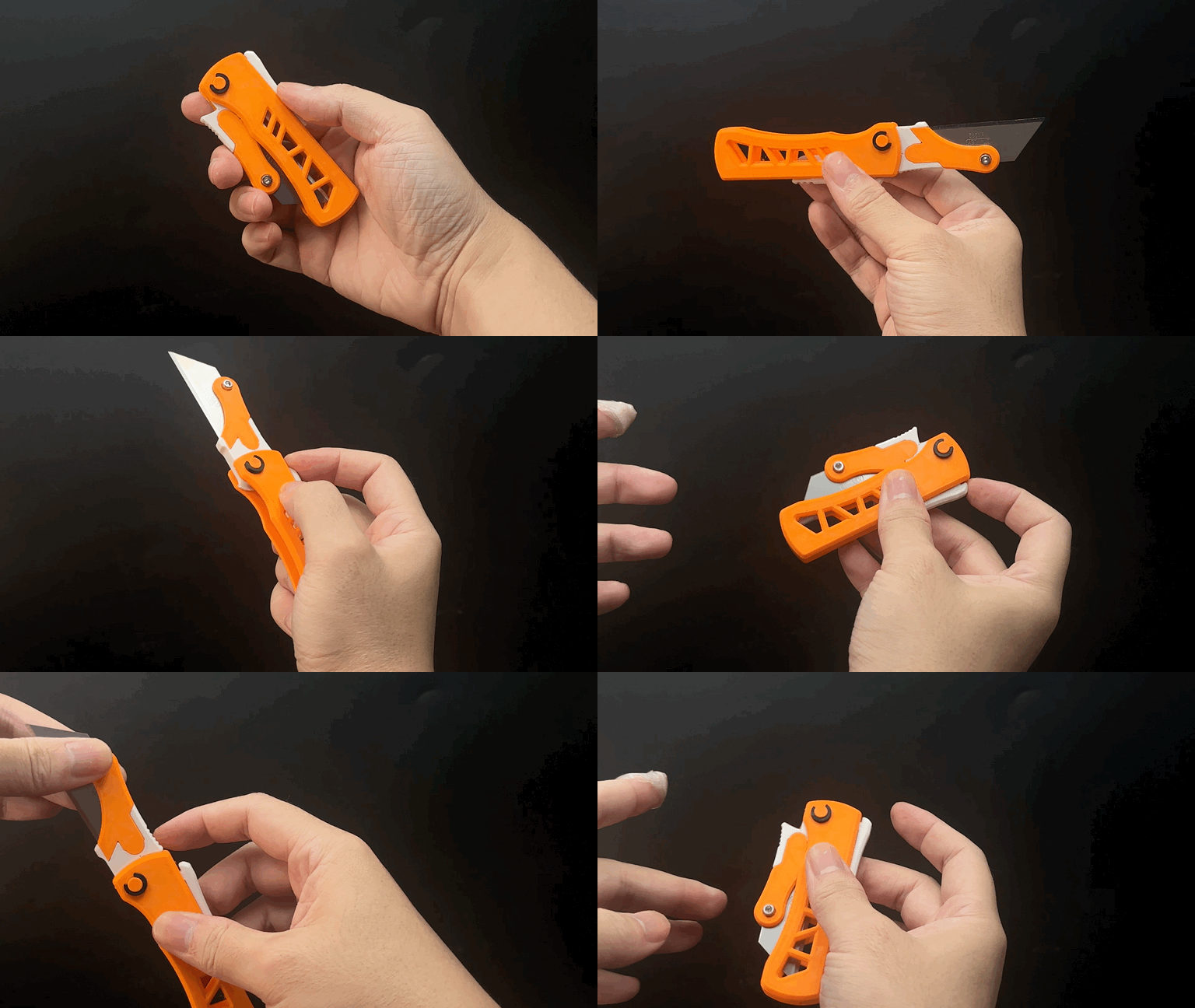
It features a reliable axis lock mechanism that securely holds the blade when deployed. Power is provided by the elasticity of a rubber band.
This is an upgrade to an older project, with completely redesigned internals and externals. Key improvements over the previous version include:
- Smaller overall size: Folded length reduced to just 9cm.
- Better rubber band compatibility.
- Simplified rubber band installation.
Reinforced handle structure for higher strength.
Printing: Simple process. Requires minimal, easily removable supports.
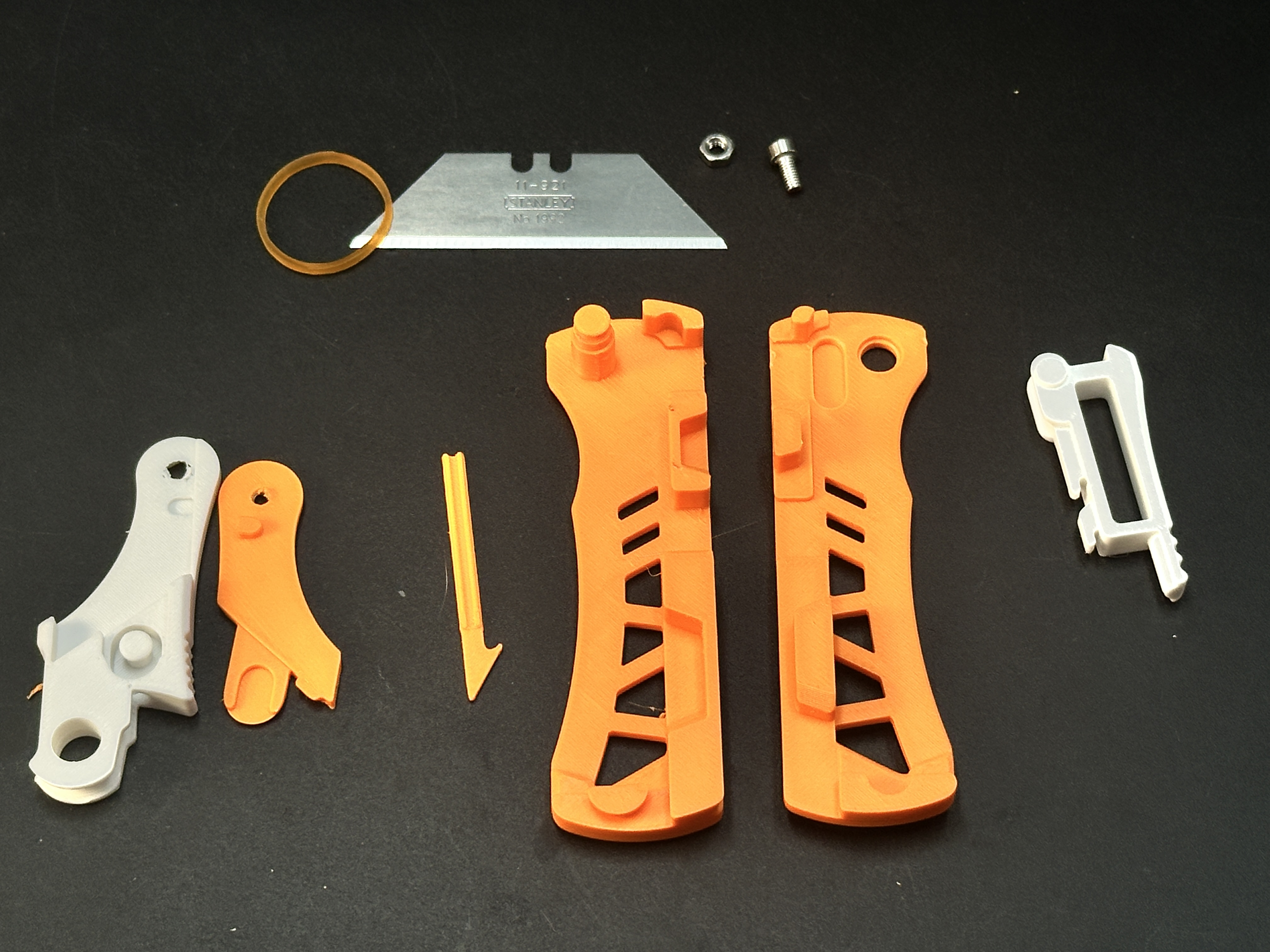
Assembly Requirements:
- One rubber band (approx. 2–2.5cm diameter). I use bands from the "Maker's Beginner Kit"; similar sizes work. Avoid bands larger than 3cm diameter (insufficient elasticity).
- One M3-6mm screw and one M3 nut to secure the blade.
- Designed for Stanley utility blades (62mm length). Larger/smaller blades may be incompatible.
- Tweezers are recommended but optional for band installation. A small 3D-printed tool is included to assist—less convenient than tweezers but fully functional.
Available Versions:
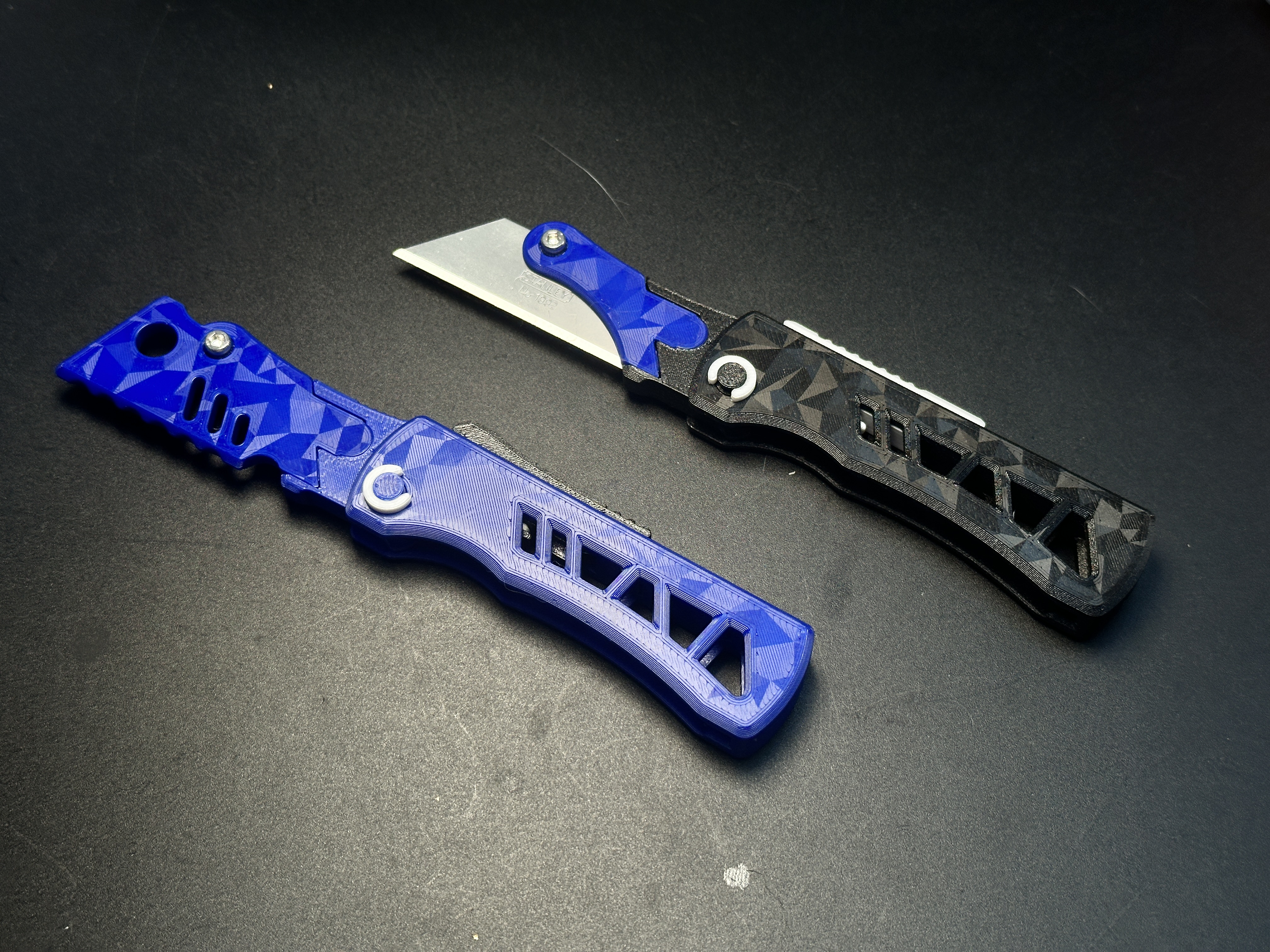
- Utility Blade Version: Fits standard utility blades.
- False Blade Trainer Version: Features a 3D-printed blunt edge (rounded corners, no sharp edges) for safe training or as a fidget toy.
Assembly Video: Highly recommended!
Assembly Steps:
Part Overview.
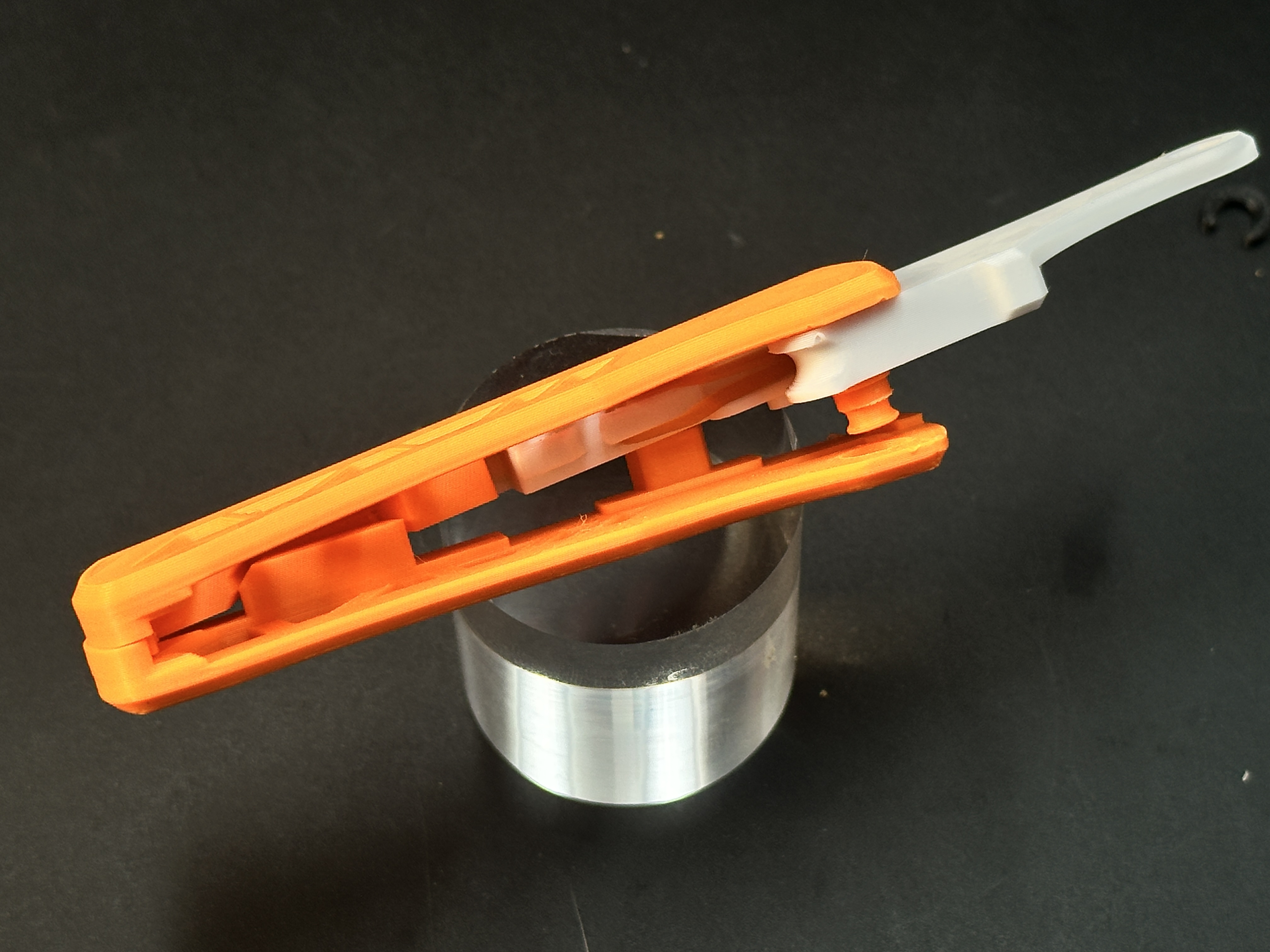
Use tweezers or the 3D-printed tool to thread the rubber band through the hole on the side of the blade holder and secure it.
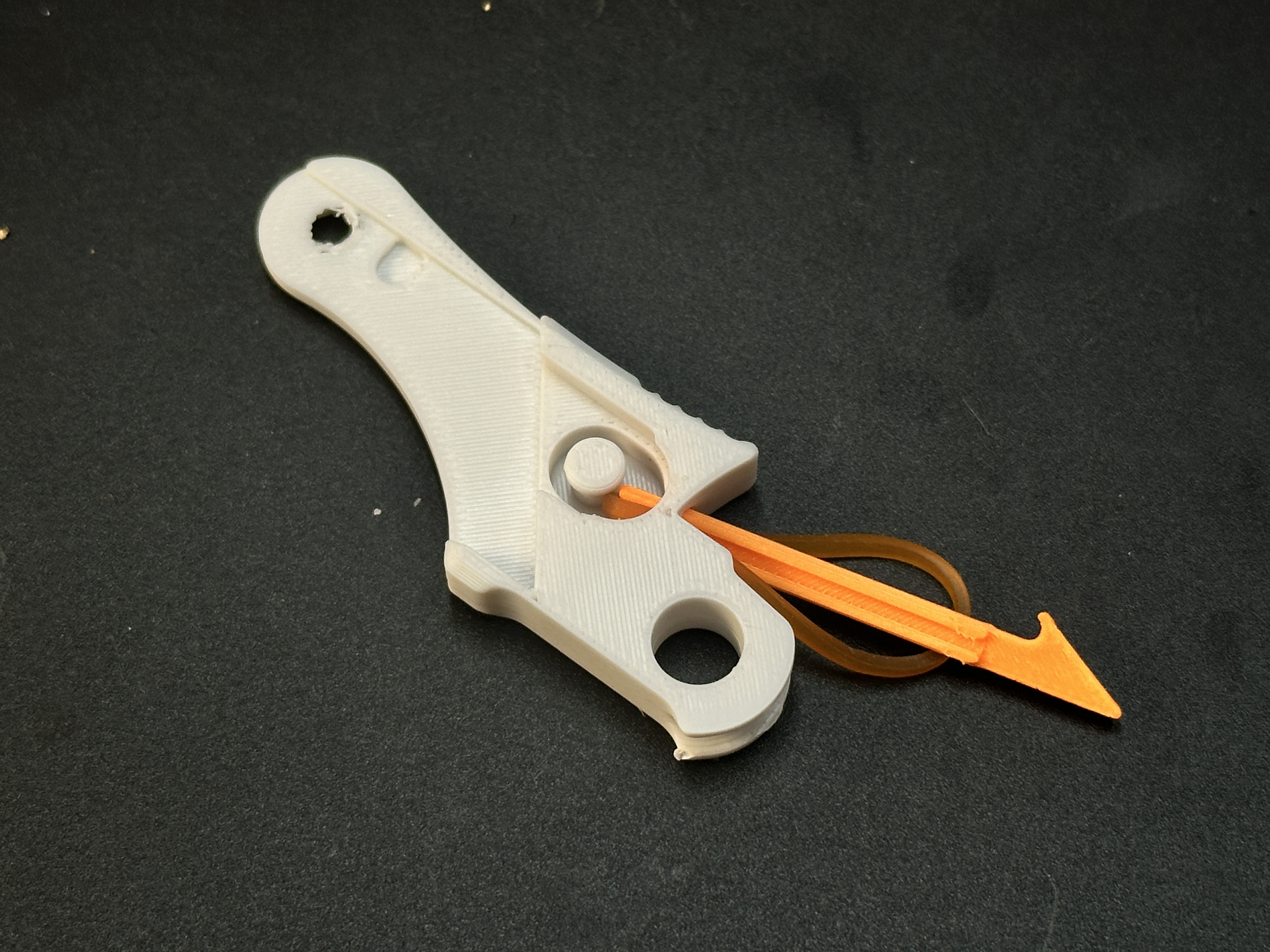
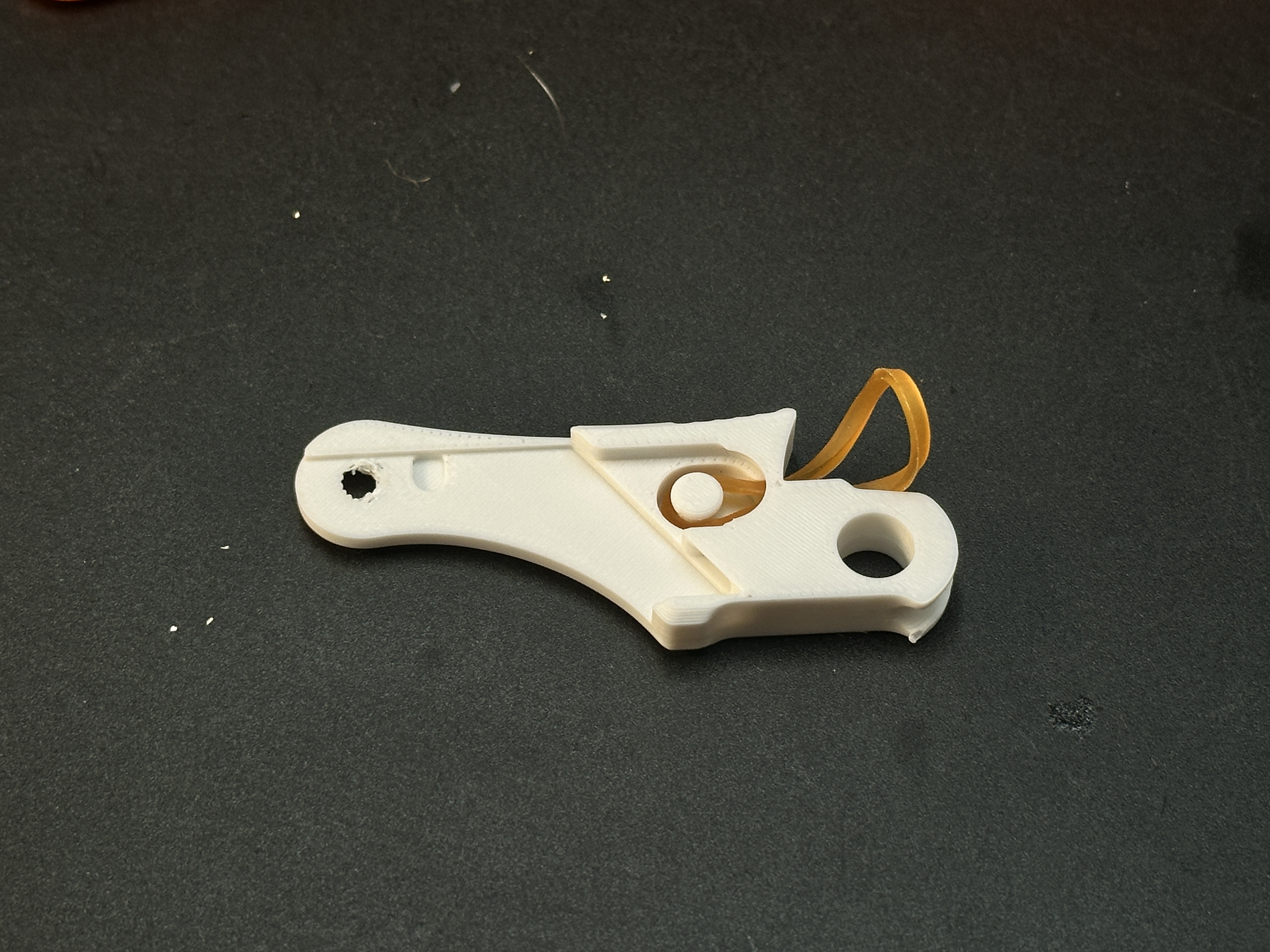
Attach the other end of the band to the protrusion below the locking mechanism. Tip:Two anchor points are provided; choose based on your band’s elasticity.
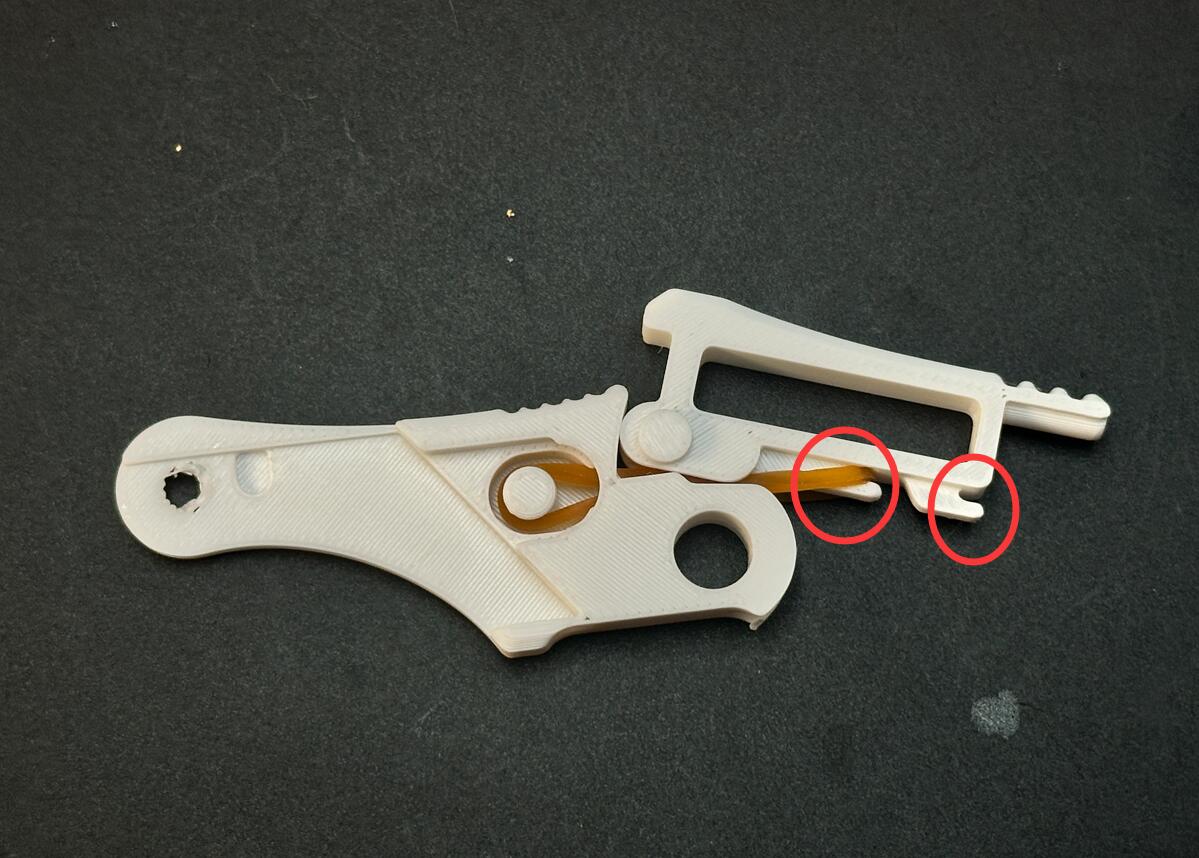
Install the blade holder and locking mechanism into the handle. Test functionality at this stage.
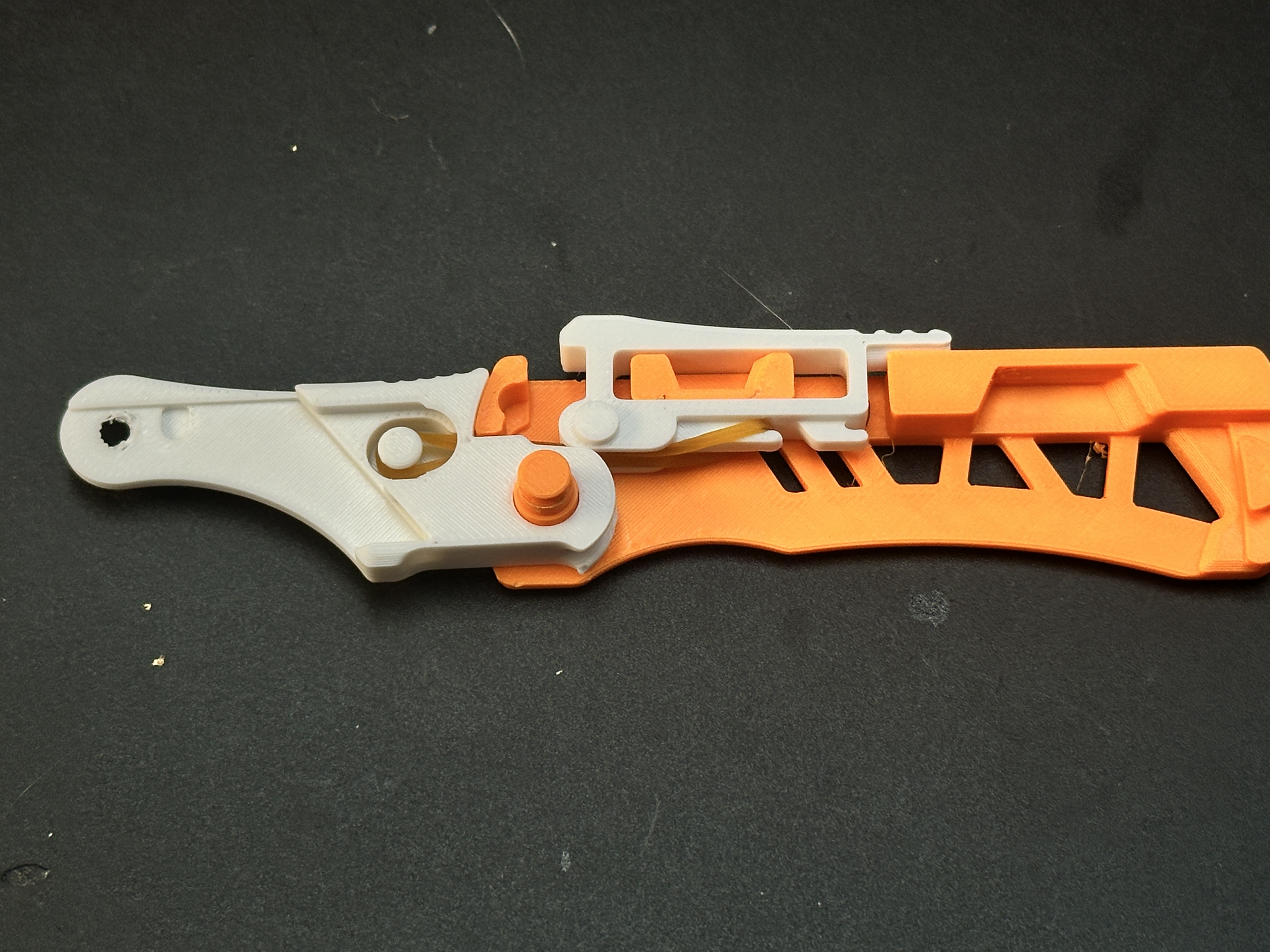
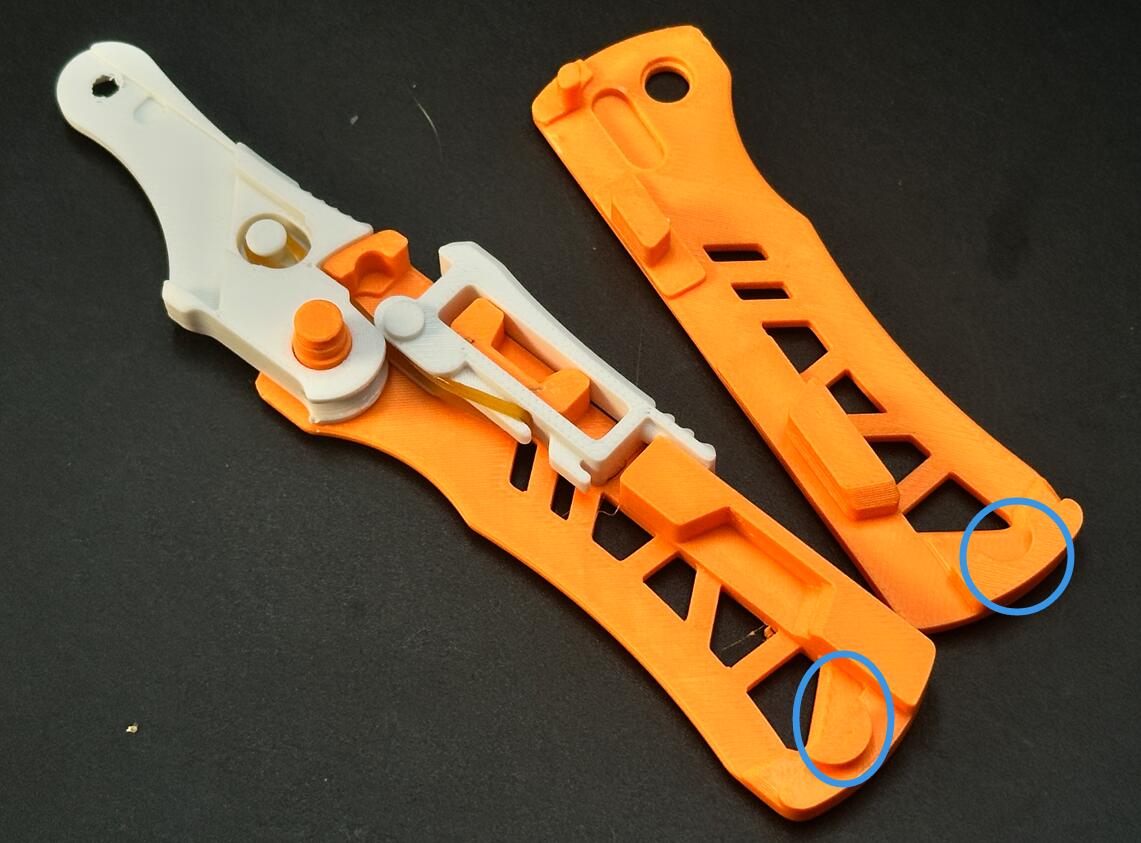
Close the other handle half:
First engage the semi-circular clasp at the handle base.
Flex the handle slightly and press firmly to snap shut.
Secure both halves with a circlip.
Install the blade:
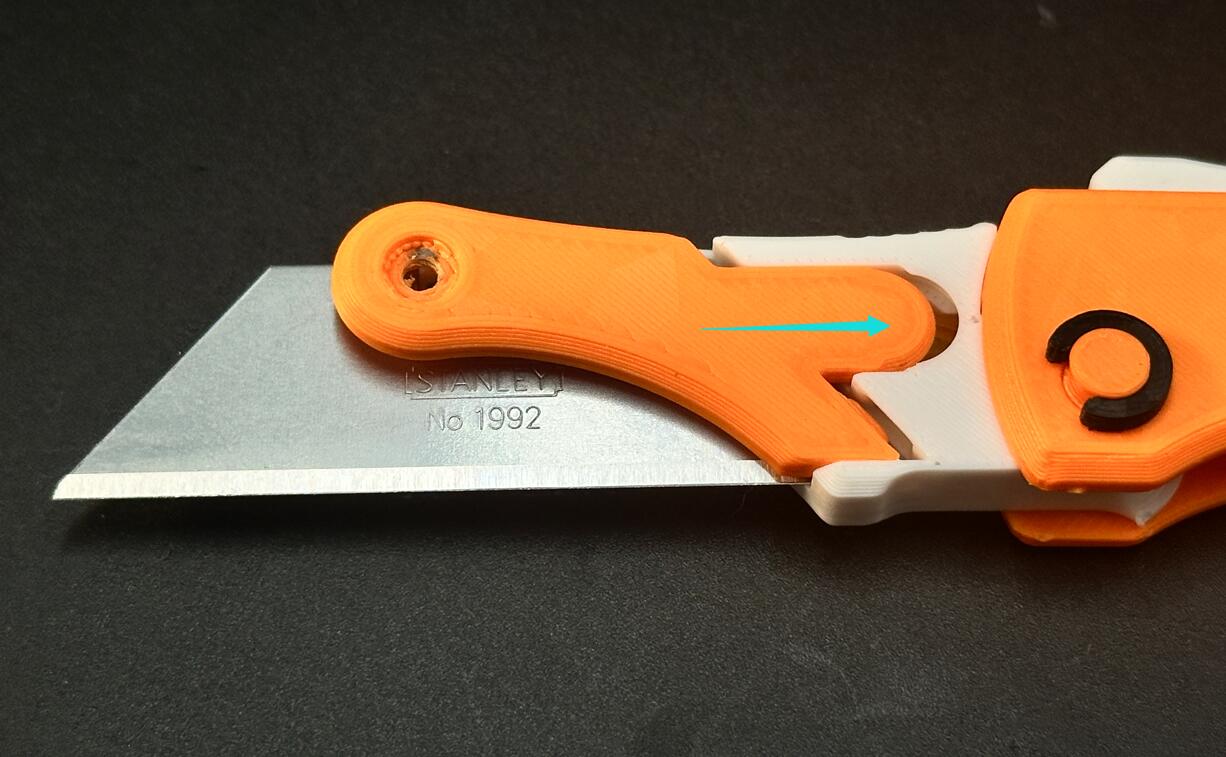
Insert the blade.
Slide the orange cover plate along the direction shown by arrows in the diagram. Ensure all clips snap into place.
Secure the blade and plate with the M3-6mm screw and nut.
Done
Automatic Side-Opening Knife - Auto-Deploy

Publicado em 11 de out de 2025