Você está no 3DFinder
Buscamos em Thingiverse, MakerWorld e Printables ao mesmo tempo para te dar o melhor de cada uma.
Descrição
That's right! It has a button!
Designed with the 3D printing at it's core, this is a no support, no AMS needed, Multicolour print, treasure chest style storage/gift box… with a button. Perfect to be printed small to and kept in a bag, or large and on a shelf. Store your treasures, coins, doubloons, earrings, lipstick, benchies, whatever you want. This was originally designed to store printed DnD miniatures.
It is parametric in design, allowing 25d x 25h x 50w mm minimum to 100d x 100h x 200w mm maximum interior dimensions. Is has restrictions to help prevent print angles above ~45 degrees to stop the need for supports. Support generation is expected to be off for this. It's not recommended to generate it more that 2.5 times as wide as it is tall. It also can't be taller than it is deep.
This was a fusion 360 project so it doesn't generate as well parametrically as a SCAD file. I've added some sizes and profiles but if you would like to customize, I'd recommend adjusting the model in increments of 20mm at a time and re-generating. If the generation looks broken, it probably is. If you need some different sizing or your size breaks in the generator, I can generate it again and load it as a profile as this may be a easier way to get what you need.
Print Profile
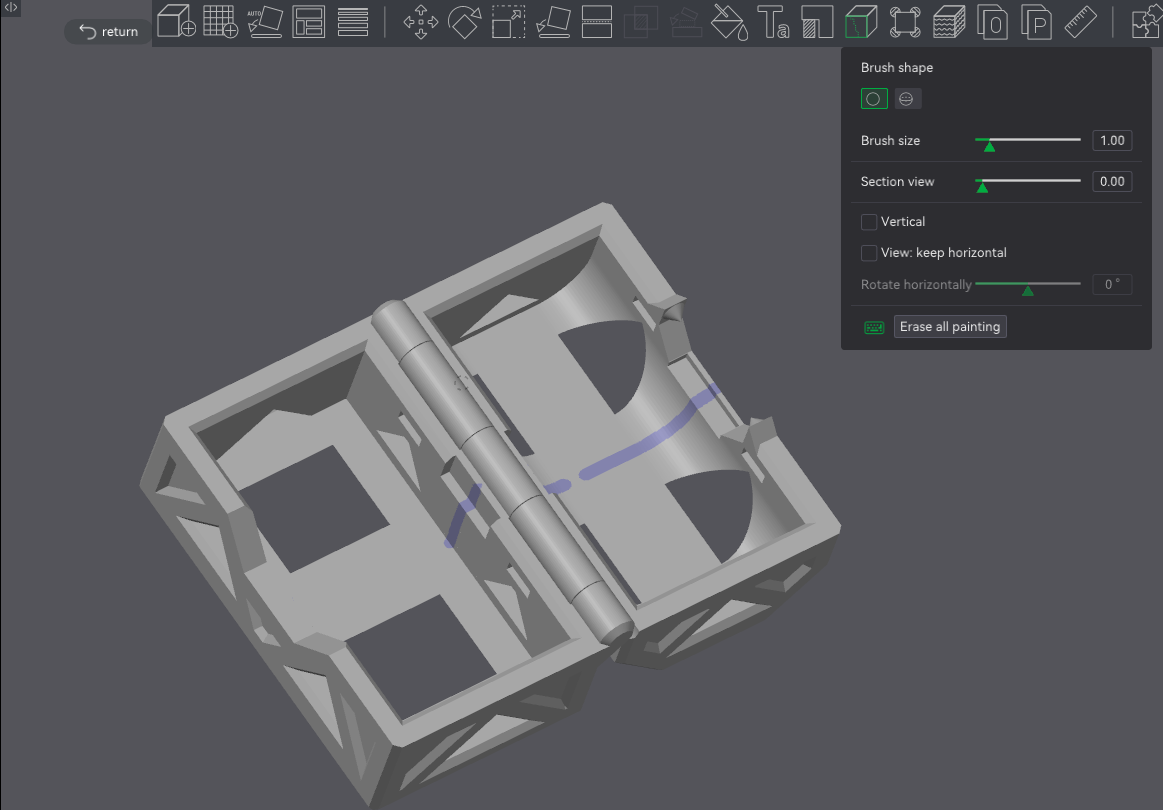
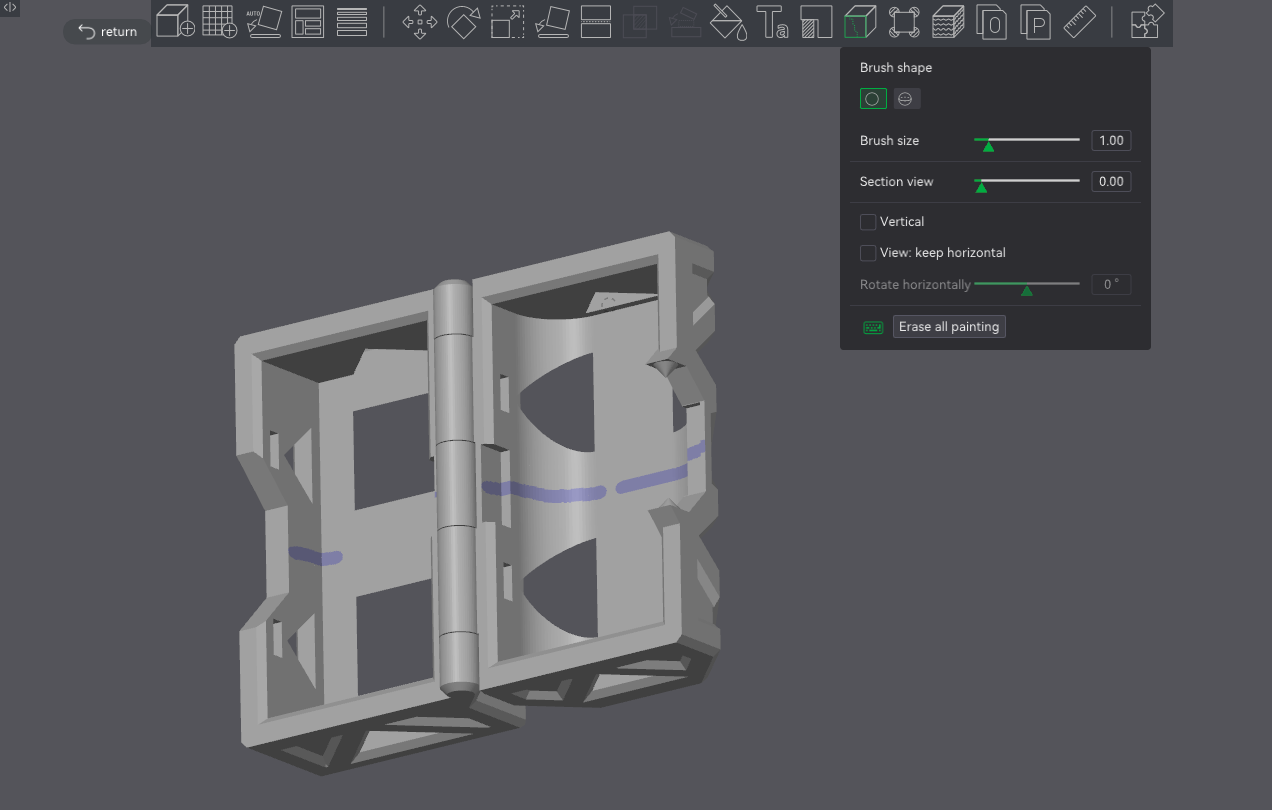
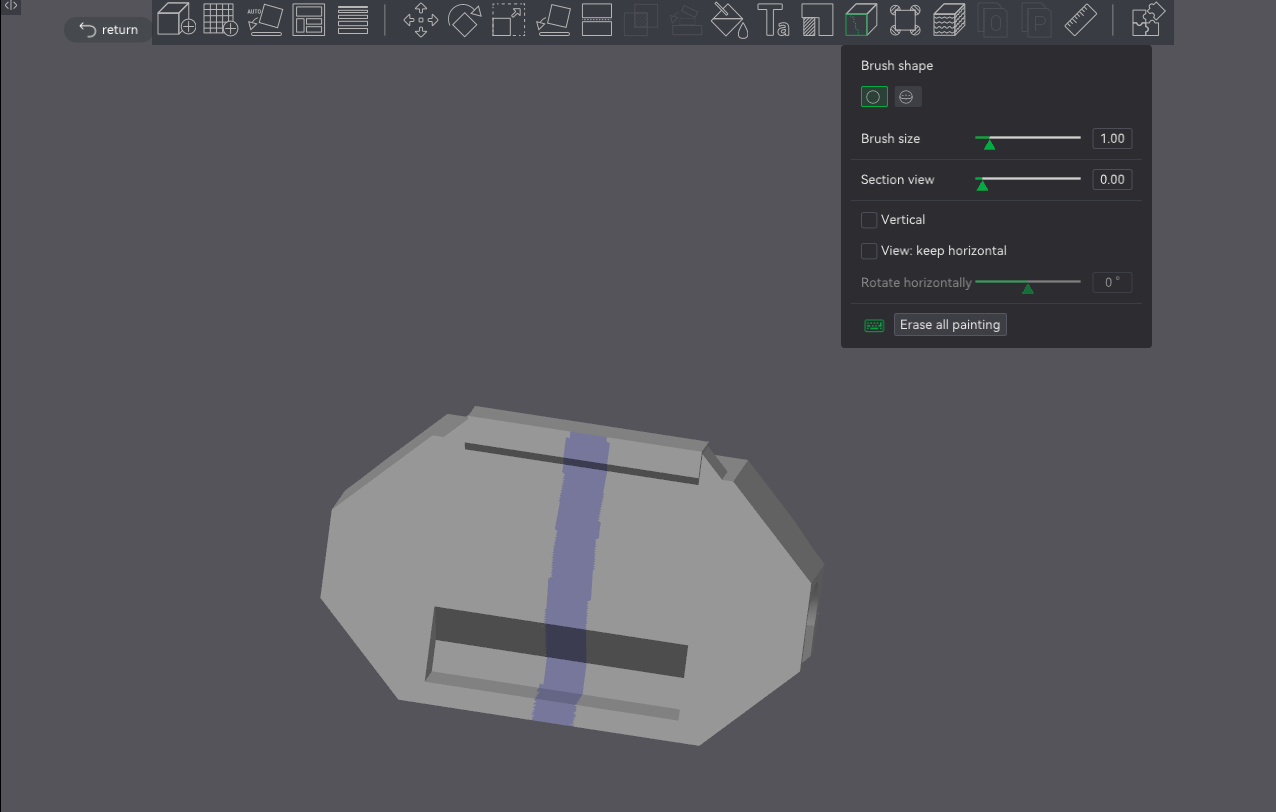
The print profiles loaded have a painted seam. The auto generated seam doesn't give a nice finish to parts of the exterior. The 2 halves of the outer shell of the chest need to remain together as their hinge is print in place.
If generating the model yourself, I'd recommending painting the seam to the inside of the outer casing and button as shown here:
Assembly
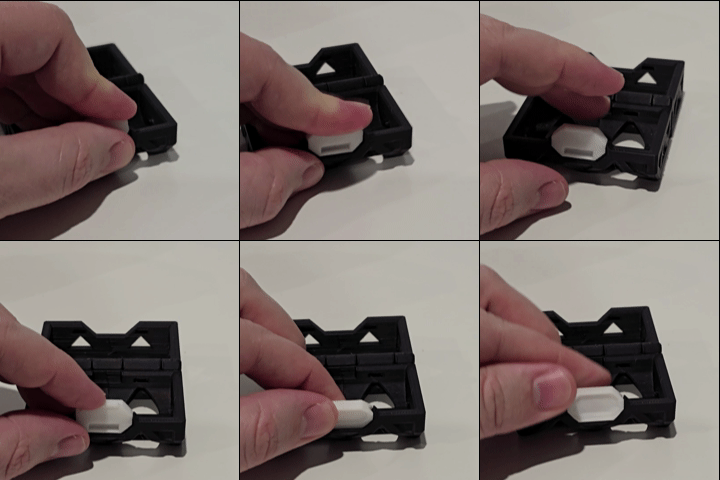
Push the button down onto the hinge upside down and reversed. Then turn the button to face the front. It will snap into position facing the front as seen here:
Align the Curved inner boxes into each side and press down. The 4 clips should snap into place with a very tight fit. You may need to push the clips into their holes after they have been pushed down:
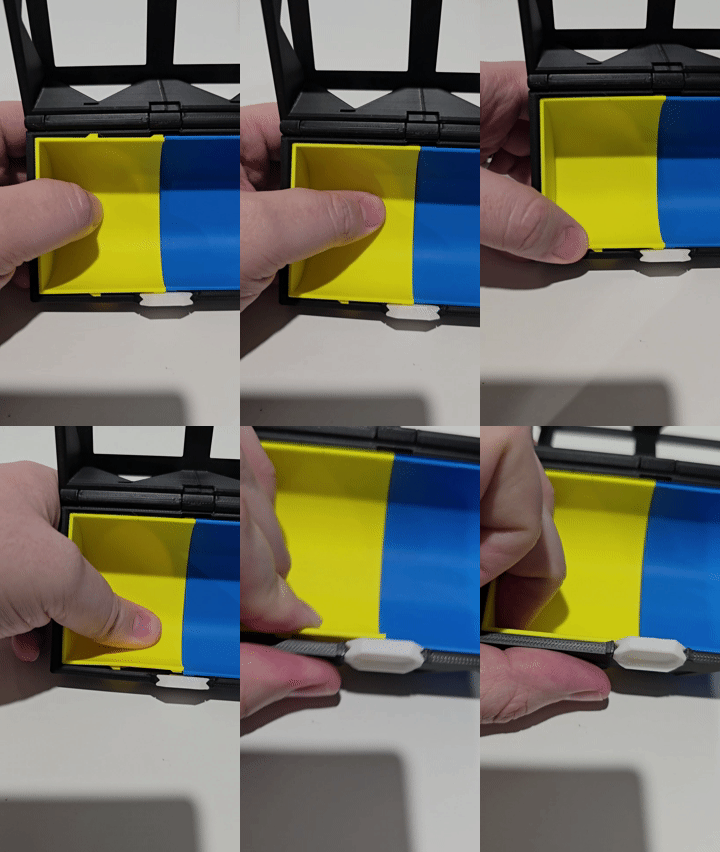
- Do the same for the square boxes.
- Clip shut and enjoy.
The button is best used by pressing your thumb up into the top as you open the box.
Things to note:
The smaller the box, the stronger the button is going to be. The larger the box the less force is applied keeping it shut. It is possible to open the box without pressing the button but it requires more force than the box would normally be under. Choose wisely what colours you clip in. It is in fact possible to get the inner box inserts out again, it's just very hard to do.
Treasure Chest with Button
Publicado em 29 de set de 2025