Você está no 3DFinder
Buscamos em Thingiverse, MakerWorld e Printables ao mesmo tempo para te dar o melhor de cada uma.
Descrição
[ English description available, please turn-off auto translate. ]
完美收纳Miniware TS101电烙铁及热熔配件的GridFinity收纳盒!
The perfect GridFinity storage solution for your Miniware TS101 soldering iron set with heatset insert adaptors!
[ 描述/Description ]
- 采用2x4格GridFinity收纳盒,带有可锁扣盖子;
Comes with a latchable lid, this GridFinity storage box is configured in 2x4 grid size; - 内部所有零部件均采用物理锁扣,零部件不会轻易脱落;
All parts are friction locked in the box, they will not fall off even if the box is inverted; - 可容纳TS101附赠的USB-C电源线。
Able to store the original USB-C power cable.
[ 打印注意事项/Printing Instructions ]
为了获得更好的盖子打印效果,请将墙生成器更改为Arachne模式!
To achive better print quality, please switch wall generator to Arachne!
为了提升打印速度,默认关闭层间文字打印,文字将以凹陷字体呈现,没有耗材切换。如需打印凸起文字,请按照下面步骤操作。
To reduce overall print time, embossed texts are turned off by default, texts will appear as deboss text without filament change. Inorder to print embossed texts with different filament colour, please follow steps below.
默认文字对象为负零件,请将文字对象类型更改为零件。
By default, the text object type is negative part, please change the text object type to part type.
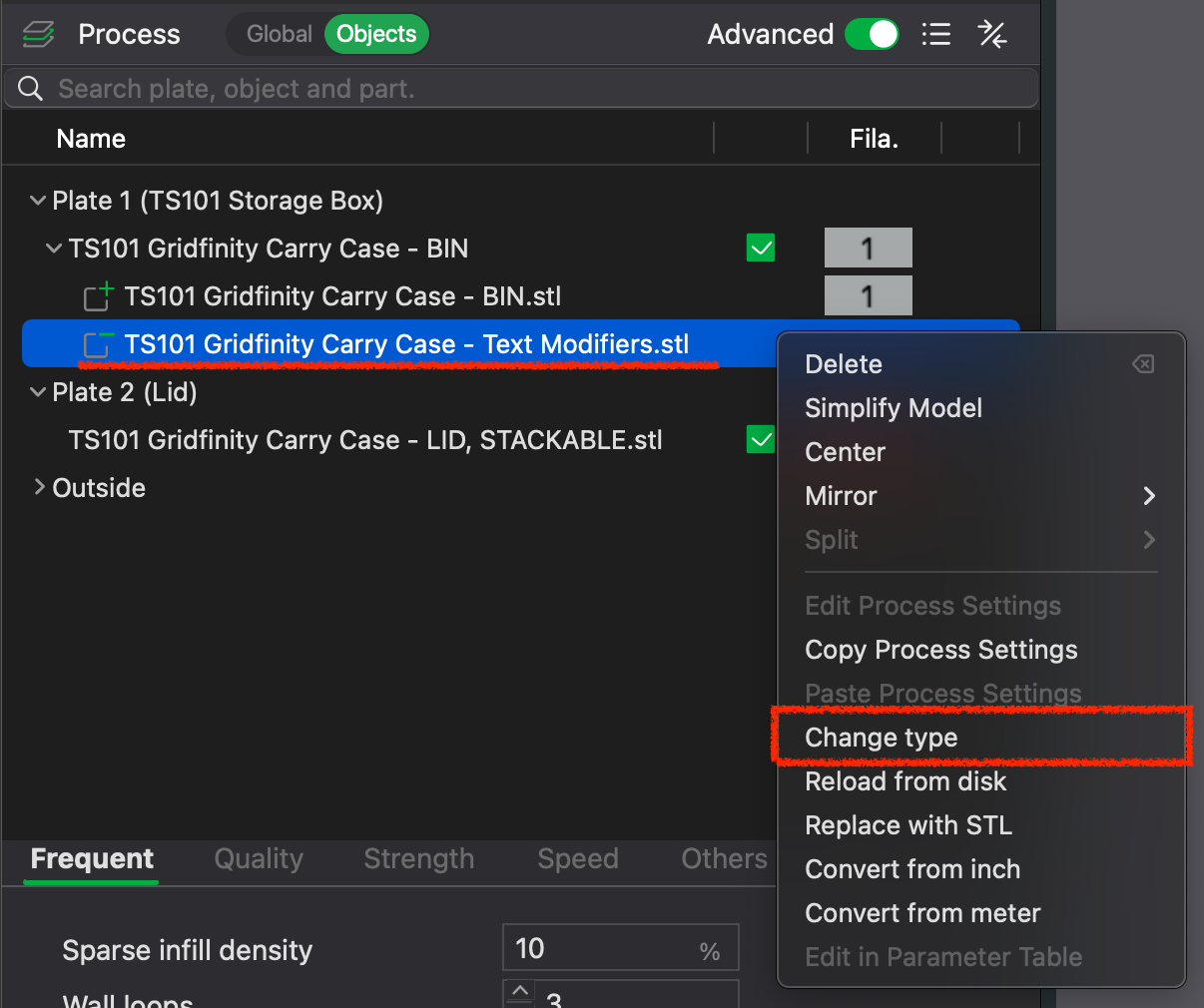
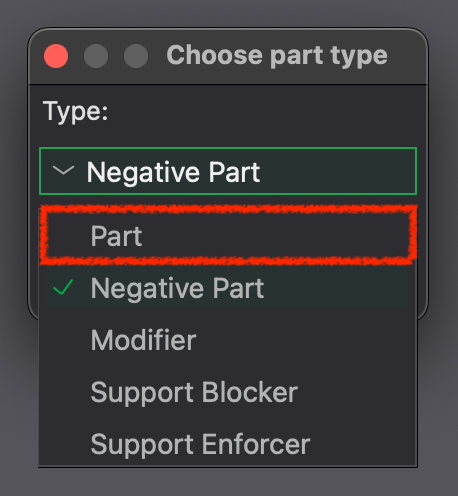
在文字对象上点击鼠标右键→更换耗材→选择对应耗材及颜色,现在文字应该就变成凸起文字了。
Right click on text object → select change filament→select desired filament or colour, the text should now be embossed text with selected colour.
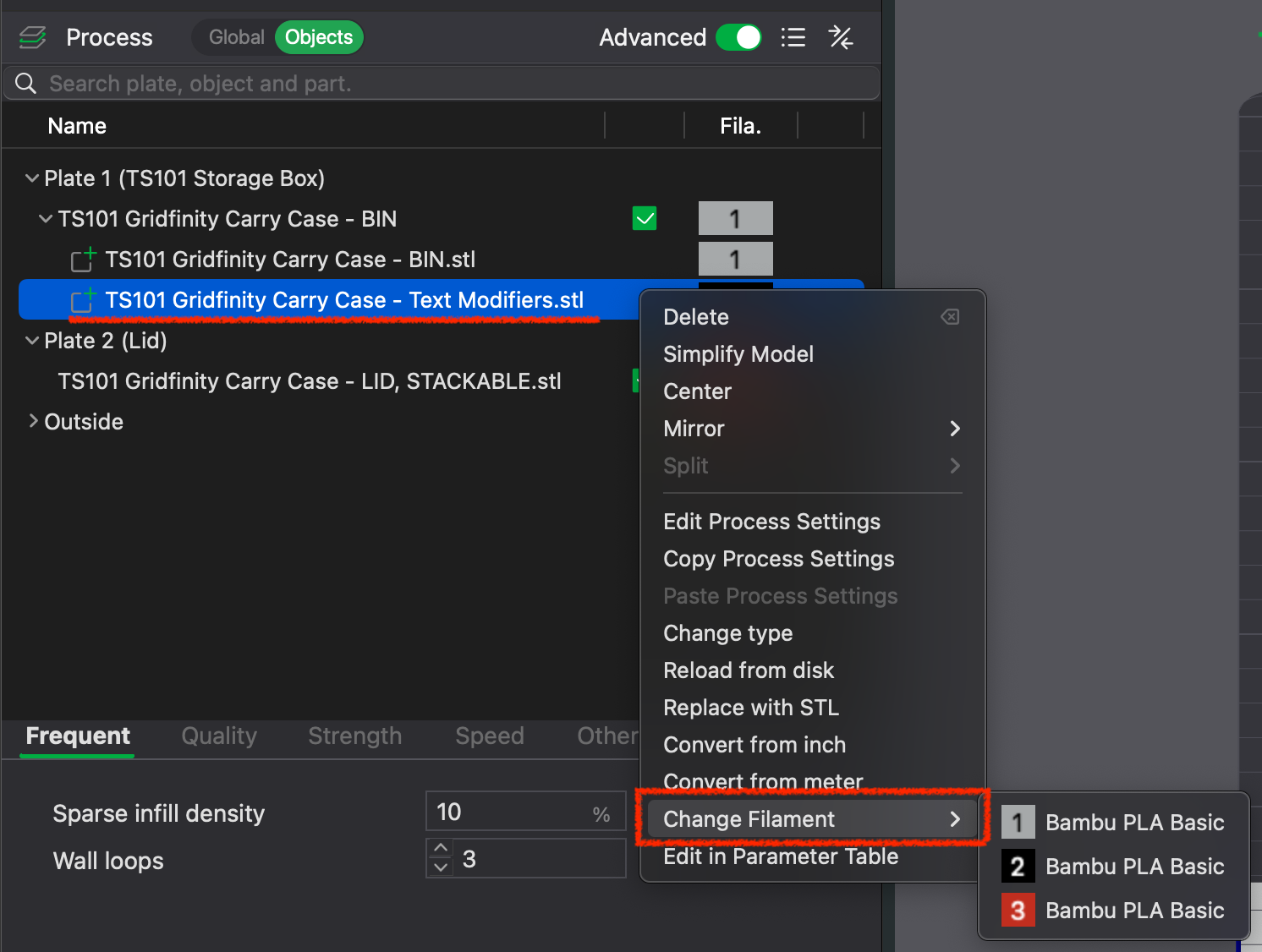
喜欢这个模型的话请给我留下一个赞及助力!欢迎留下反馈!谢谢!
If you like this model, please leave a like and boost! Any feedback is welcome! Thank you!
TS101电烙铁套装Gridfinity收纳盒(带盖子)

Publicado em 16 de set de 2025