Você está no 3DFinder
Buscamos em Thingiverse, MakerWorld e Printables ao mesmo tempo para te dar o melhor de cada uma.
Descrição
Introduction
There are several tutorial videos demonstrating how to remove the camera and cable with great details.
( A1 Live View Camera Replacement Guide | Bambu Lab Wiki )
Though, still need to bear risks of irreversible damage to the camera
I'd like to take an easier approach with the minimum risk, so I bought a spare camera instead
Live View Camera - A1 | Bambu Lab US Store
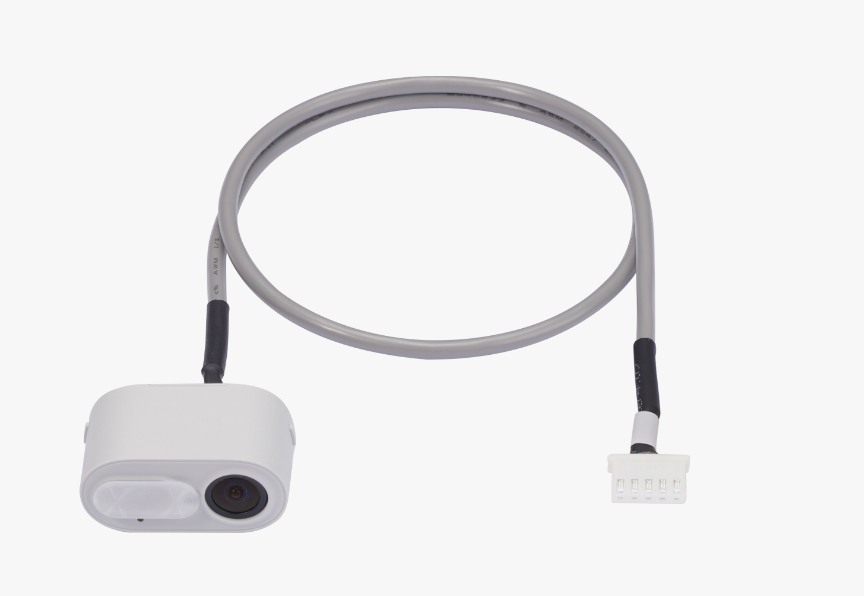
Installation Instruction
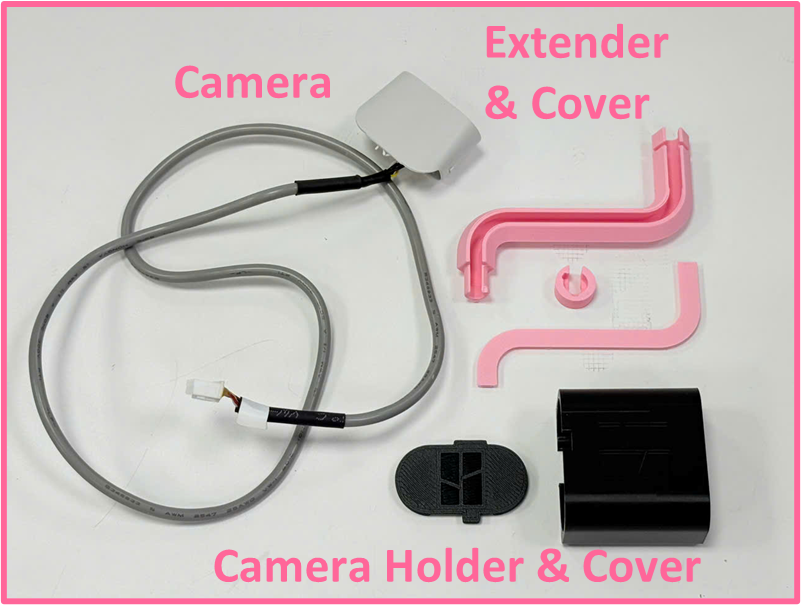
Power off the printer before conducting any work
Install the display frame, just simply press on it
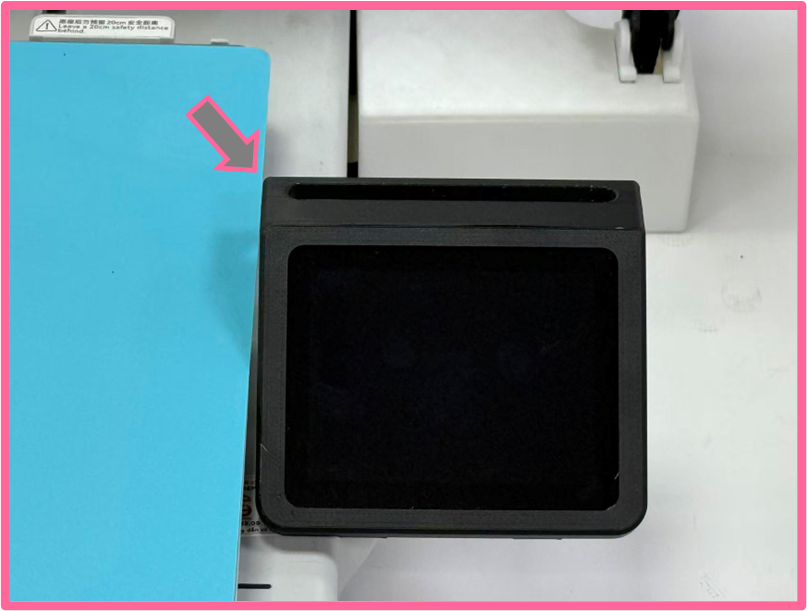
Display Frame Press the cable into the extender, leave about 9mm from the camera
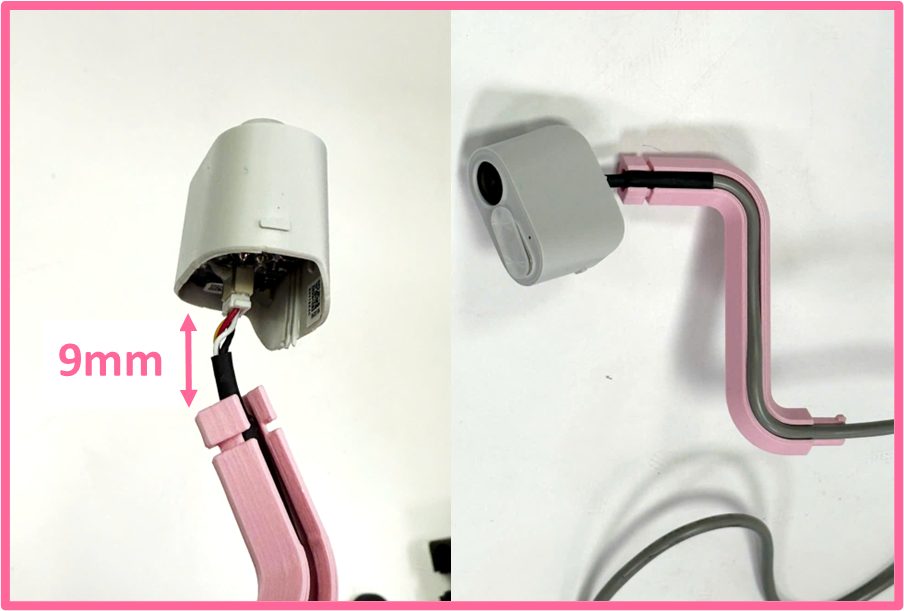
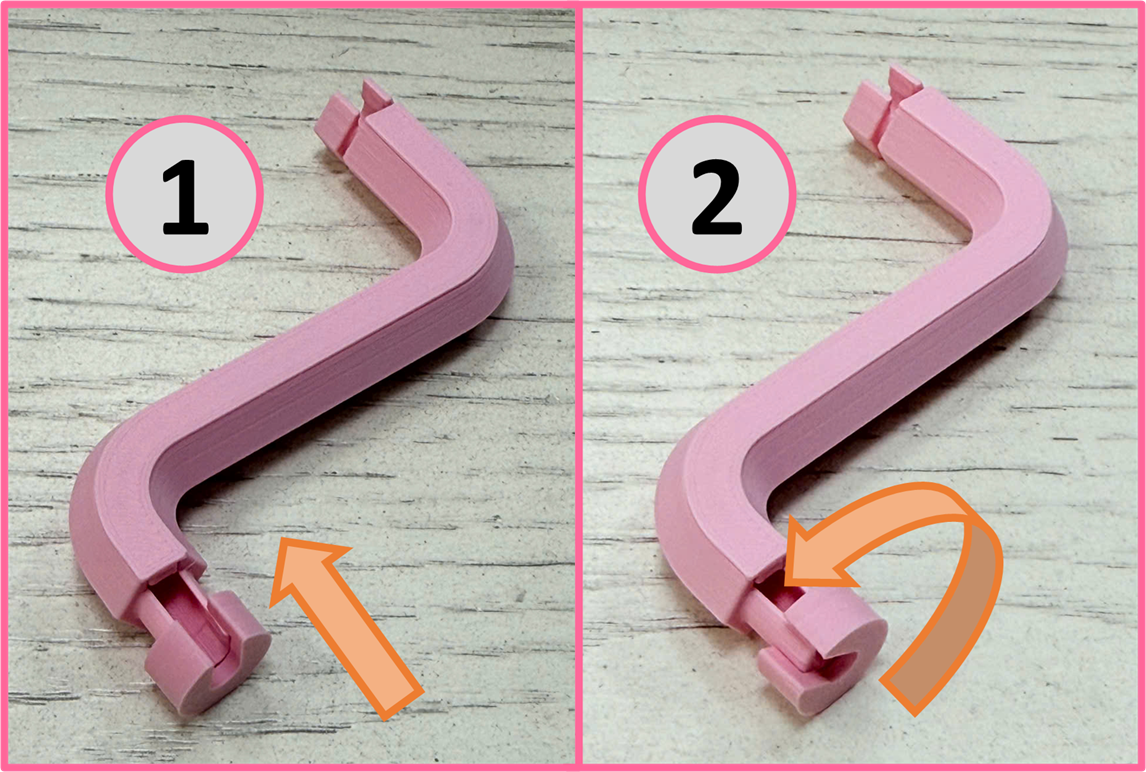
Install the cable Insert the extender to the camera holder. there are stoppers at the opening, so insert the extender from the side way, then rotate it back
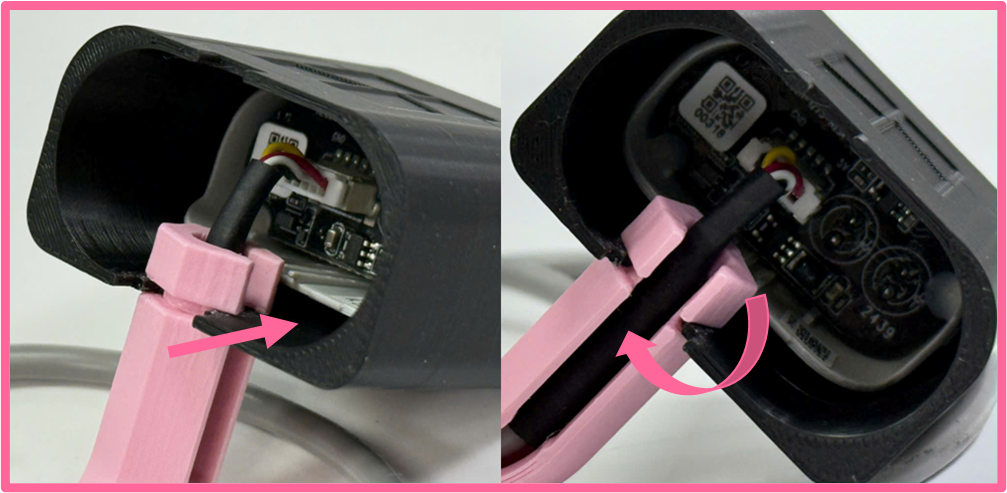
Insert the extender 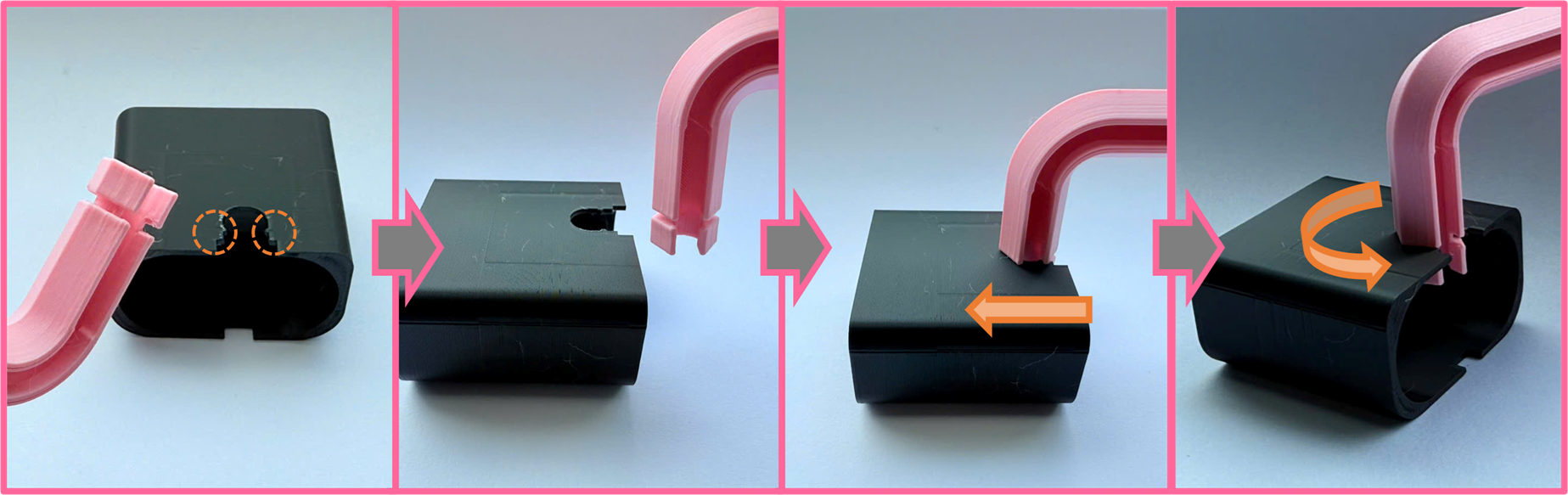
Insert the extender cover
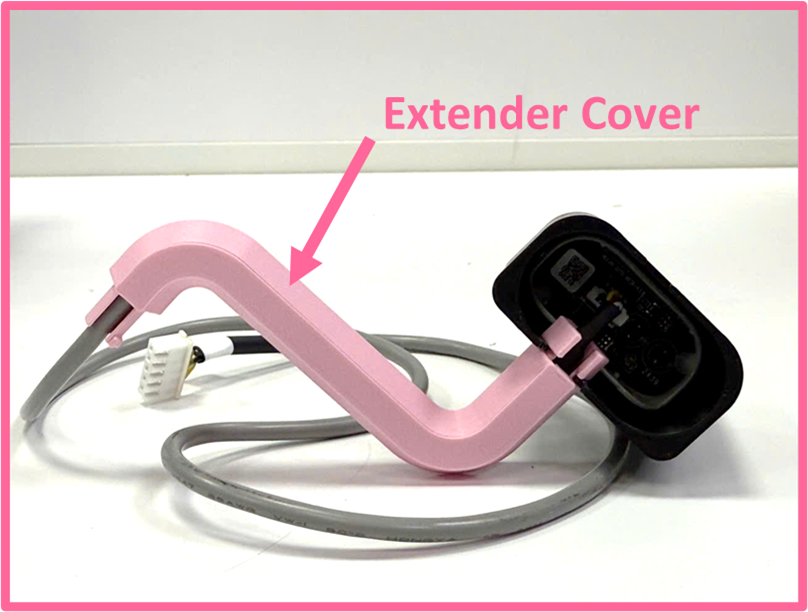
Insert the extender cover Insert the camera holder cover
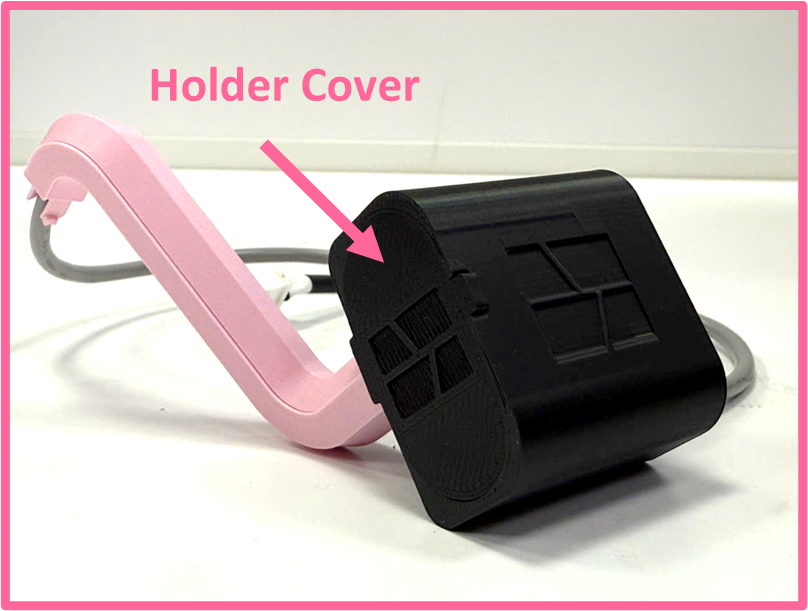
Insert the holder cover Insert camera cable through the display frame
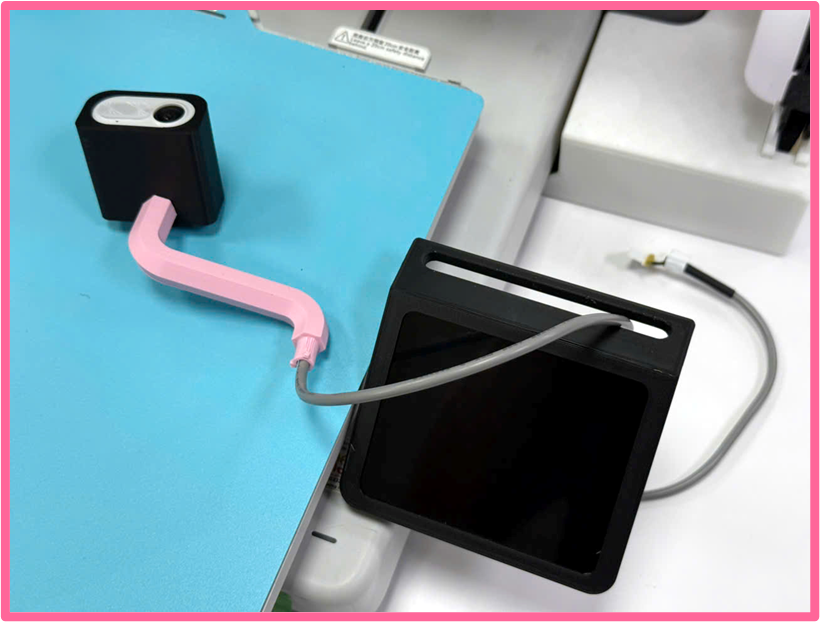
Insert the extender screw to fasten onto the display frame
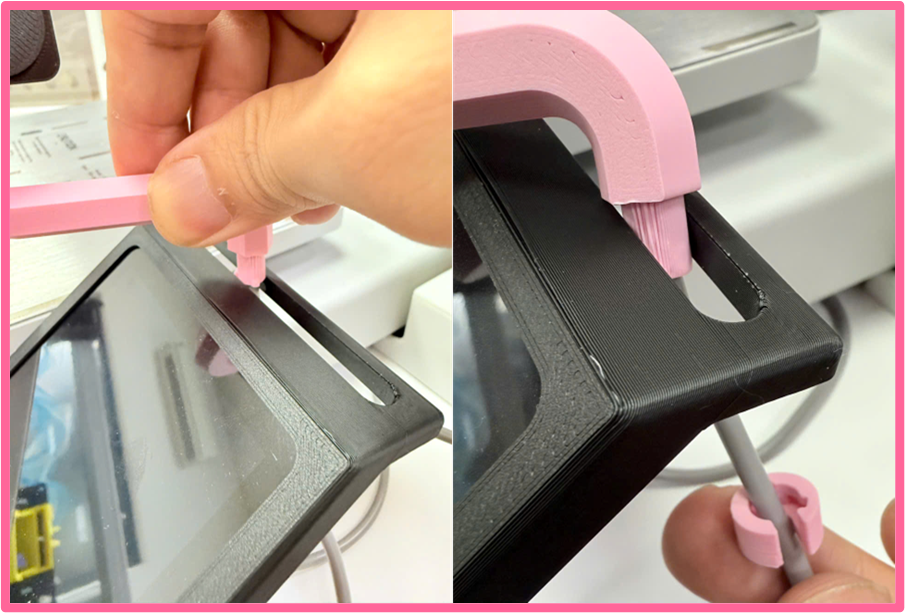
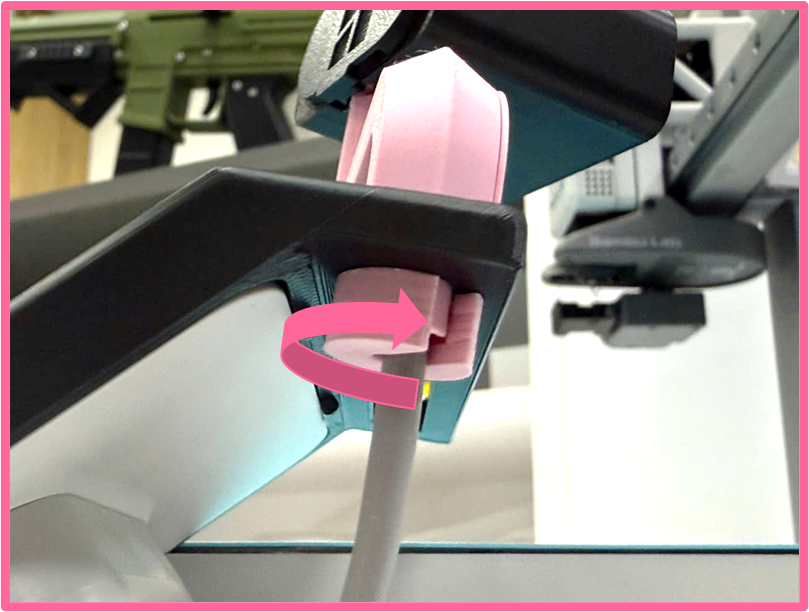
Here are more detailed steps for the installation
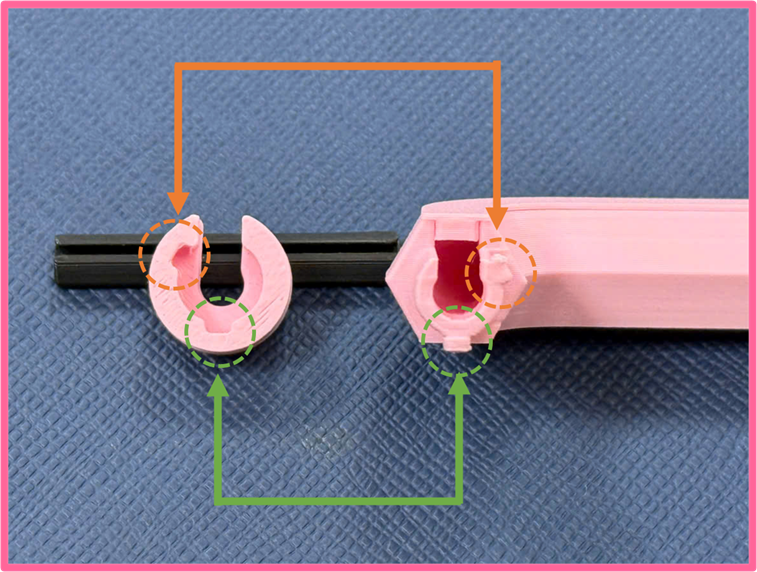
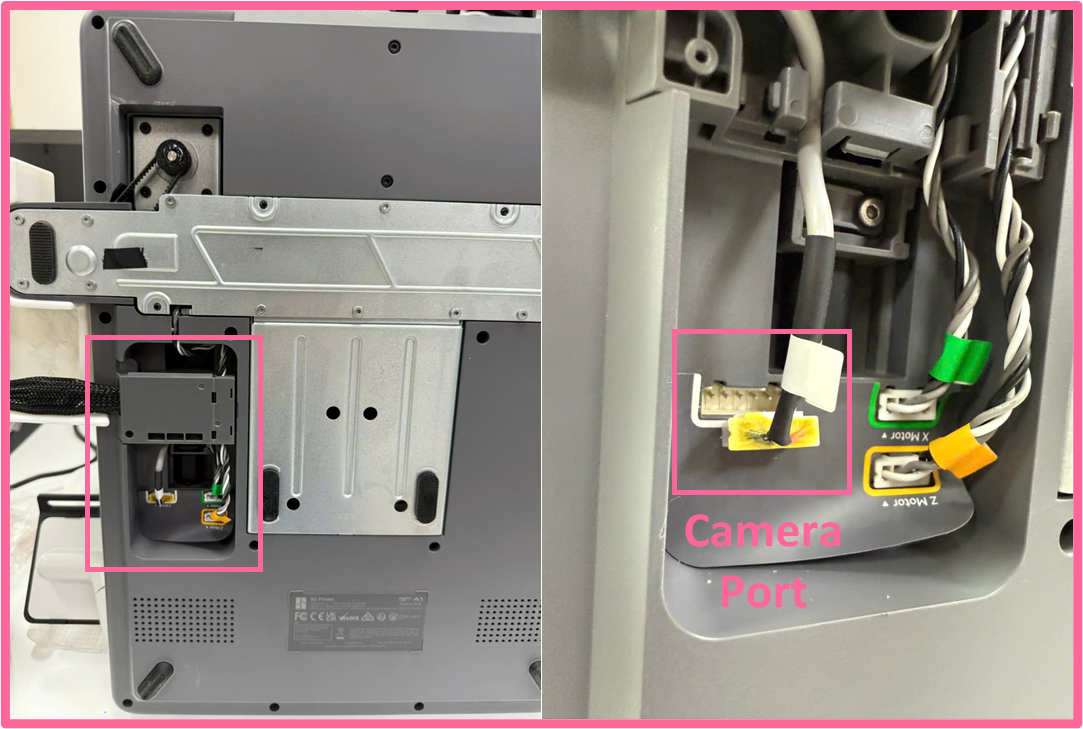
Unplug the camera cable
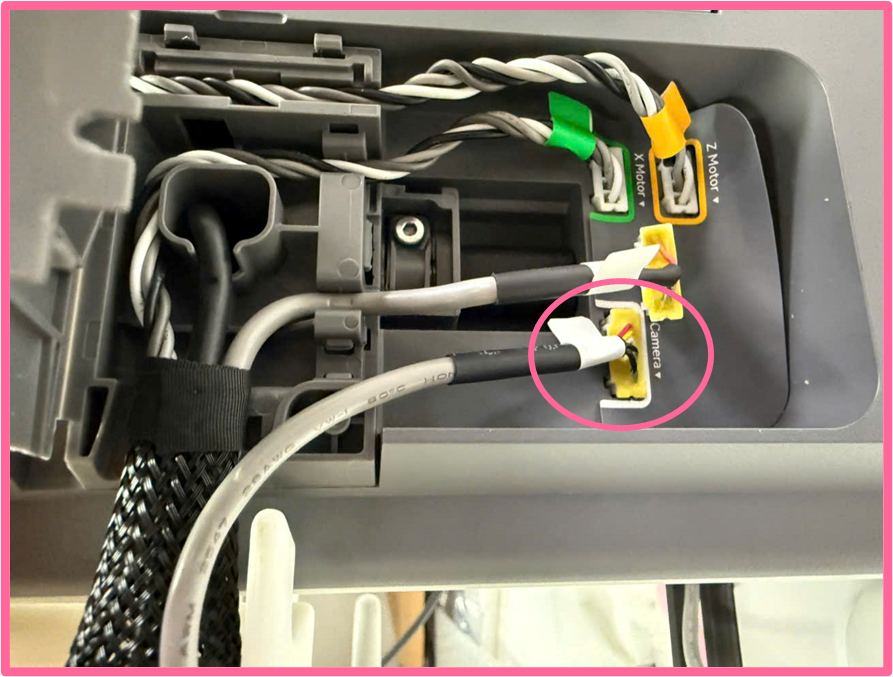
Insert the new cable for replacement
Adjust the camera position & angle for your favorite perspective
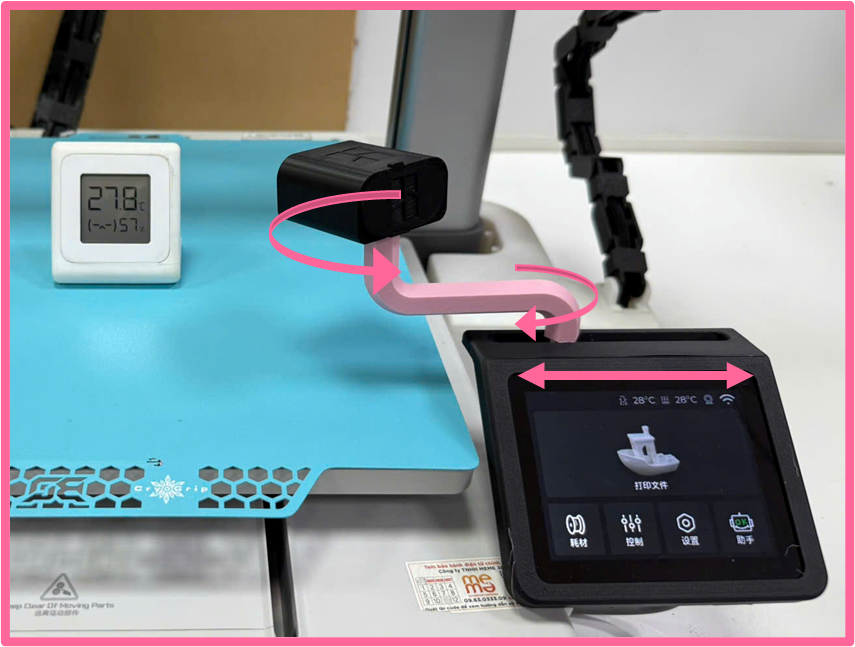
Reference for perspectives
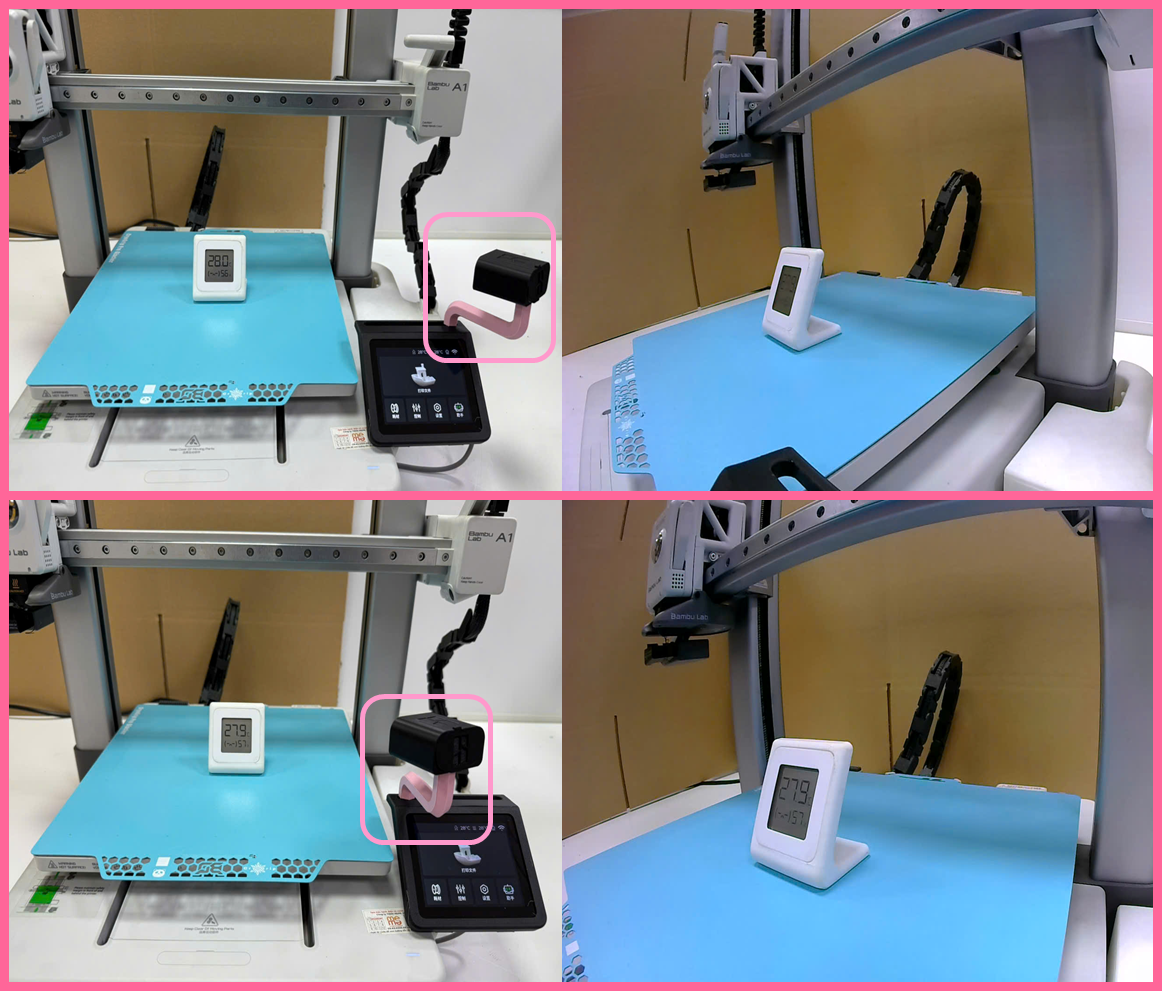
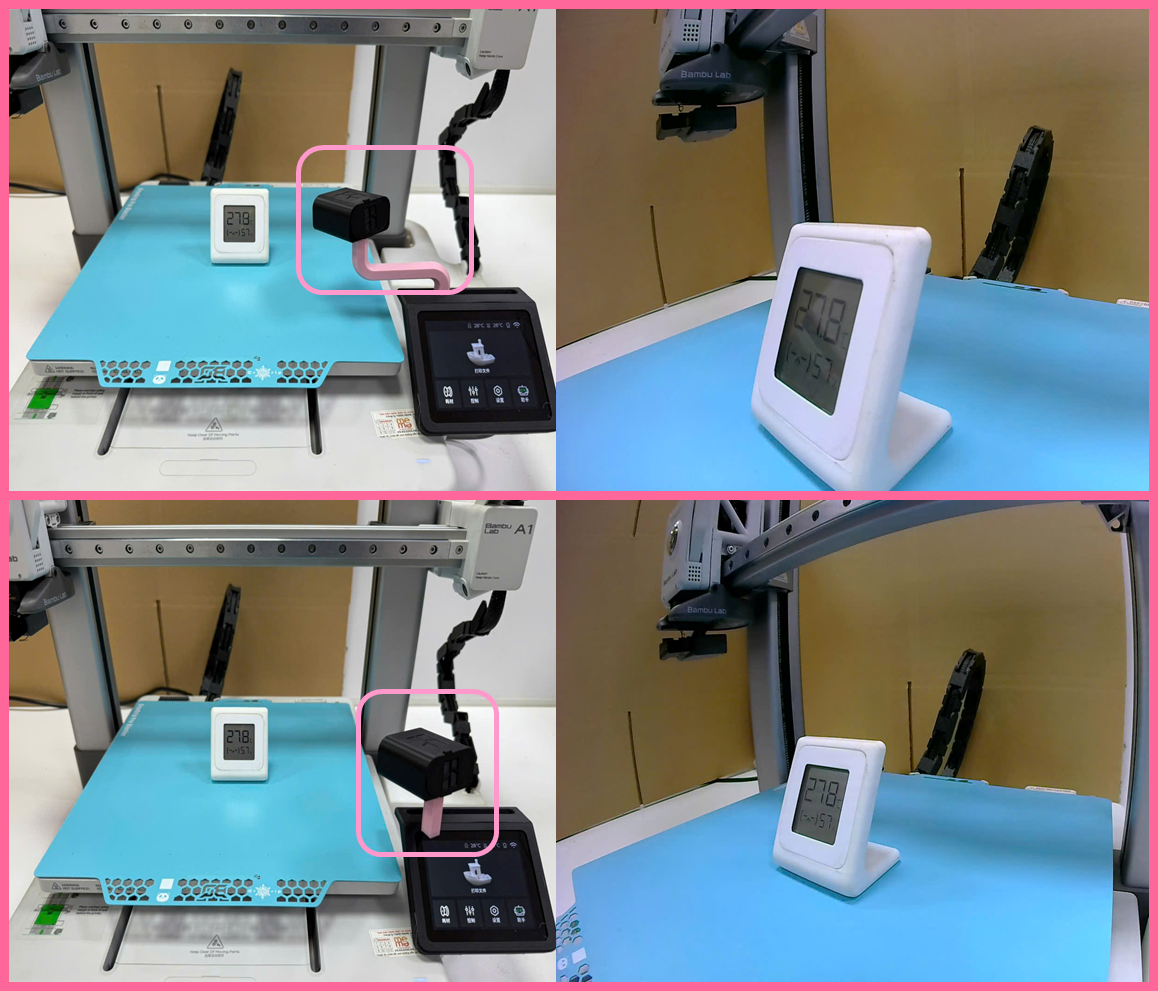
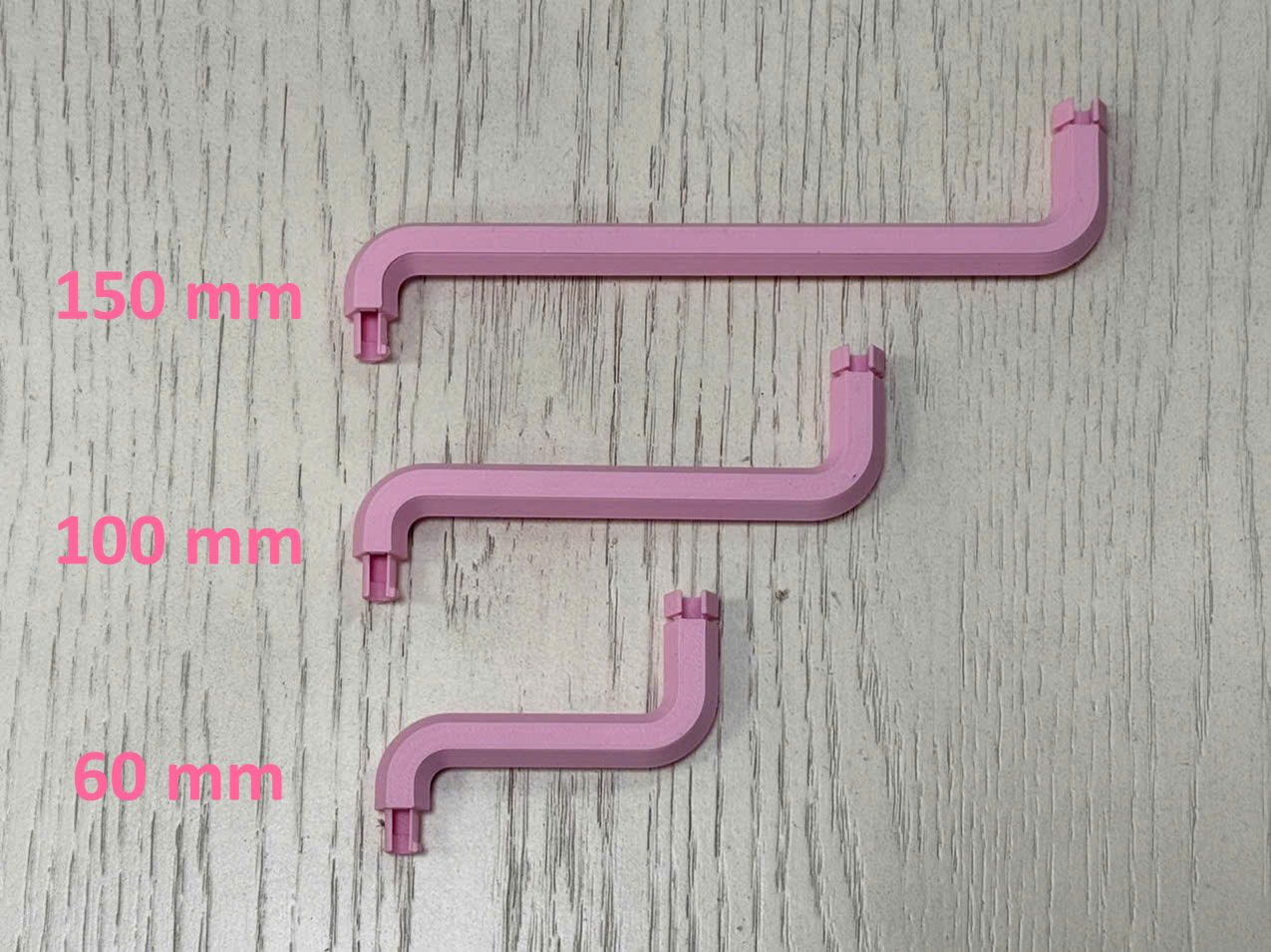
There are 3 sizes of extender
- 60mm
- 100mm
150mm
A1 Camera Relocation (Omnidirectional)

Publicado em 15 de set de 2025
Gostou deste modelo? Crie uma conta grátis para salvar seus favoritos e voltar a eles depois.
Criar conta