Você está no 3DFinder
Buscamos em Thingiverse, MakerWorld e Printables ao mesmo tempo para te dar o melhor de cada uma.
Descrição
These drawer inserts combine a large labeling area with easy access to the contents due to the hinged label flap. The dimensions of the container are freely customizable! You can either 3D print text onto the flaps or use paper labels.
They are available in 4 variants:
- Standard (flat bottom) with or without label flap
- Gridfinitiy with or without label flap
Each version has a print profile with different sizes and additionally a customisable area where you can configure the boxes to fit a drawer.
Standard (flat bottom) with or without label flap
Available sizes:
- 50 x 50 x 25mm
- 50 x 50 x 50mm
- 50 x 75 x 50mm
- 75 x 75 x 50mm
- 100 x 100 x 50mm
- 125 x 125 x 50mm
For other dimensions, please use the customize button.
The following dimensions can be customized: width, depth, height and the depth of the label flab (only the label flap variant)
Gridfinity with or without label flap
Available sizes:
- 1x1 (41,5 x 41,5 x 25mm)
- 1x2 (41,5 x 83,5 x 25mm)
- 1x2 (41,5 x 83,5 x 50mm)
- 2x2 (83,5 x 83,5 x 50mm)
- 2x3 (83,5 x 125,5 x 50mm)
- 3x3 (125,5 x 125,5 x 50mm)
For other dimensions, please use the customize button.
The following dimensions can be customized: width, depth, height and the depth of the label flab (only the label flap variant).
Also the amount of the grids.
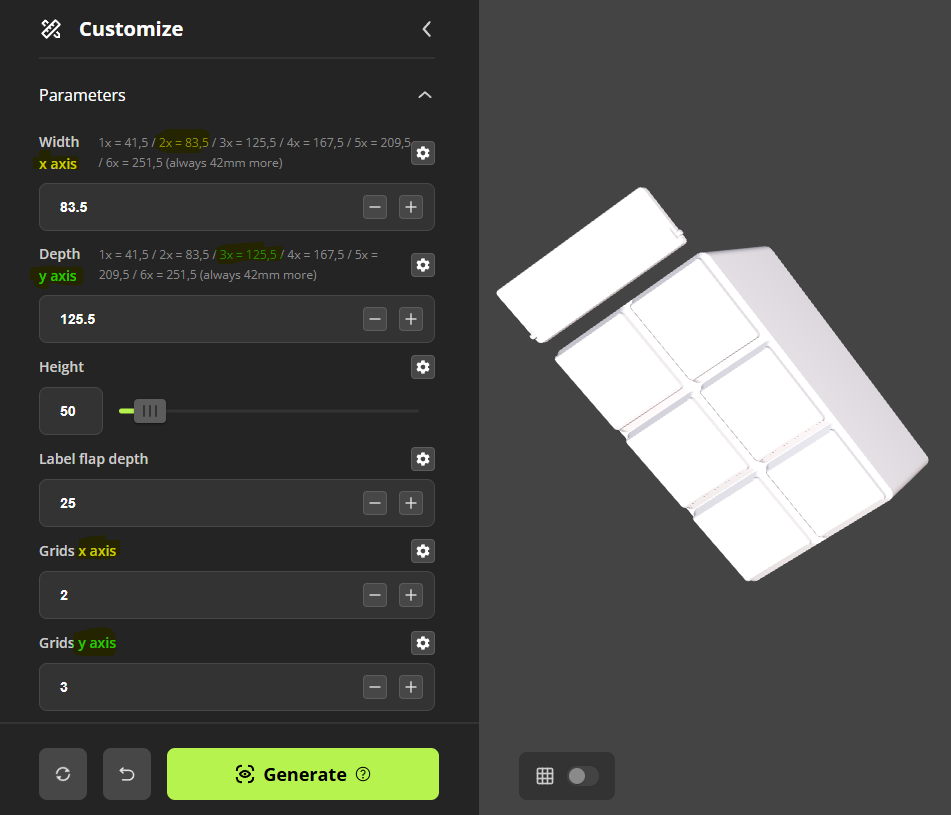
Instruction for the gridfinitiy box generator:
You can choose between following length and depths:
41,5 (1x grid)
83,5 (2x grid)
125,5 (3x grid)
167,5 (4x grid)
209,5 (5x grid)
Just calculate always +42 if you need even bigger boxes
Example:
For width (x-axis) 83,5 and depth (y-axis) 125,5 you need a 2 (x-axis) x 3 (y-axis) grid:
Print instructions:
If you create your own box:
• Seperate box and label flap with rightclick on the part → Split → to objects
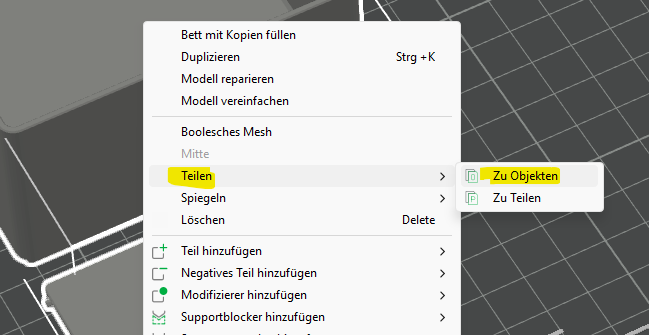
• Pull the label flap onto a new printing plate.
• Click on the label flap and select the text bottom:
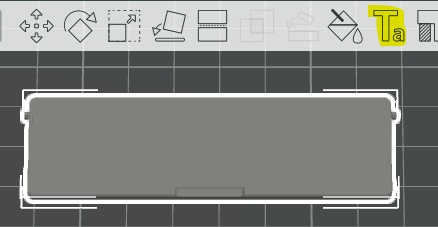
You can freely choose the font/size etc.
Here are my recommend settings:
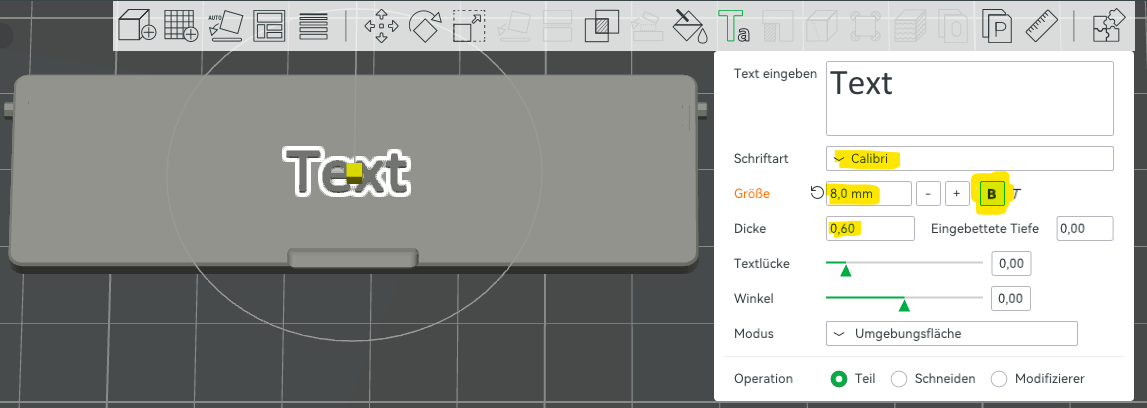
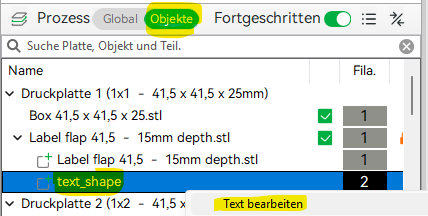
If you use one of the 4 standard profiles, then you only have to right click on the text_shape under “objects” and click on text edit:
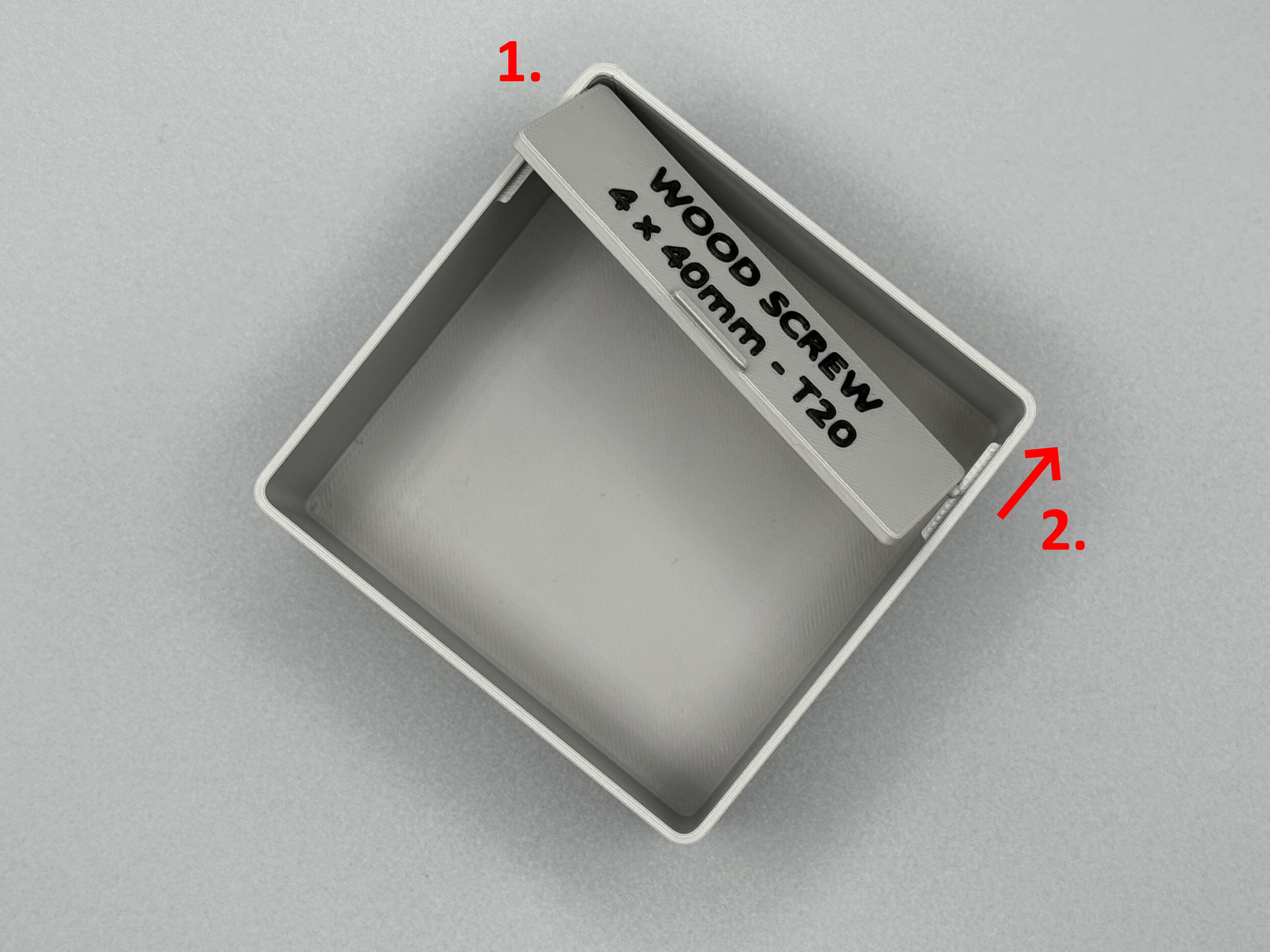
Assembly:
Print settings:
Box and label flap: standard settings for the box (0,2mm layer heigt, 15% Infill)
Seam position: back
Only label flap: “Arachne” wall generator for better text quality and top surface speed: 50mm/sec
Parametric drawer insert with hinged label flap
Publicado em 12 de set de 2025
Gostou deste modelo? Crie uma conta grátis para salvar seus favoritos e voltar a eles depois.
Criar conta