Você está no 3DFinder
Buscamos em Thingiverse, MakerWorld e Printables ao mesmo tempo para te dar o melhor de cada uma.
Descrição
Desk Buttons
Home Assistant compatible buttons for your desk.
Whether you want to turn on a light, or close a blind, you can combine esphome + physical buttons to make automating anything you want as simple as pressing a button.
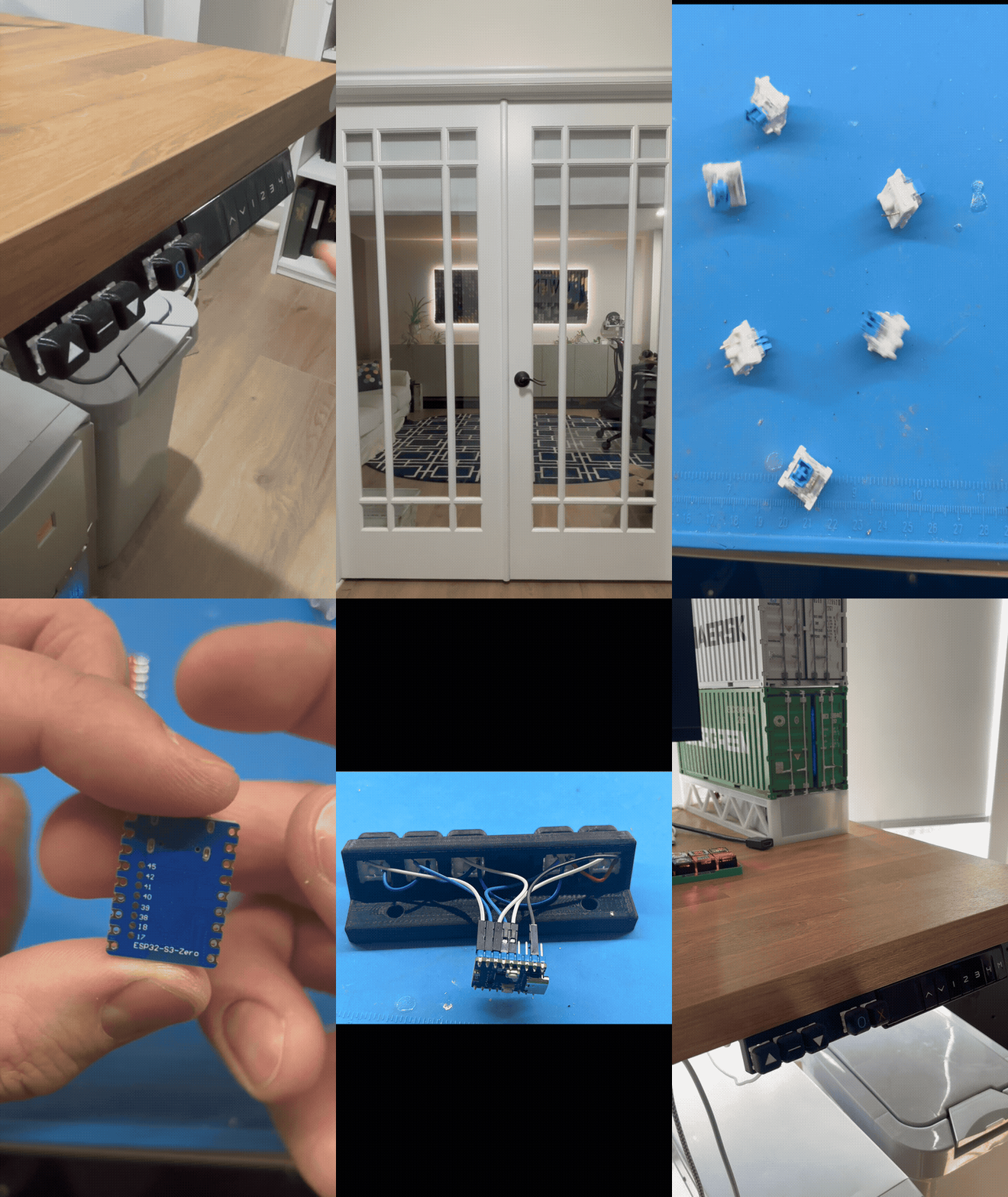
Hardware Required
(Some of the following links are amazon affiliate links).
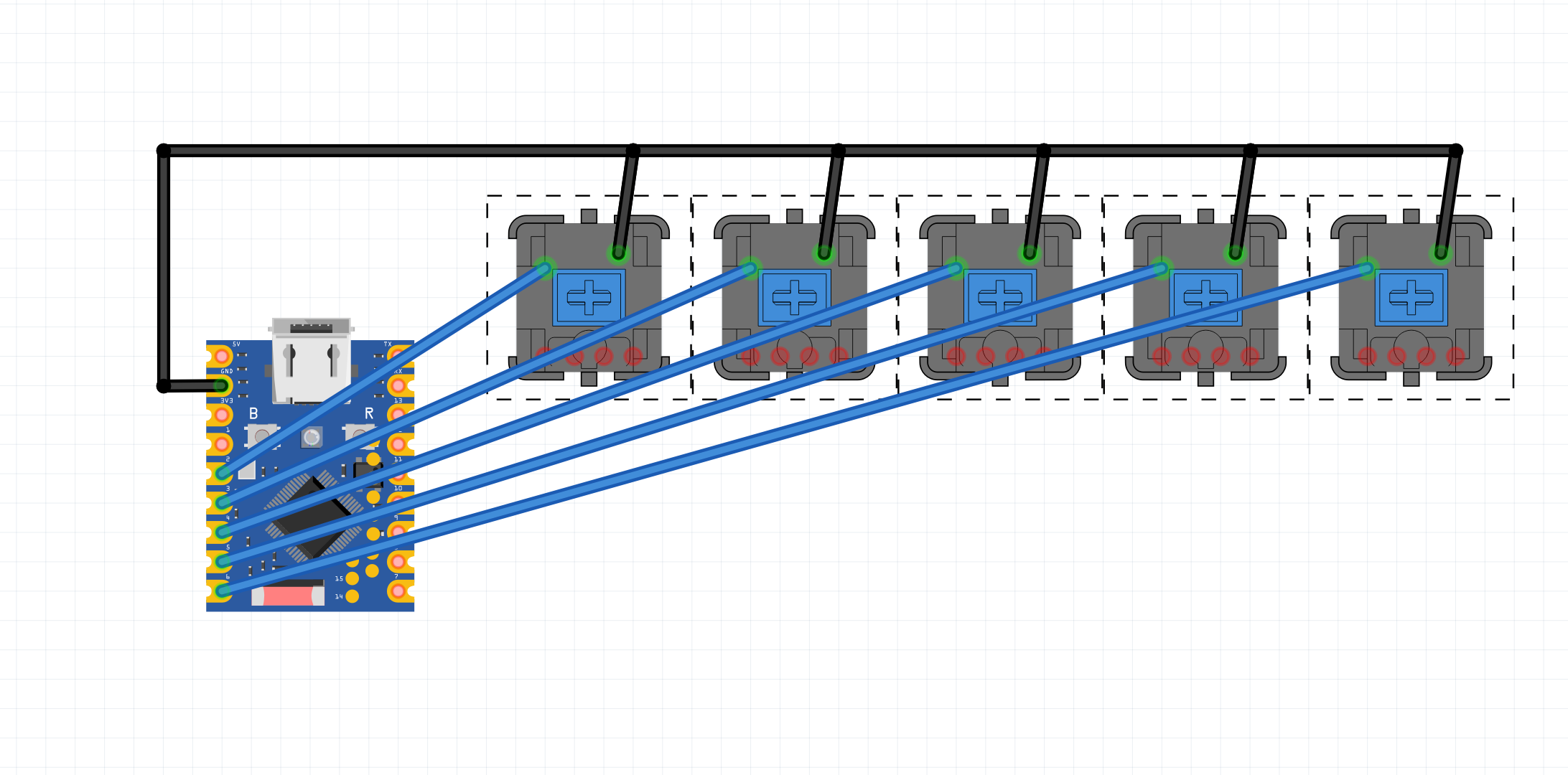
- Any esp32/esp8266 compatible microcontroller. esp32-s3-zero is recommended
- 5 Cherry MX style buttons: amazon
- 28 AWG Silicone Wire: amazon
KeyCaps Generator
Keycaps were generated using this python code. All keycaps are generic domed shaped, with the icons being added in Bambu Studio
[https://github.com/nicola-sorace/custom-keycap-generator](https://github.com/nicola-sorace/custom-keycap-generator)
Firmware
Install esphome using the web interface.
Add binary sensors using yaml.
Esphome config
```binary_sensor:
- platform: gpio
pin:
number: GPIO1
mode: INPUT_PULLUP
inverted: true
name: "Button 1"
id: button_1
- platform: gpio
pin:
number: GPIO2
mode: INPUT_PULLUP
inverted: true
name: "Button 2"
id: button_2
- platform: gpio
pin:
number: GPIO3
mode: INPUT_PULLUP
inverted: true
name: "Button 3"
id: button_3
- platform: gpio
pin:
number: GPIO4
mode: INPUT_PULLUP
inverted: true
name: "Button 4"
id: button_4
- platform: gpio
pin:
number: GPIO5
mode: INPUT_PULLUP
inverted: true
name: "Button 5"
id: button_5
```