Description
Ultra Ball Fidget Clicker – OG Pokeball Collection (3/4)
This Ultra Ball Fidget Clicker is the third design in my OG Pokéball Collection.
Great Ball Fidget Clicker (2/4)
Master Ball Fidget Clicker (4/4)
Catch ‘em all… and click ‘em too! 🎯
The Ultra Ball fidget clicker is a fun and tactile way to keep your hands busy while showing off your Pokémon love. Designed with smooth curves, it’s perfect for fans, collectors, and fidget enthusiasts alike.
I’ve been practicing and improving my CAD skills, and this one builds on what I learned from creating the original Pokéball Fidget Clicker.
✨ Features:
- 🎨 New design with improved shape and smoother edges
- 🖨 3D printable with minimal post-processing
- 🟡⚫️⚪ Iconic Ultra Ball style that Pokémon fans will love
- 🧩 Easy assembly – no special tools needed
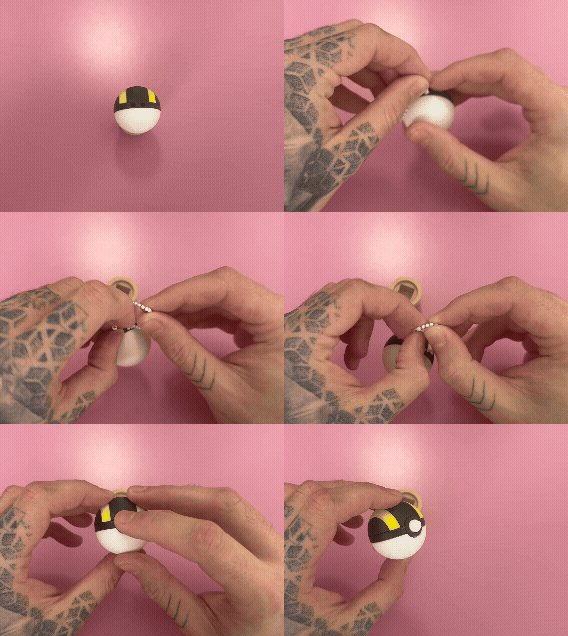
Assembly
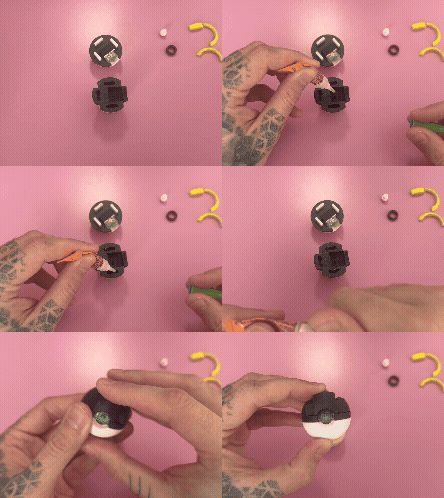
- Remove the small supports from the top (black) and bottom (white) parts and the Button piece (white) if the supports did not come off during removing from the build plate.
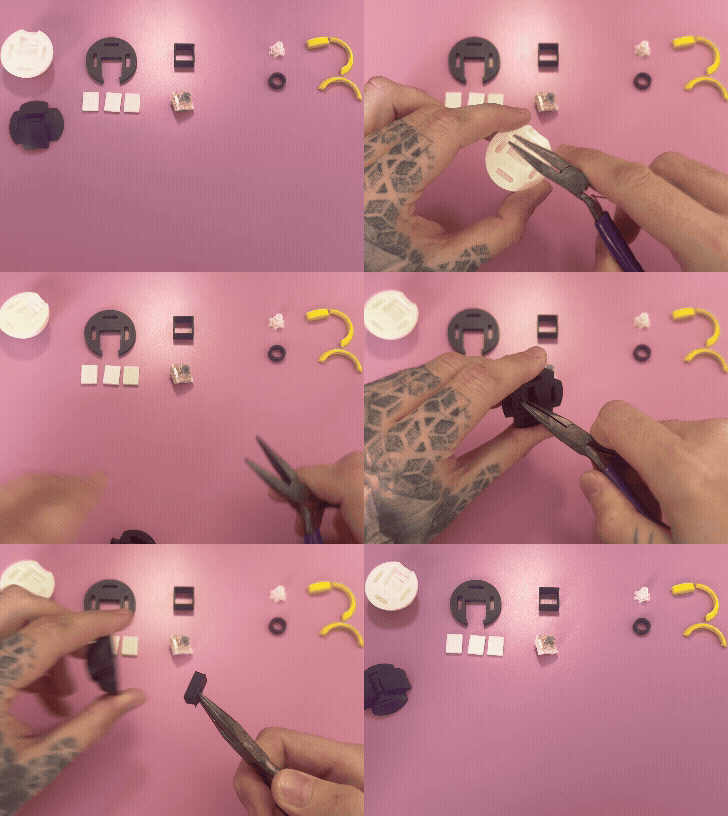
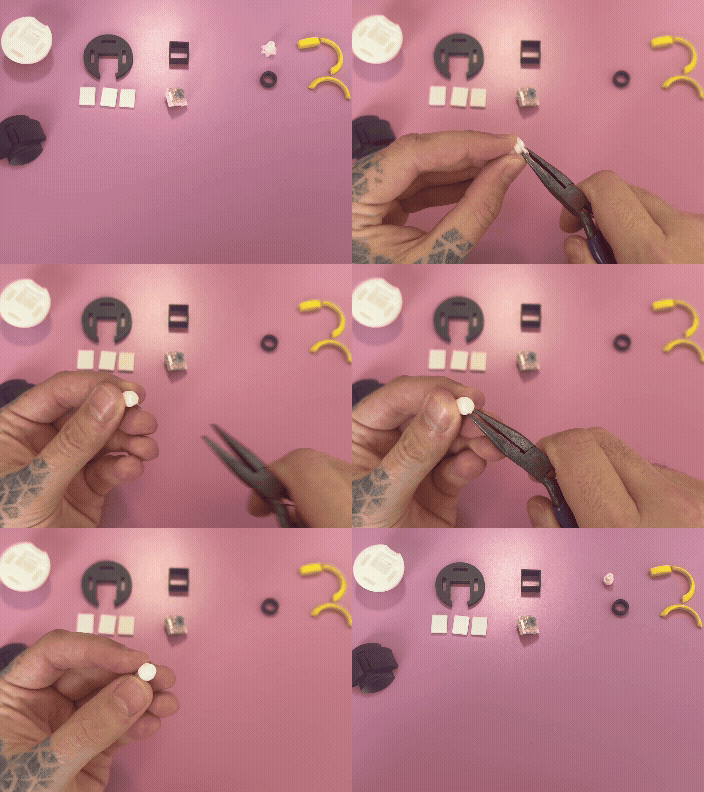
- Add a small amount of super glue to the insert holes of the bottom (white) part and stick the inserts (small squares) in.
- Place the Middle (black) part on top over the inserts.
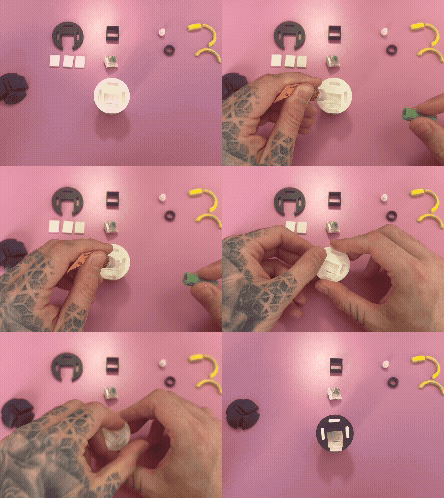
- Insert the Key Switch into the square brace (black) and place it through the Bottom (white) and Middle (black) parts with the switch facing outwards.
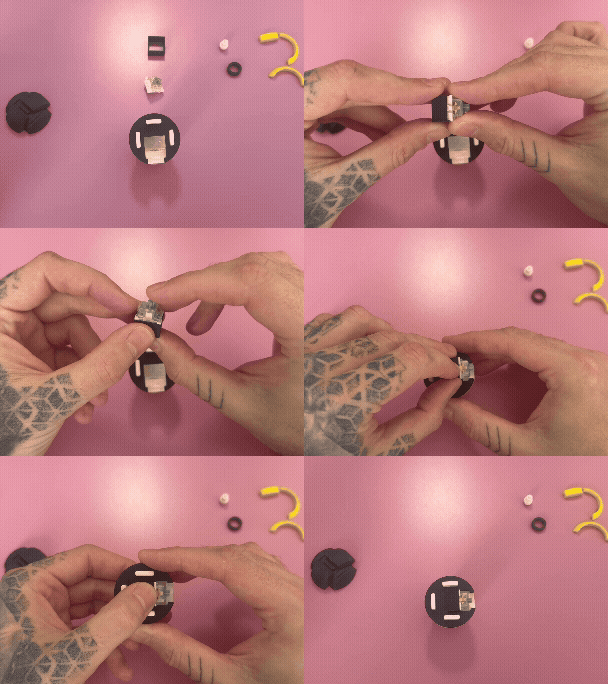
- Add a small amount of super glue into the insert holes of the Top (black) part.
- Press firmly together until the glue dries.
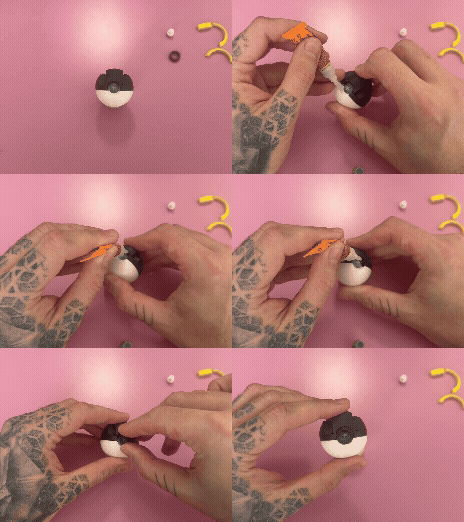
- Add a small amount of super glue to the inner recess created for the outer ring (black) part to insert.
- Be careful not to get any glue on the switch.
- I put this on a folder paper towel or in this case a model from my Mario Mushroom Clicker to help keep in place.
- Insert the out ring (black) part.
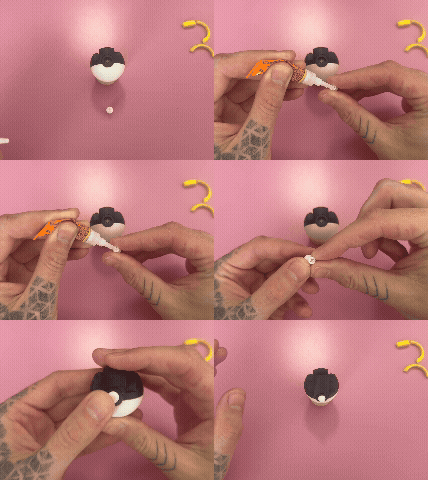
- Line up and press in the Button (white) part onto the switches insert.
- Optional: Put a small amount of glue inside the inserts of the button and let it dry for a few seconds. I like to do this so little ones don't pull it out or lose it.
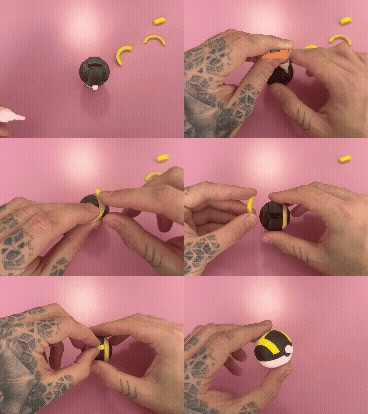
- Apply a small amount of super glue to the studs on the Top (black) part and then press on the yellow pieces.
- Test the alignment of the parts before gluing to make sure the sides are positioned in the correct way before.
- Thread a key chain through the holes on the back of the Middle (black) part.
I'd love to see your prints!
Feel free to drop a comment with feedback or photos especially if you add your own twist colours.
Your ideas and prints help improve future designs and inspire others! 🖨️❤️
Ultra Ball Fidget Clicker - OG Collection (3/4)

Published on Aug 25, 2025