Você está no 3DFinder
Buscamos em Thingiverse, MakerWorld e Printables ao mesmo tempo para te dar o melhor de cada uma.
Descrição
I regularly use my original fidget cube for flushing waste all the time but I print alot of files that don't even need up to 20 mm of flushing from my infinity cube so I made this to have one even smaller.
This is a very compact size fidget that you can squeeze onto plates where you just need some flushing up to about 13mm tall.
I made this as 4 ring and 5 ring options for now - I'll play around with the idea of making a 6 or 7 ring option if there's interest.
Pro Tips:
If you still have high flush amounts with one of these, try adding one more at a time to watch your flushing go down to where you want it to be. I've put 5-6 of these on a plate before to help reduce a 4 color print.
Why flush to object?
Typically during color changes you have the current color ready to print in your nozzle/reservoir and it must be flushed/purge out before the next color is used or it messes up your print by bleeding previous filament into the next color. By utilizing a flush object, instead of flushing that color out to waste/poop we are flushing that first color into an object's walls and infill until the new color is ready to print, significantly reducing the amount of waste that multicolor prints typically produce. And turning that poop into a useful print instead.
Bonus!! This also helps keep the poop chute from getting clogged on longer prints because you are putting significantly less into it so its much less likely to get backed up.
How to do it?
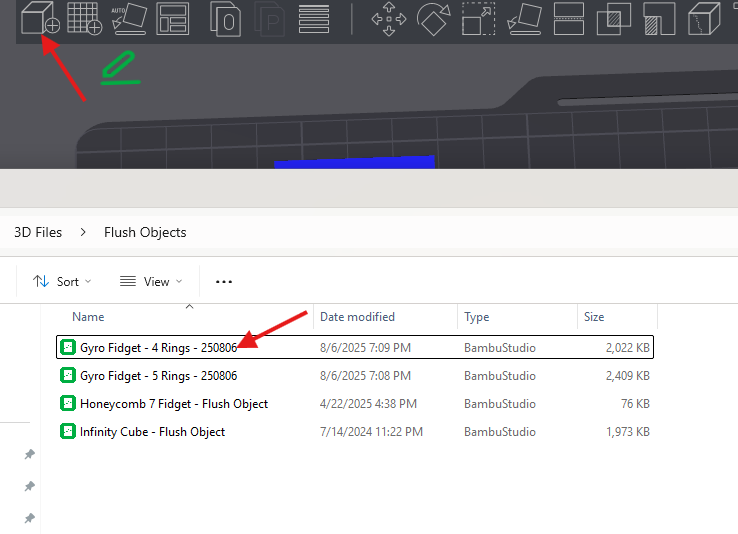
- Download fidget, then add your Flush object(fidget cube) to your multicolor print:
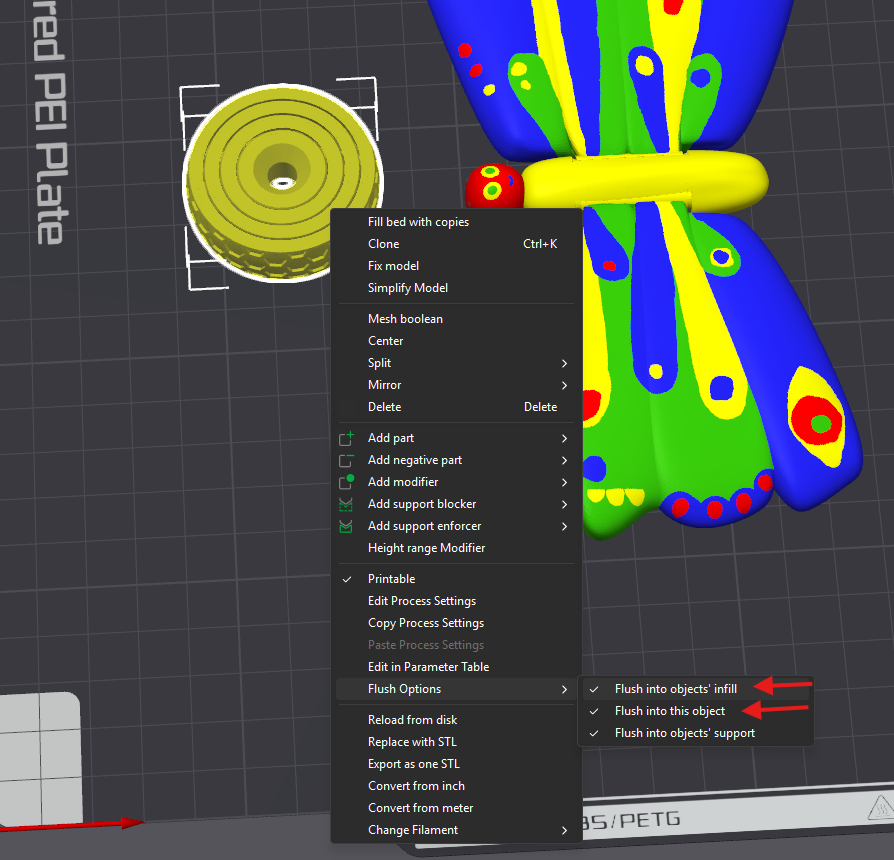
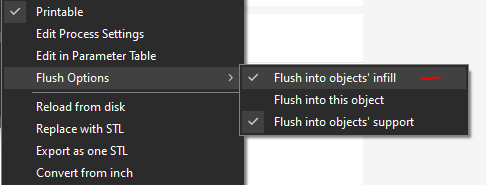
2. Right click on your object (Fidget Cube), select Flush Options near the bottom, Select all 3 options(Objects infill, object, support):
(You can also do this in your “Objects” → Others.)
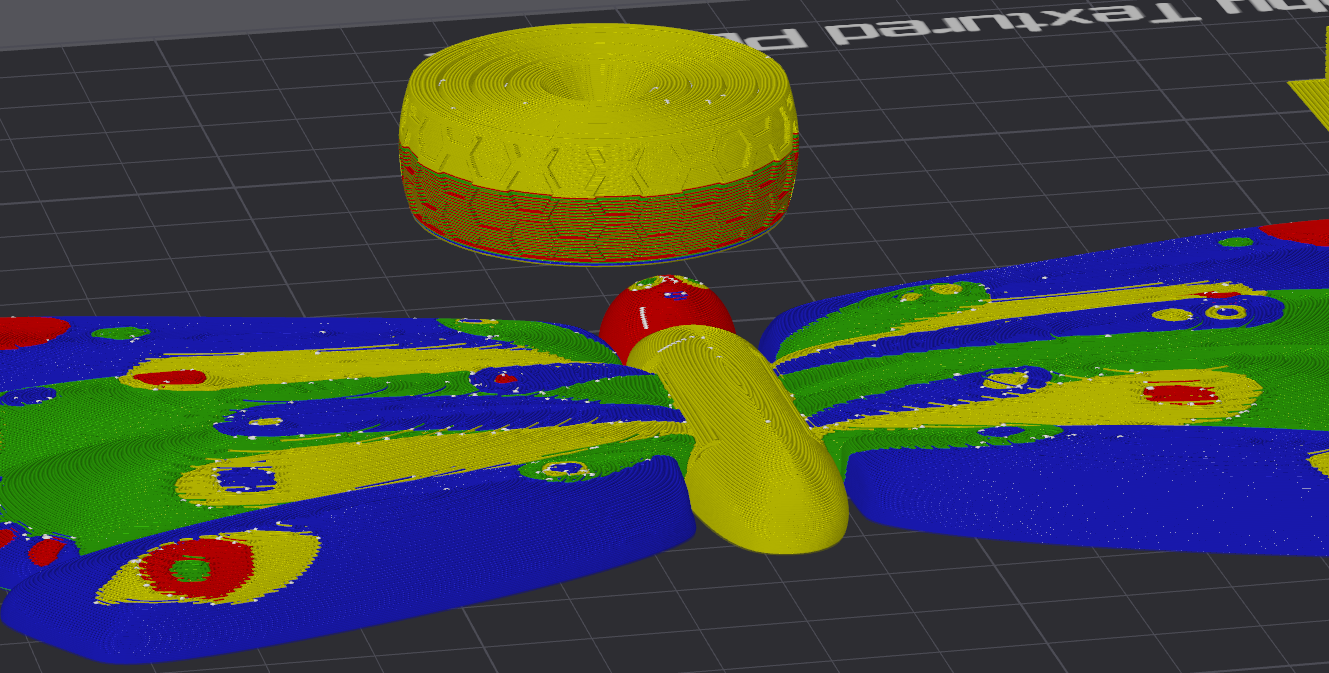
3. Now Slice and check that the fidget cube is being flushed to:
Pro Tip:
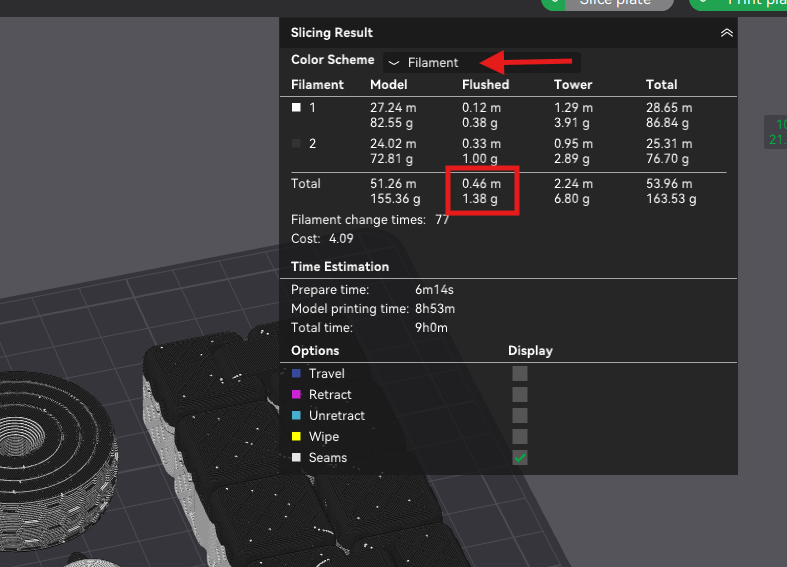
- After Slicing, check how much filament is being flushed to see how much you're saving, or if you need to add more flush objects.
- Upper right information box:
- Select Filament from drop down (Arrow)
- Check quantity of Filament being flushed (Box)
- Upper right information box:
Any other ways to reduce waste?
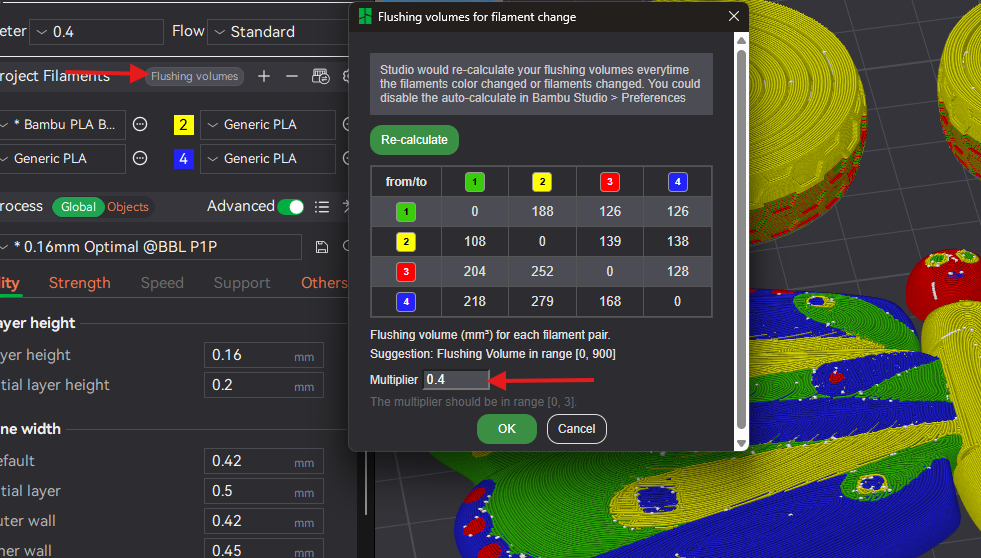
- You can also check your “flushing volumes” right above your filament/color selections in Bambu Studio. Its default is 1, but not all color combos need that much flushing. Typically most colors are pretty happy with a mulitplier within .4 - .6.
2. You can also flush to the infill of your main print (similar to fidget flush - but ONLY to infill) - this is typically only recommended if your main outer wall is darker/similar to your other colors. Or if you're using 3 walls or more. Otherwise you may be able to see the inside random colors and it can mess up the look of your print - which isn't worth saving on filament if it affects your final print. This comes down to personal preference and experience. Some prints you can get away with it, others will not look as good.
3. Print multiple of your main items. If you need multiples of the same prints its more efficient to print them at the same time as it will produce the same amount of waste as printing just one - thus reducing your print to waste ratio the more prints you do at once.
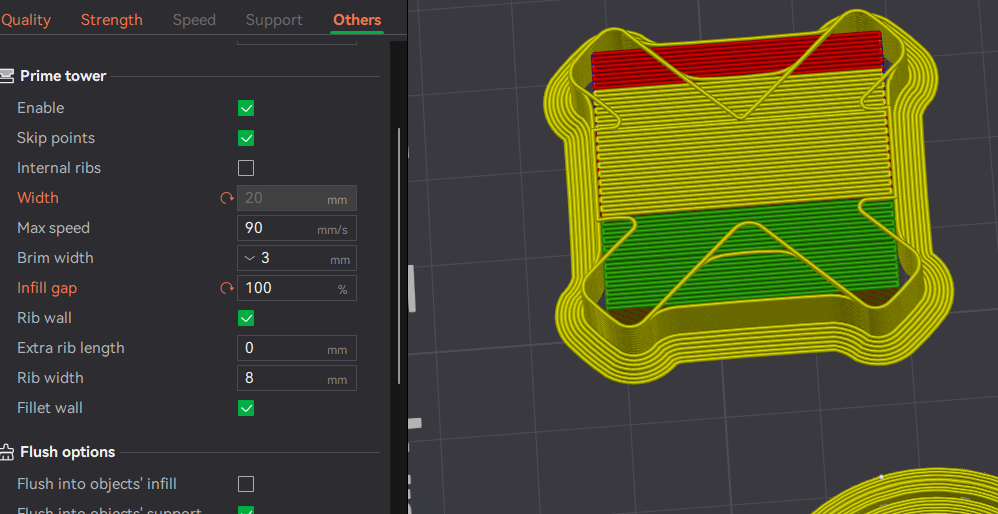
4. Reducing the size of the Prime Tower can also help save a few grams of filament as well. The default is 150 Infill gap - I typically change that to 100. And if I remove the rib wall I will change the width down to around 20-25 mm if the print isn't too tall.
- Tip! if you are printing something tall make sure to increase your brim around the prime tower for better stability if you are going to significantly reduce its size.
As a reminder - this tech only works to the height of your flush object. Remember to look where the last color change layer will happen and to make sure your flushing is being maximized.

Here's a collection of prints that I made that you can “follow” to have some other options for flushing.
The License is set as Standard to comply with Exclusive Model Program:
But I'm making all my fidgets available to sell commercially for free - no subscription required.
Gyro Fidget - Flush Object

Publicado em 7 de ago de 2025
Gostou deste modelo? Crie uma conta grátis para salvar seus favoritos e voltar a eles depois.
Criar conta