Você está no 3DFinder
Buscamos em Thingiverse, MakerWorld e Printables ao mesmo tempo para te dar o melhor de cada uma.
Descrição
How to personalize your name – a complete step-by-step guide. Required (AMS)
Don’t forget to take out the black filament when the letter colors start changing. Insert blue instead to get a 5-color result.
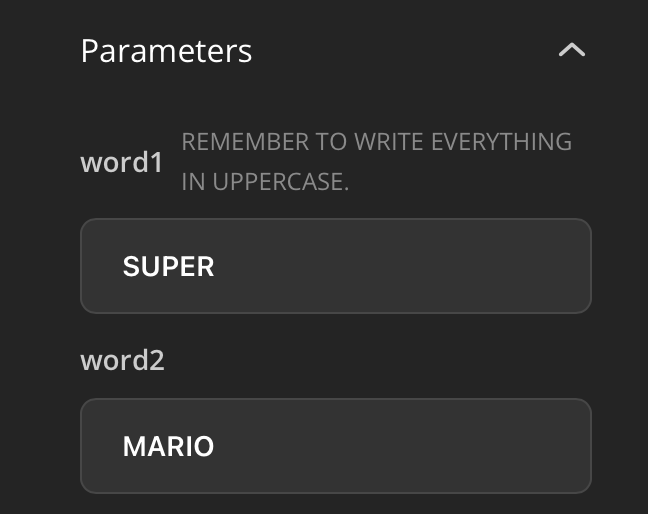
Type the name you want, and remember to enter it in uppercase letters.
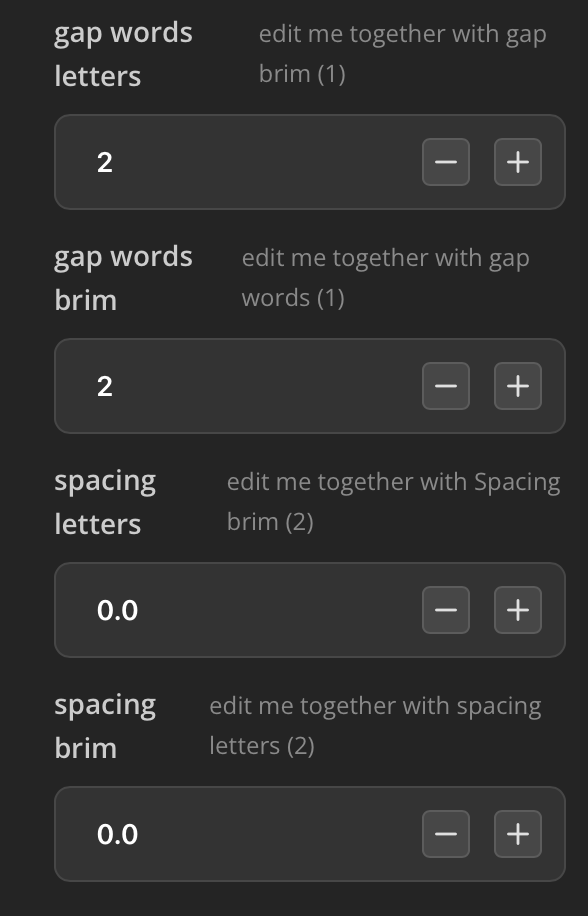
. Adjust these parameters only if the letters are too far apart; otherwise, leave them as they are.
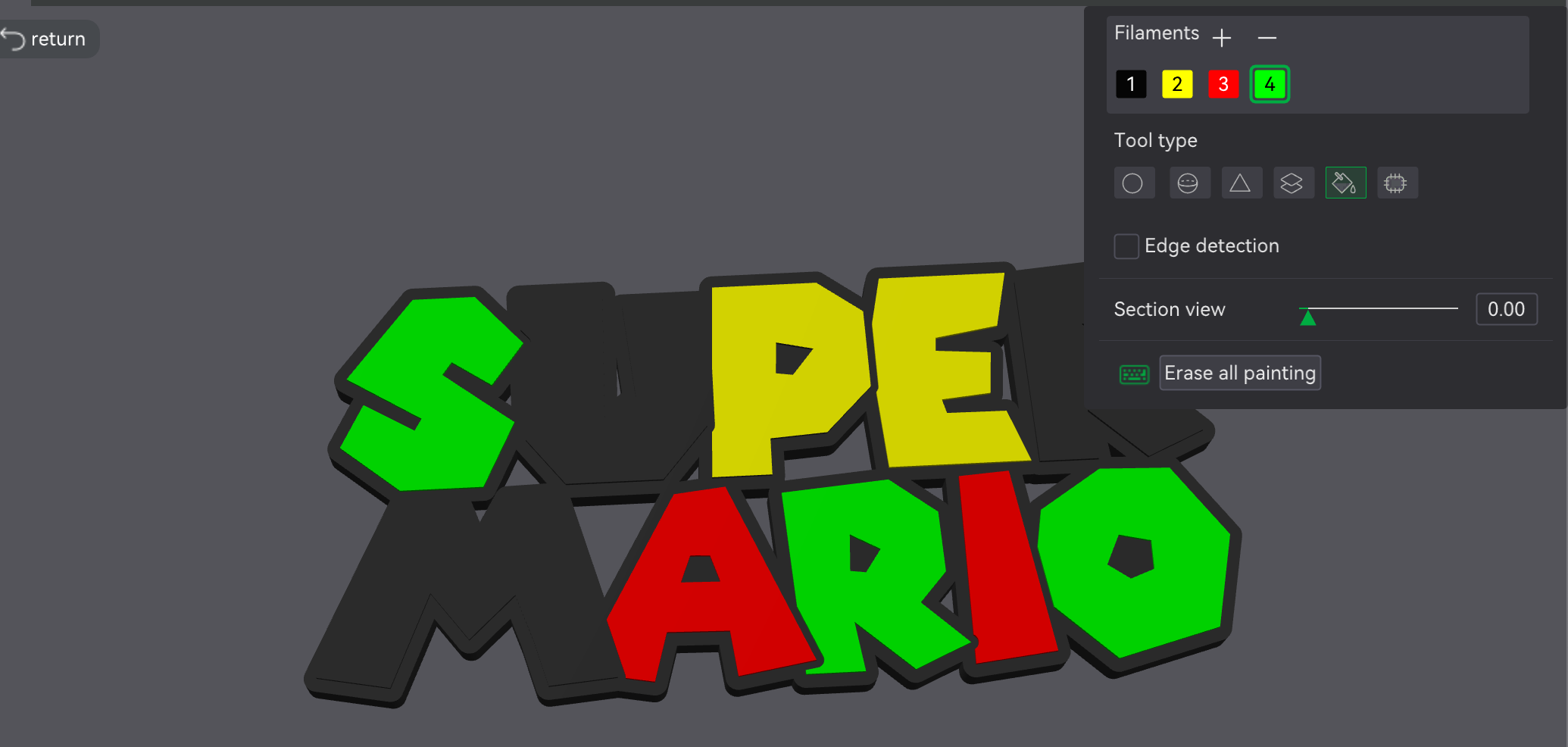 Set 4 colors on your AMS: Black, Yellow, Green, and Red. The blue filament will be manually replaced in the AMS when the printer starts the first color change.You need to color the entire body of the letter by deselecting the "edge detection" option.
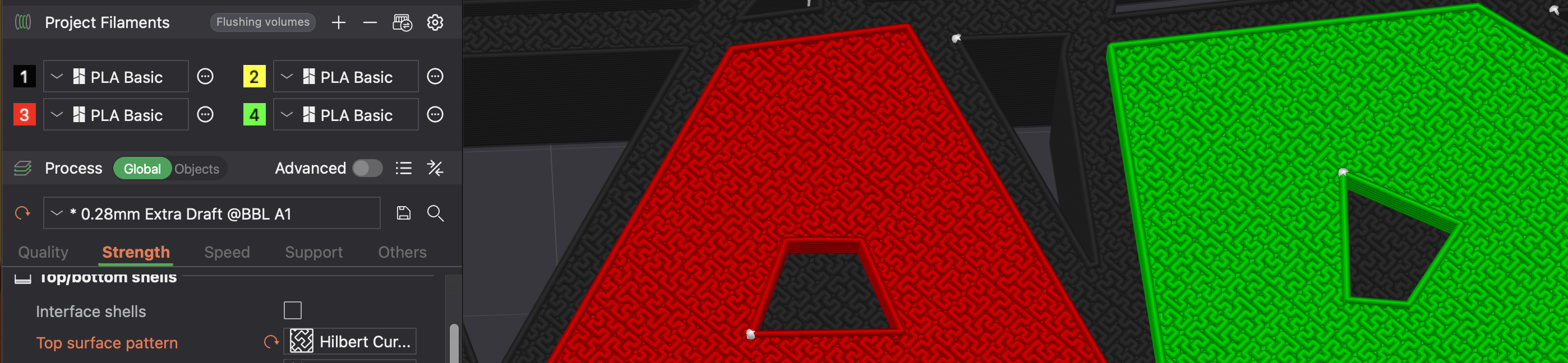
Set the top surface with this pattern (definitely the best one I’ve tried)
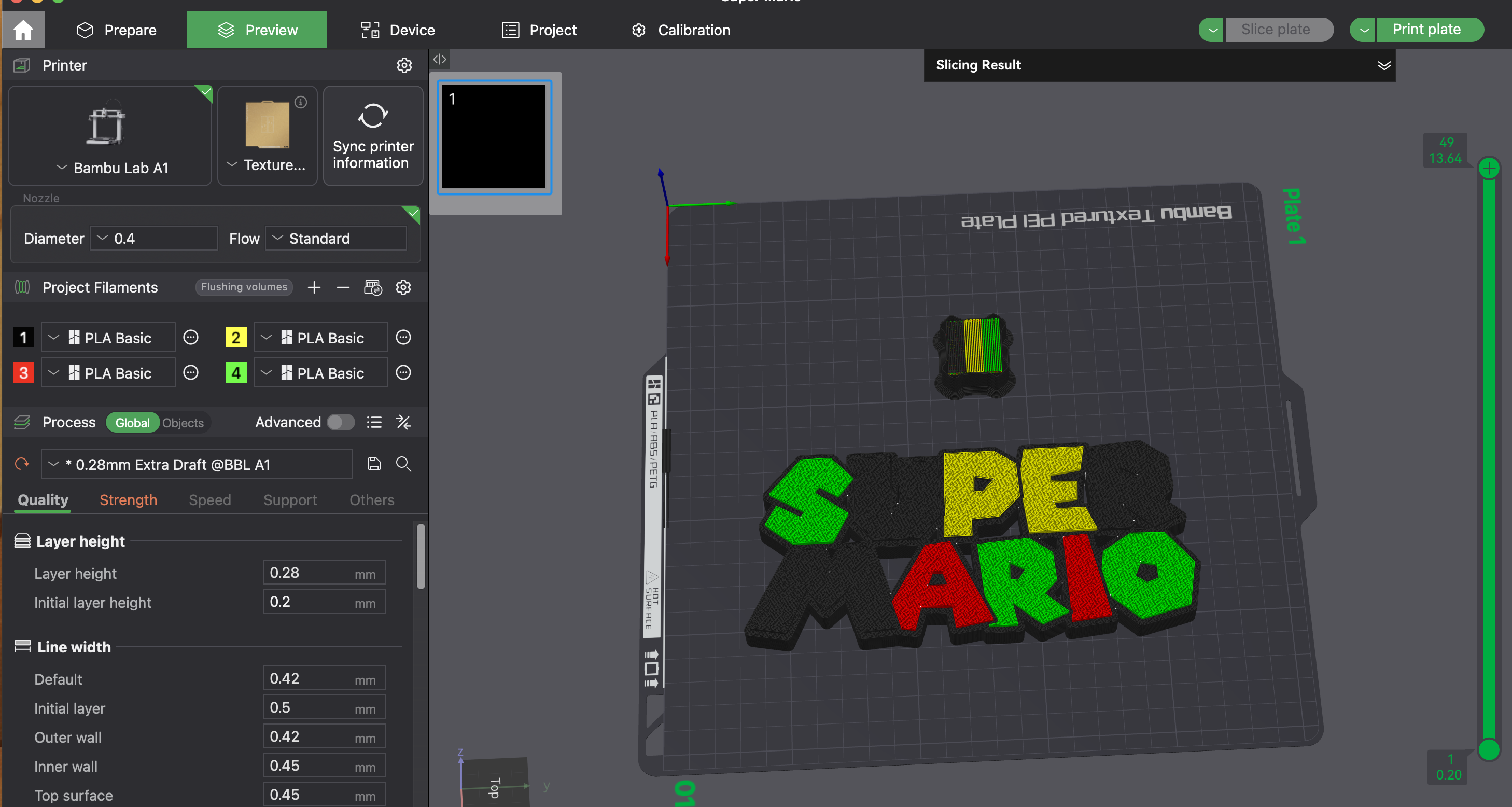 Now you're ready to print!
Don’t forget to take out the black filament when the letter colors start changing. Insert blue instead to get a 5-color result.
Gostou deste modelo? Crie uma conta grátis para salvar seus favoritos e voltar a eles depois.
Criar conta