Você está no 3DFinder
Buscamos em Thingiverse, MakerWorld e Printables ao mesmo tempo para te dar o melhor de cada uma.
Descrição
Purpose
Different versions of popular slicers can generate G-Code in unexpected ways, not as the creator intended, leading to poor print quality. This quick test model helps you identify three specific issues I have personally encountered:
How to use
- Bambu Studio
Simply slice the model—printing is optional. Inspect the preview for the three problem zones described above. - Bambu Handy
Print the test model (it’s very fast). Check the printed part for the issues.
| Description | Expected result | Incorrect result |
| Wrong default support type When you simply toggle supports on in Bambu Studio they have tree(auto) type, but in other slicers they may be generated as normal(auto) | 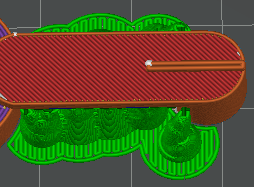  | 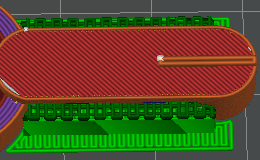 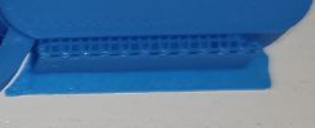 |
| Modifier not applied The sample model contains a modifier that removes top layers and increases wall loops. In certain versions (Bambu Studio 1.10.2.76) the modifier is silently ignored, which can weaken the print. | 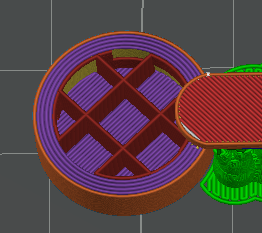 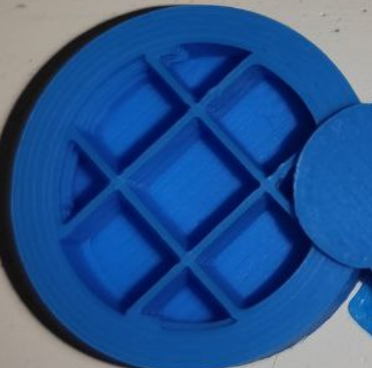 | 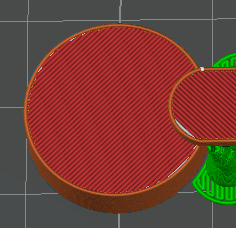 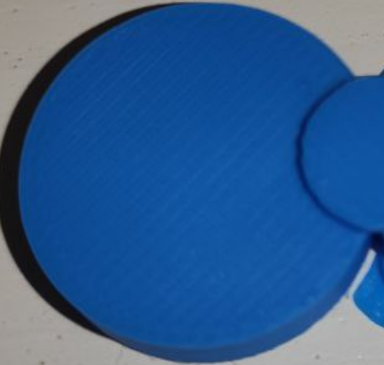 |
| Classic infill generator instead of Arachne The test model is sliced for the Arachne perimeter generator (should show two top‑surface lines). If you see three lines, Arachne was downgraded to Classic—an error I’ve seen happened when uploading a project to MakerWorld. | 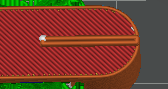 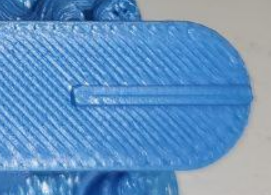 | 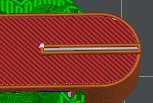 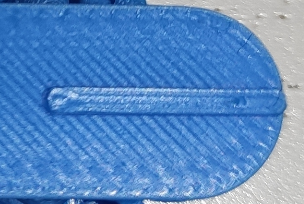 |
What to do if you spot a problem
- Update to the latest version of Bambu Studio or Bambu Handy.
- If the problem persists, please write a comment with screenshots/photo, and provide the slicer name and version.
- I will check the problem.
- I may refresh older print profiles.
- If needed, I will try to forward a bug report to Bambu Lab support.

25
Curtidas
214
Downloads
81
Coleções
99
Impressões
Categoria
Test Models
Tags
slicer
test
test model
slicer test
version
version test
handy
bambu handy
bambu handy app
error
slicing
Licença
Standard Digital File License