Você está no 3DFinder
Buscamos em Thingiverse, MakerWorld e Printables ao mesmo tempo para te dar o melhor de cada uma.
Descrição
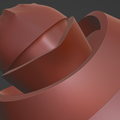
pivot arm for Switchbot to extend reach for hard to reach buttons.
The following parts:
Arm (10cm long)
Pivot 1 short
Pivot 2 tall
Switch pad (use with sticky pad from Finger Robots kit to attach to use on/off function)
how to set it up
1.Select a tall or short pivot.
2. Insert the snap part of the pivot through the hole on the arm.
3. Position the arm over the button.
4. Temporarily secure the pivot base to the surface.
5. Test the arm’s movement and button-pressing function.
6. Adjust the pivot base closer or farther from the button as needed for optimal performance.
7. Glue the switch pad to the opposite end of the arm (away from the pointed end).
8. Temporarily position the finger robot next to the switch pad.
9. Use the sticky pad from the finger robot kit to attach the finger robot to the switch pad.
10. Loop the plastic ring into the gap in the finger robot’s finger.
11. Test the full functionality of the setup to ensure proper operation.
Switchbot Finger Robots Helper
Publicado em 22 de jul de 2025
Gostou deste modelo? Crie uma conta grátis para salvar seus favoritos e voltar a eles depois.
Criar conta