Você está no 3DFinder
Buscamos em Thingiverse, MakerWorld e Printables ao mesmo tempo para te dar o melhor de cada uma.
Descrição
Print a cable cover in the exact length, height and width as you need!
How to
Prerequisits
You need to download and install Autodesk Fusion if not already installed: [https://www.autodesk.com/products/fusion-360/personal](https://www.autodesk.com/products/fusion-360/personal)
Then download the 3df file from this project. This is the Fusion file where you can set all the necessary parameters. Open this file in Fusion.
In Autodesk Fusion
When in Fusion, make sure you are in Design mode (the big button to the left)
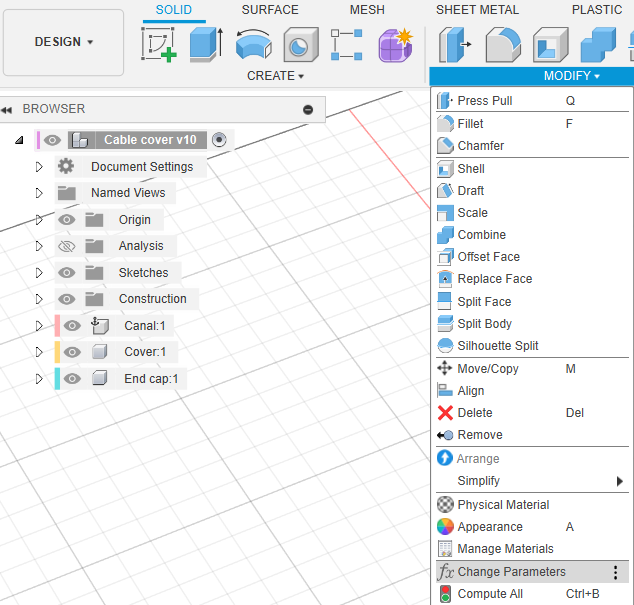
Then click the Modify button and click the Change Parameters item.
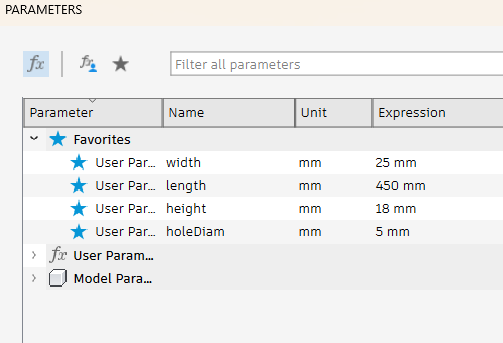
In the Parameters pop-up, change the width, length, height and holeDiam (hole diameter) to your needs (width, length and height are all outer dimensions).
When done, click the OK button. The model will change to your measures and add holes for each 50 mm (less if model is less than 70 mm long).
Export the model to Bambu Studio
Click the File button and then the Export… item.
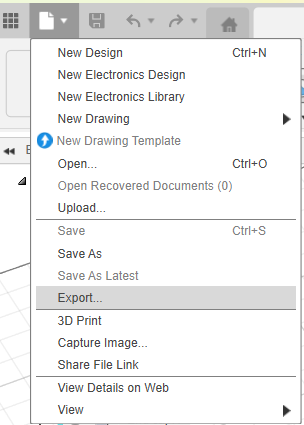
In the Export pop-up name your model, select Type: STEP Files (*.stp *.step) and make sure to save the file where you can find it again. Then click Export.
When exported, open the file in Bambu Studio. A pop-up might occur asking how to import the file. Just click OK.
Right click the model and split it into objects
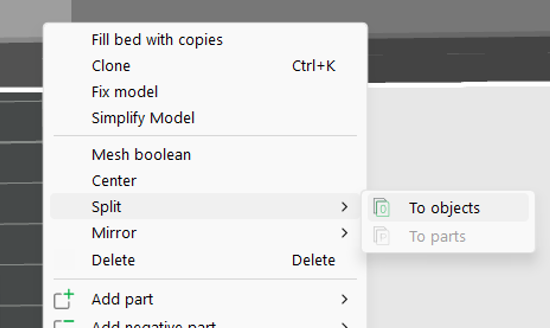
Turn all obejcts so they are printed the most logical way
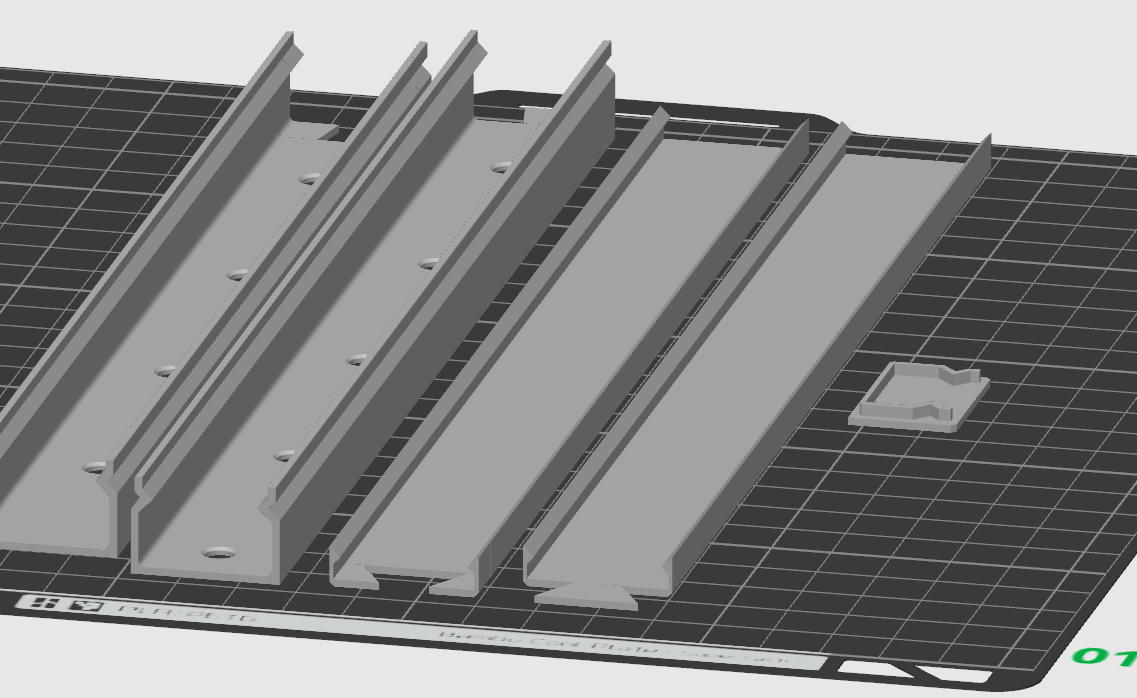
Delete the end cover if you don't need it (only used if you are going to cover a cord coming through the wall).
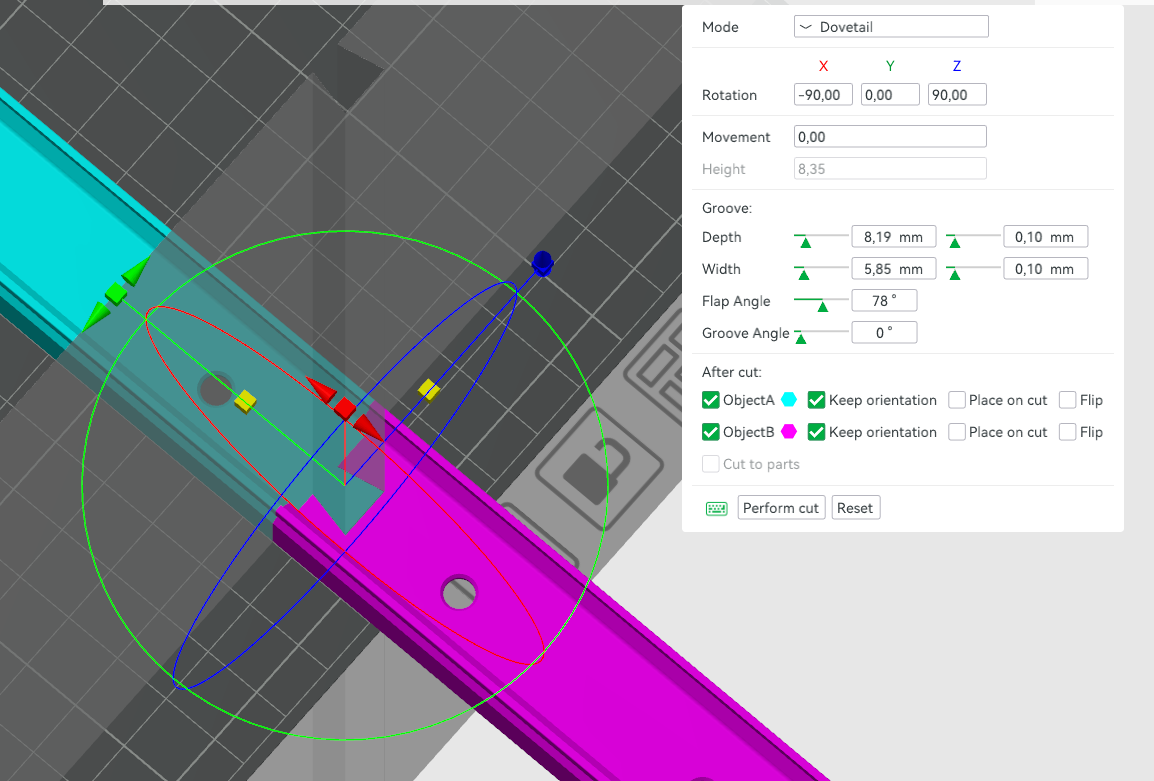
If the cable cover is larger than your print plate, you will have to cut the model. You can use Bambu Studio for this. You can either make a Planar or a Dove Tail cut.
Make sure to leave enough room for the screw hole!
If using Dove Tail, make sure that the Depth and Width of the dove tail fits within the cable box.
Align all objects on the plate (or multiple plates) and print!