Description

If you want to sell prints of this model, as well as all of my models - future and past
Subscribe to My Patreon:
Or Subscribe for a commercial License Directly in Maker World:

Eeveelution Coaster Set III: Night, Origin & Water 🌙💧🦊
The final chapter of the Eeveelution coaster collection is here! This set brings together three fan favorites—Umbreon, Vaporeon, and Eevee—to complete your collection with a mix of mystery, elegance, and classic charm. Just like the previous sets, these coasters feature borders about 1mm higher than the artwork, giving you that extra spill protection and a bold, finished look.
What’s inside this set:
🌙 Umbreon – Deep blacks and glowing yellow rings for a mysterious, moonlit vibe
💧 Vaporeon – Flowing blues and gentle waves capturing aquatic elegance
🦊 Eevee – Warm browns and soft details celebrating classic, playful charm
Whether you’re a longtime Pokémon fan, a collector, or just want to bring some playful style to your space, this set is the perfect way to finish your Eeveelution journey. Can’t wait to see your full collections and hear what you think!
USE A LIGHTER! - a quick pass with a torch on the printed parts will get rid of the inevitable stringing that comes with this type of models.
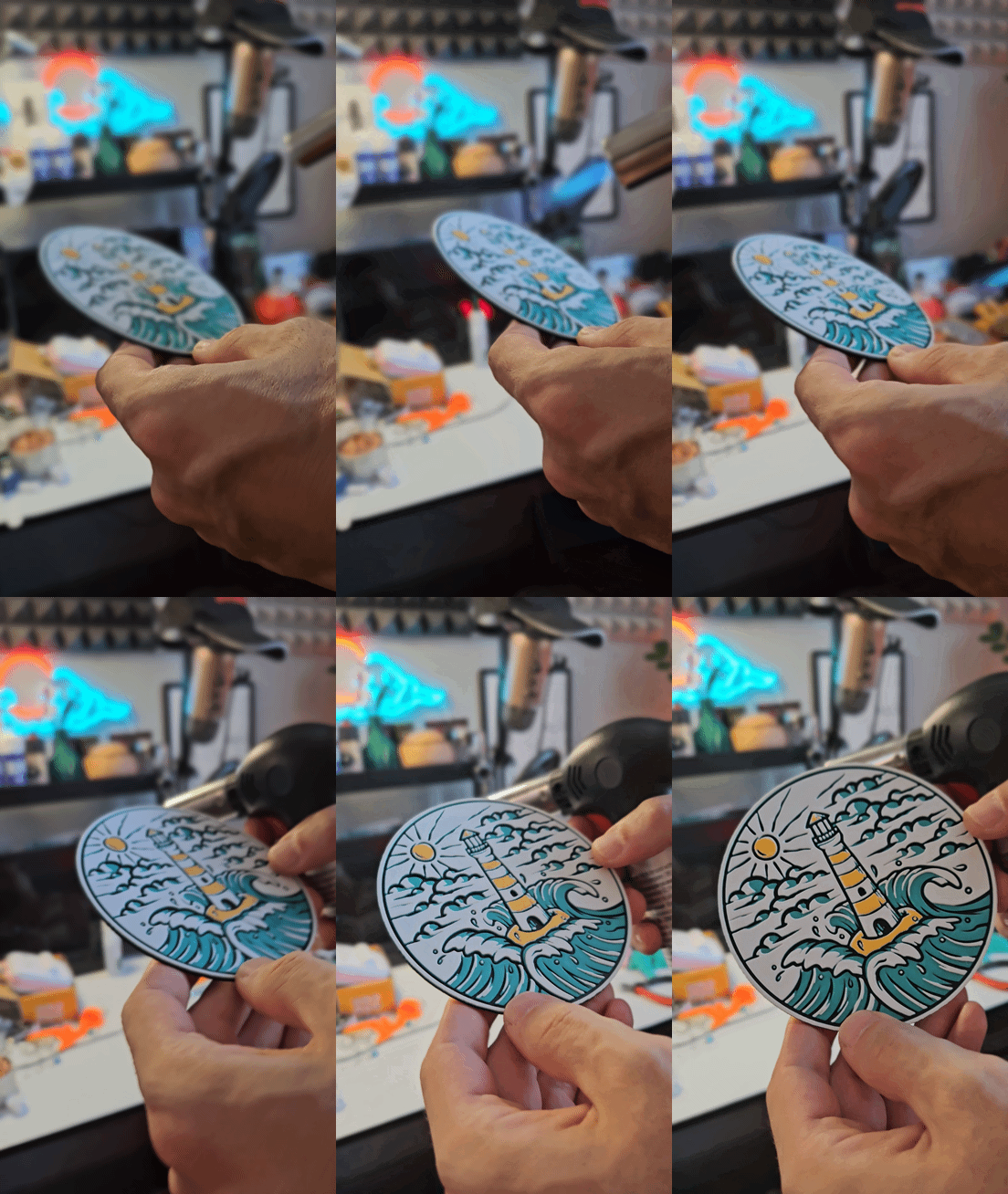
Print at 100% infill with a layer height of 0.08mm with a base layer of 0.16mm
Color Pallete for the full set:
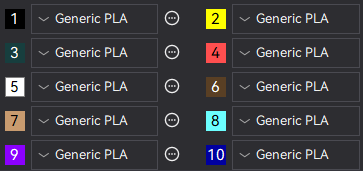

Print at 100% infill with a layer height of 0.08mm with a base layer of 0.16mm
Filaments Used Umbreon:
PLA KINGROON Yellow Transmission Distance: 6 / Amazon
PLA KINGROON Black Transmission Distance: 0.4 / Amazon
PLA Prusa Gentleman's Grey Transmission Distance: 0.2 / Amazon
PLA BambuLab Matte Scarlet Red Transmission Distance: 2
PLA KINGROON Yellow Transmission Distance: 6 / Amazon
PLA Anycubic Bright White Transmission Distance: 2.3 / Amazon
Swap Instructions Umbreon:
Start with Yellow
At layer #10 (0.89mm) swap to Black
At layer #13 (1.13mm) swap to Gentleman's Grey
At layer #17 (1.45mm) swap to Scarlet Red
At layer #21 (1.77mm) swap to Yellow
At layer #30 (2.49mm) swap to Bright White for the rest. (ASSIGN TO SLOT 2 (Black) SINCE 1 WILL BE USED TWICE)
Filaments Used Vaporeon:
PLA 3D Jake Eco PLA Pastel Blue Transmission Distance: 1.6
PLA KINGROON Black Transmission Distance: 0.4 / Amazon
PLA Prusa Gentleman's Grey Transmission Distance: 0.2 / Amazon
PLA KINGROON Blue Transmission Distance: 1.5 / Amazon
PLA BambuLab Matte Desert Tan Transmission Distance: 1.1
PLA Anycubic Bright White Transmission Distance: 2.3 / Amazon
Swap Instructions Vaporeon:
Start with Pastel Blue
At layer #10 (0.89mm) swap to Black
At layer #13 (1.13mm) swap to Gentleman's Grey
At layer #15 (1.29mm) swap to Blue
At layer #17 (1.45mm) swap to Pastel Blue
At layer #21 (1.77mm) swap to Desert Tan (ASSIGN TO SLOT 2 (Black) SINCE 1 WILL BE USED TWICE)
At layer #24 (2.01mm) swap to Bright White for the rest. (ASSIGN TO SLOT 3 (Gentleman's Grey) SINCE 1 WILL BE USED TWICE)
Filaments Used Eevee:
PLA Bambu Basic Cocoa Brown Transmission Distance: 0.4
PLA KINGROON Black Transmission Distance: 0.4 / Amazon
PLA KINGROON Skin Transmission Distance: 5.3 / Amazon / OR ORANGE
PLA Anycubic Bright White Transmission Distance: 2.3 / Amazon
Swap Instructions Eevee:
Start with Cocoa Brown
At layer #10 (0.89mm) swap to Black
At layer #13 (1.13mm) swap to Cocoa Brown
At layer #17 (1.45mm) swap to Skin/Orange
At layer #26 (2.17mm) swap to Bright White for the rest.
How to do more than 4 colors on a single AMS?
To use more than 4 colors with a single AMS is pretty simple when it comes to my models.
Always start the print from either Bambu Studio or Bambu Handy App - This will allow you to map the rolls of filaments to a certain slot in the AMS: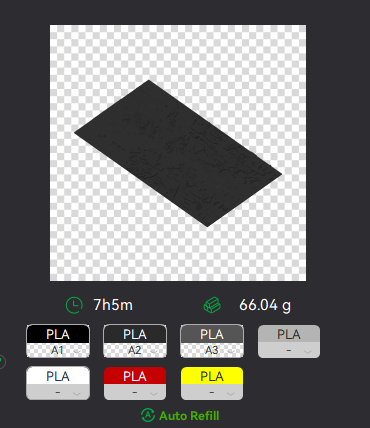
Now map the first 4 colors (which should already be inserted in the AMS to Slots 1 - 2 - 3 - 4
Once thats done move to maping colors 5 - 6 - 7 - 8 to respectively AMS Slots 1 - 2 - 3 - 4 again!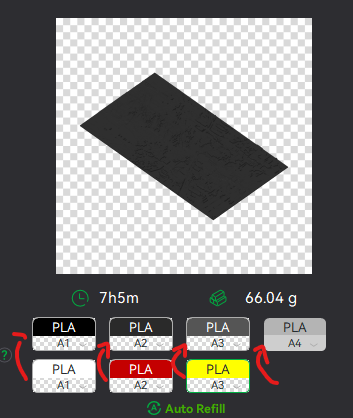
This will allow you to Change the rolls of filament once the printer is done with that color.
For example, in the picture above once we are done with the Black color (Which is usually first) we are going to remove the black roll (you can do that while printing) with White, then once Charcoal Black is done we are going to change that to Red, Dark Gray to Yellow and we are done. ~ You can do that with as many colors as you need!
YOU CAN PLACE A PAUSE ON THE LAST LAYER OF COLOR 4 TO AVOID HAVING TO BABYSIT THE PRINTER. ONCE PAUSED CHANGE 1-2-3 WITH 5-6-7 AND RESUME. IF YOU NEED MULTIPLE PAUSES YOU CAN DO THAT TOO
Drop me a follow!🤜🤛
Eeveelution Pokémon Coasters III - Set 3/3

Published on Jun 22, 2025