Você está no 3DFinder
Buscamos em Thingiverse, MakerWorld e Printables ao mesmo tempo para te dar o melhor de cada uma.
Descrição
FULLY EDITABLE SIGN!
You've seen the “Let’s Go Brandon” and “Let’s Go Taco” signs—now it's your turn! Customize your own version in just a few easy steps.
Step 1. Download and load the print.
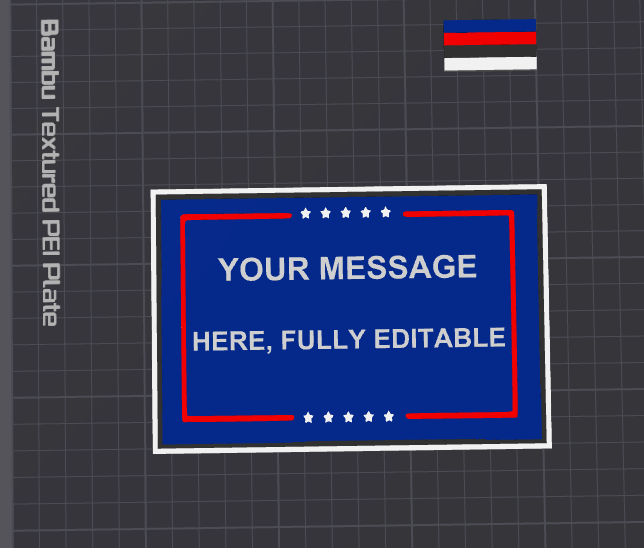
Step 2. Left click twice the purge tower. Pictured below
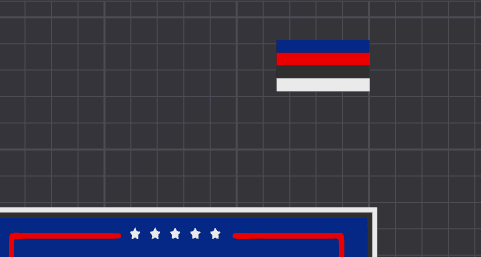
Step 3. On the left side, you will see the print commands listed below.
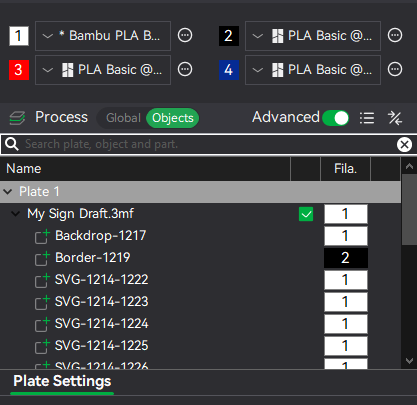
Step 4. Scroll those down until you see the two lines “your message” and “here, fully editable” pictured below.
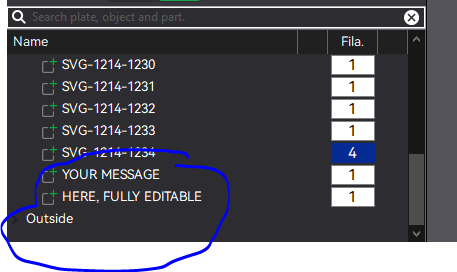
Step 5. Right click the line you want to change and select edit text. You will see the box below pop up on the upper right. You will repeat the step for the second line “here, fully editable” text to what you want it to say. You can also change the font and size in this selection.
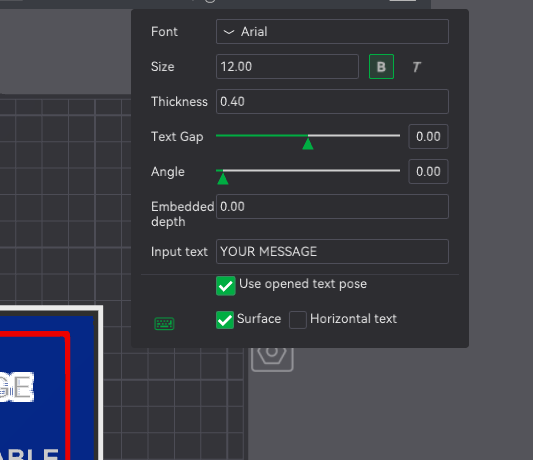
Step 6. Once you get both lines to the message you want displayed. Click enter on the keyboard.
Step 7. Slice the print and print. If you have any issues, feel free to message me.
I’ve uploaded a wide variety of coasters, door signs, wall art, and fridge magnets—just click the link below to explore. Most of these designs are based on user requests, so if you’re looking for something custom, feel free to reach out!
All models are easily resizable using Bambu Studio or your preferred slicer.
If you enjoy a design after printing, I’d really appreciate a like, comment, rating, follow, or boost—every bit helps and means a lot!
Just a quick note: I create what people request, so please keep feedback respectful. Thanks for your support and happy printing!
3Dprinting4fun | Published - MakerWorld