Você está no 3DFinder
Buscamos em Thingiverse, MakerWorld e Printables ao mesmo tempo para te dar o melhor de cada uma.
Descrição
這個模型是用之前有一個像素馬力歐的模型, 做完像素馬力歐, 我就想說除了擺飾能不能有特別的功能
剛好買了一個按鍵的PC延長開關, 想說可以利用自己設計的自鎖開關來觸發. 除了開關用途還可以做完桌上馬力歐的擺件
如果你想要製作的話, 需要另外有以下的材料
- 0.5*7*70 mm規格的彈簧
- 按鍵型的開關
- 縮小約0.5倍的像素馬力歐
This model is based on a other pixel Mario model. After completing the pixel Mario, I thought about whether it could have a special function beyond just being a decorative piece.
I happened to buy a PC extension switch with a button, so I considered using a custom-designed self-locking switch to trigger it. In addition to its function as a switch, it can also serve as a desktop Mario figurine.
If you'd like to make one, you'll need the following additional materials:
- A spring with specifications of 0.5×7×70 mm
- A button-type switch
- pixel Mario which is smaller in 0.5 ratio.
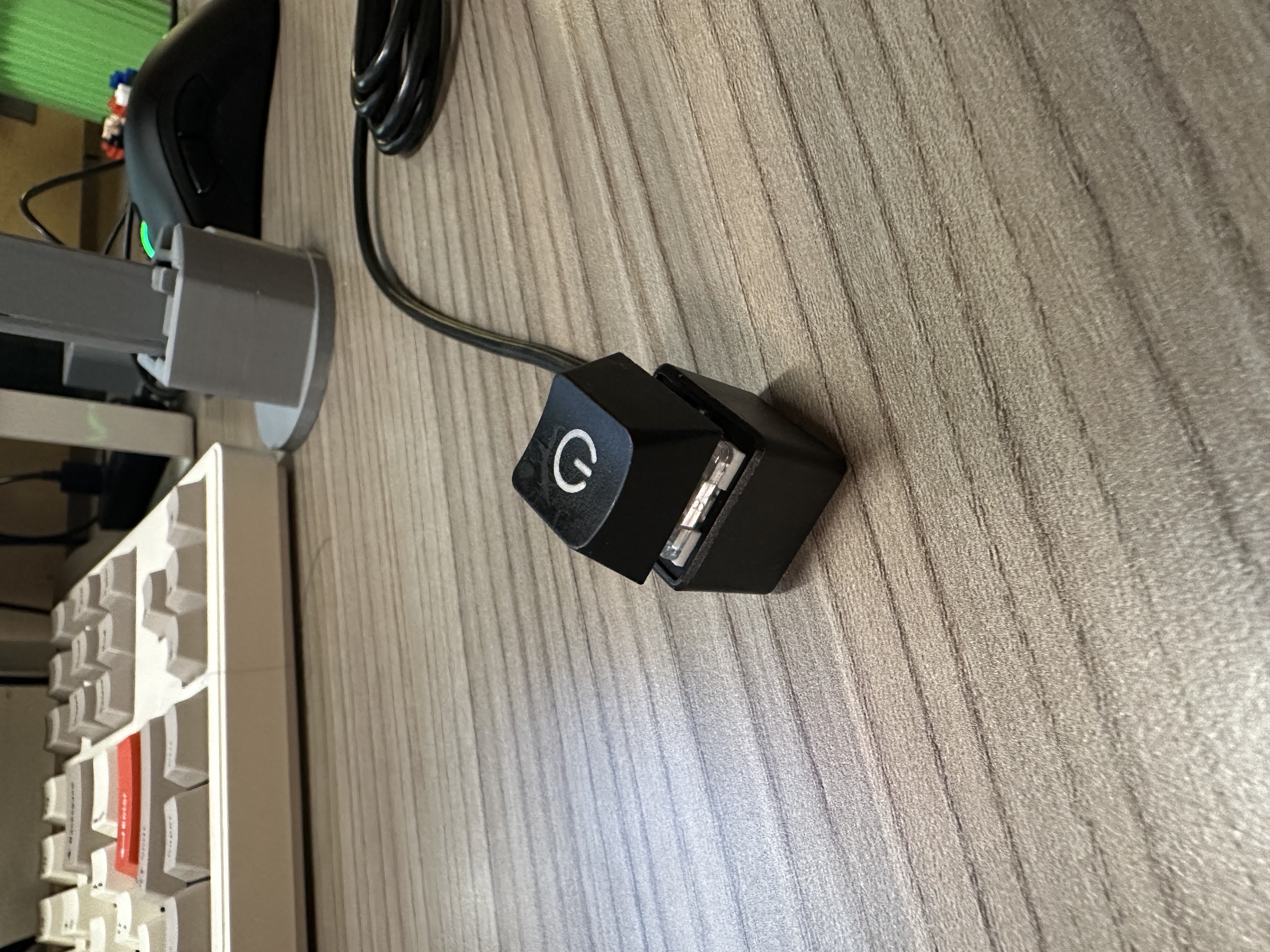
這張圖是我的開關電腦的按鍵開關:
This pic is my button for switching of PC:
組裝流程:
Assemble process:
- 把spring-base安裝到 push-lock-back-lid上, 怕不穩定可以上膠水( settle the spring-base to the push-lock-back-lid as showed in the pic)
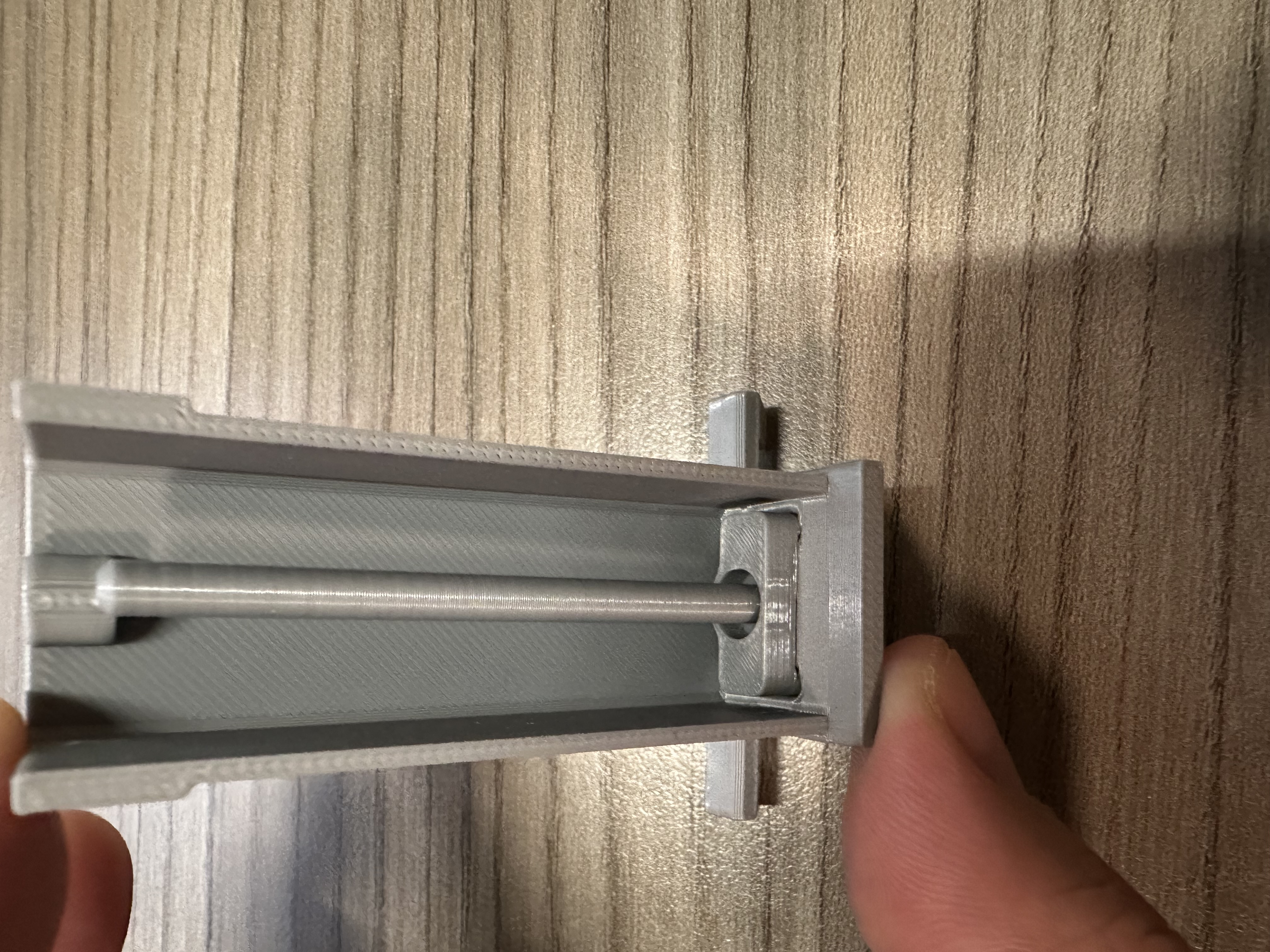
2. 把push-lock-main-back和push-lock-main-front組裝起來, 在角落有小方塊作為對接的插槽, 上膠水黏和( assemble the push-lock-main-back and front, I desined a little block slot on the corner which is easy to link, remember glue it)
3. 組裝push-lock-front-lid, 把shaft組裝上去, 用兩個pin讓他不會掉出(assemble the shaft and the front-lid)
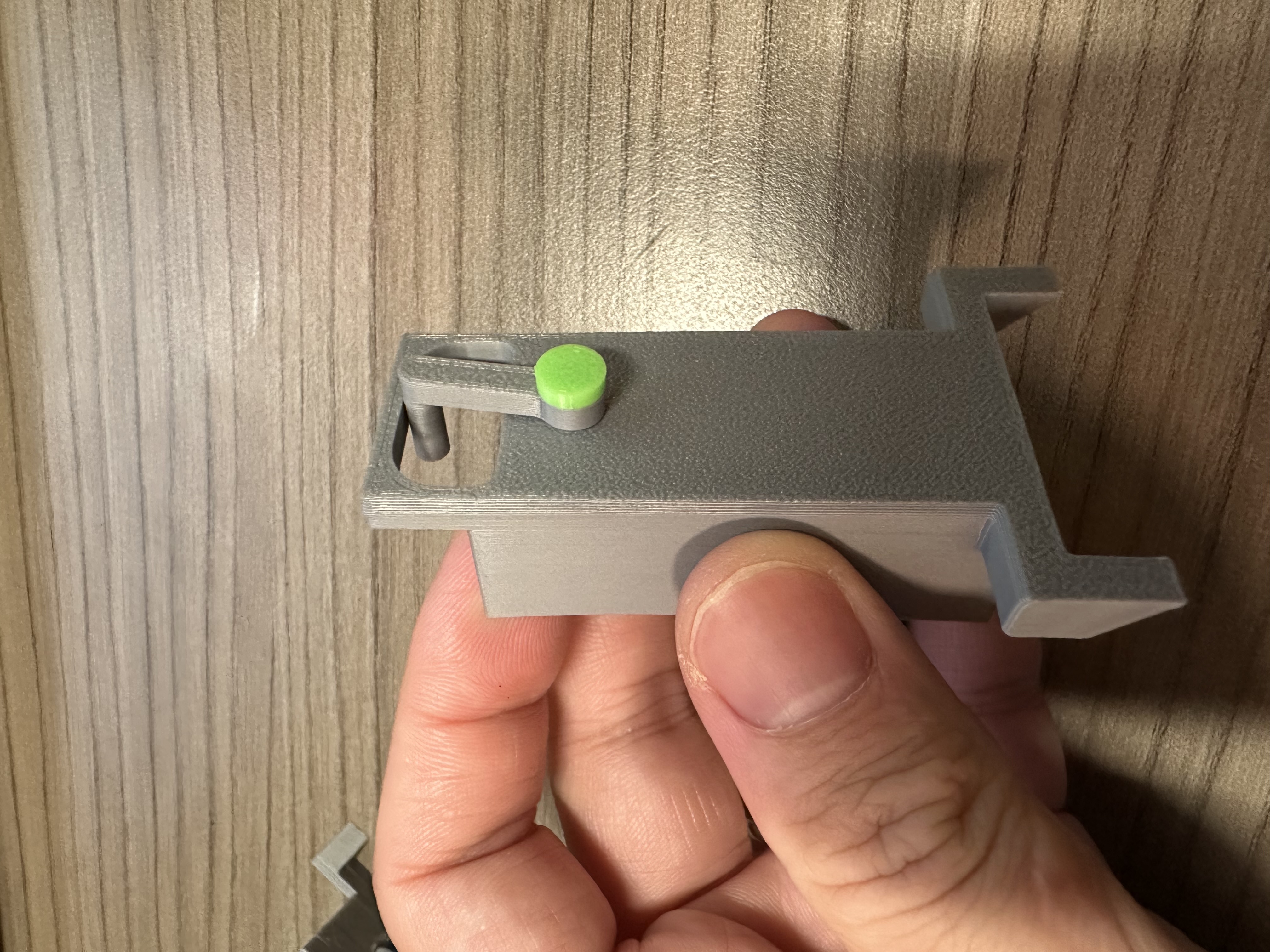
4. 依序彈簧, 自鎖機構, front-lid組裝在一起, 兩個外殼用膠水黏和( settle the spring, push lock and all the things together)
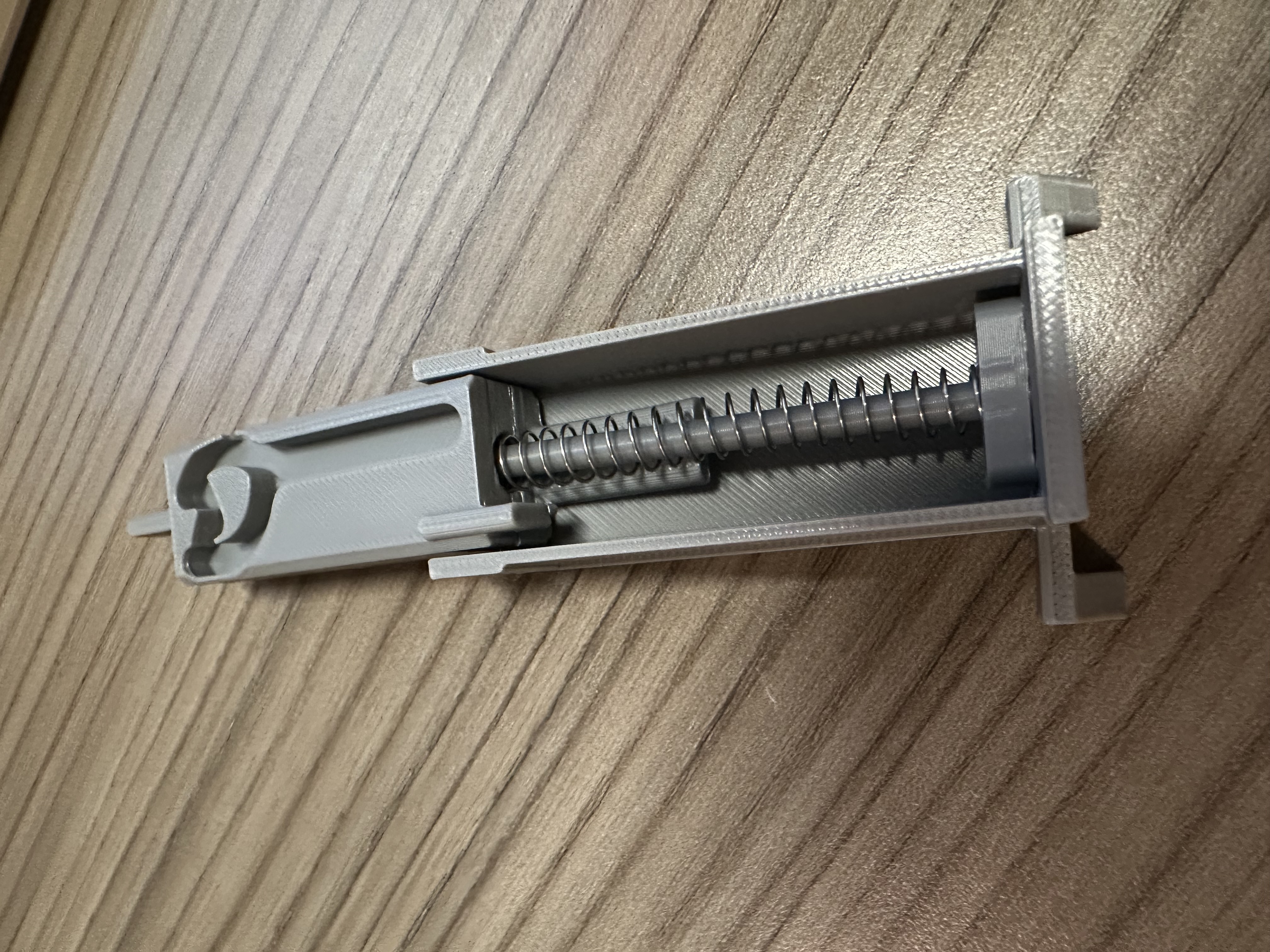
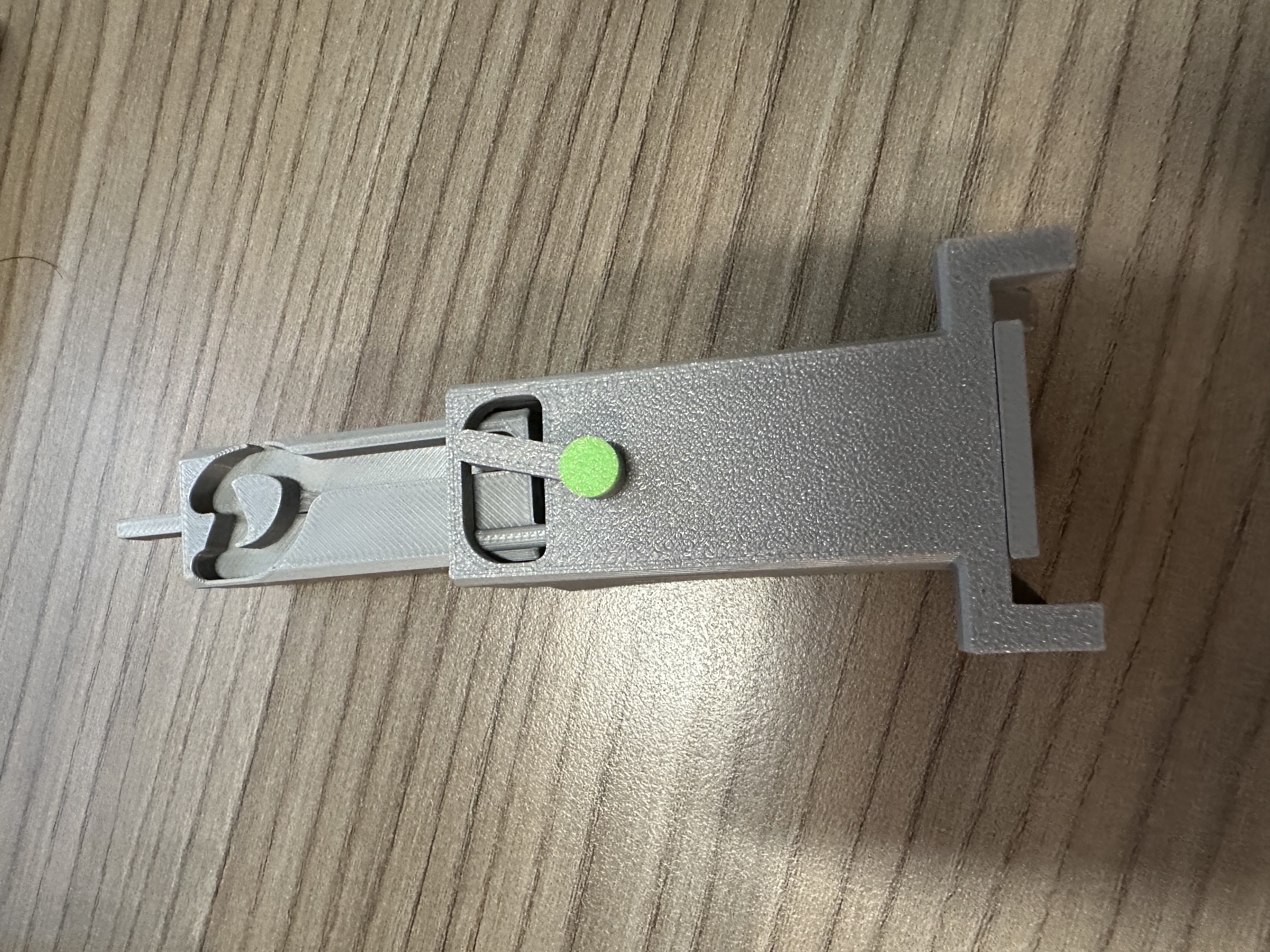
5. 最後安裝起來, 不難可以自己裝好, 必要上膠水黏和( assemble together and glue it if neccesery)
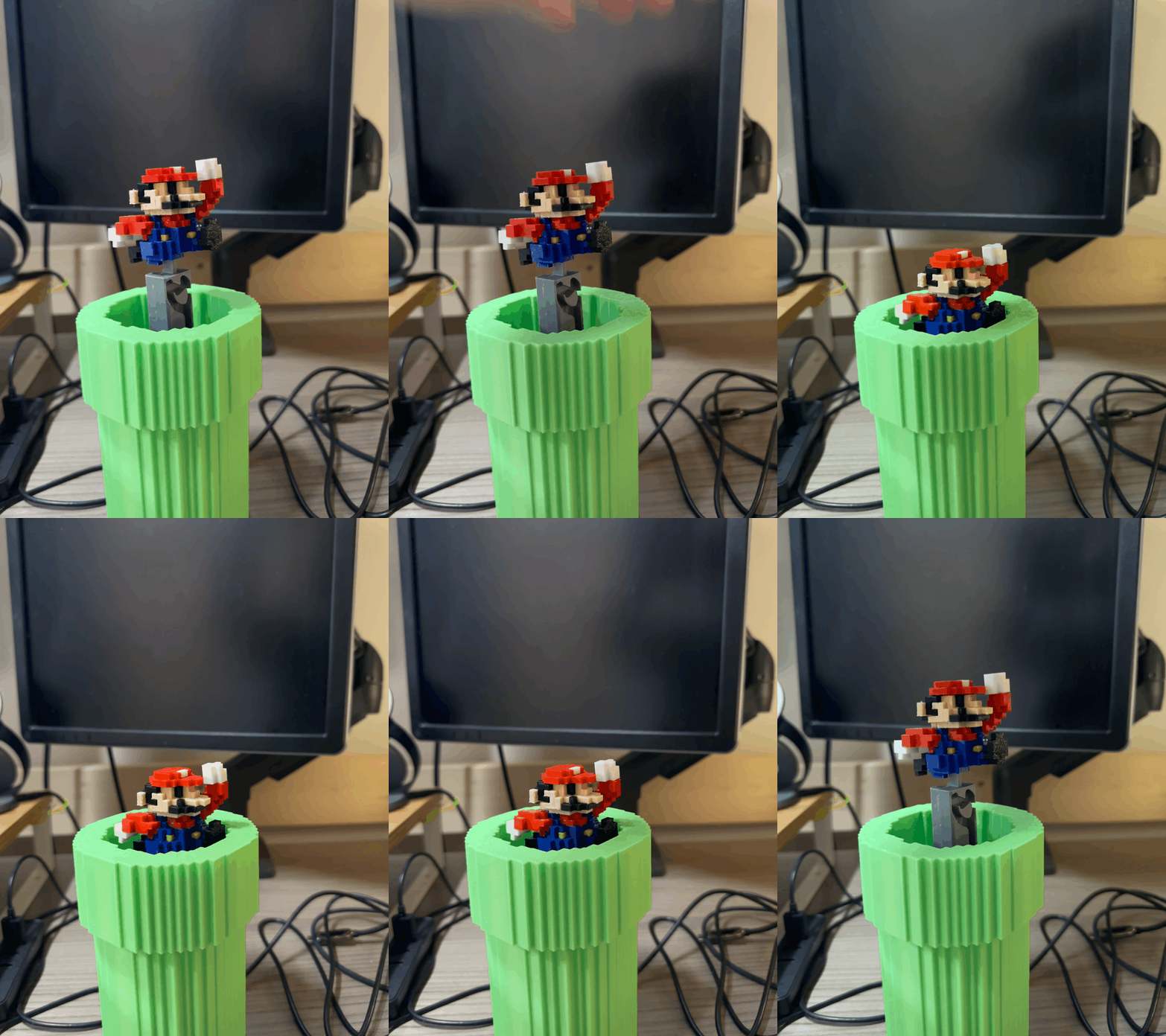
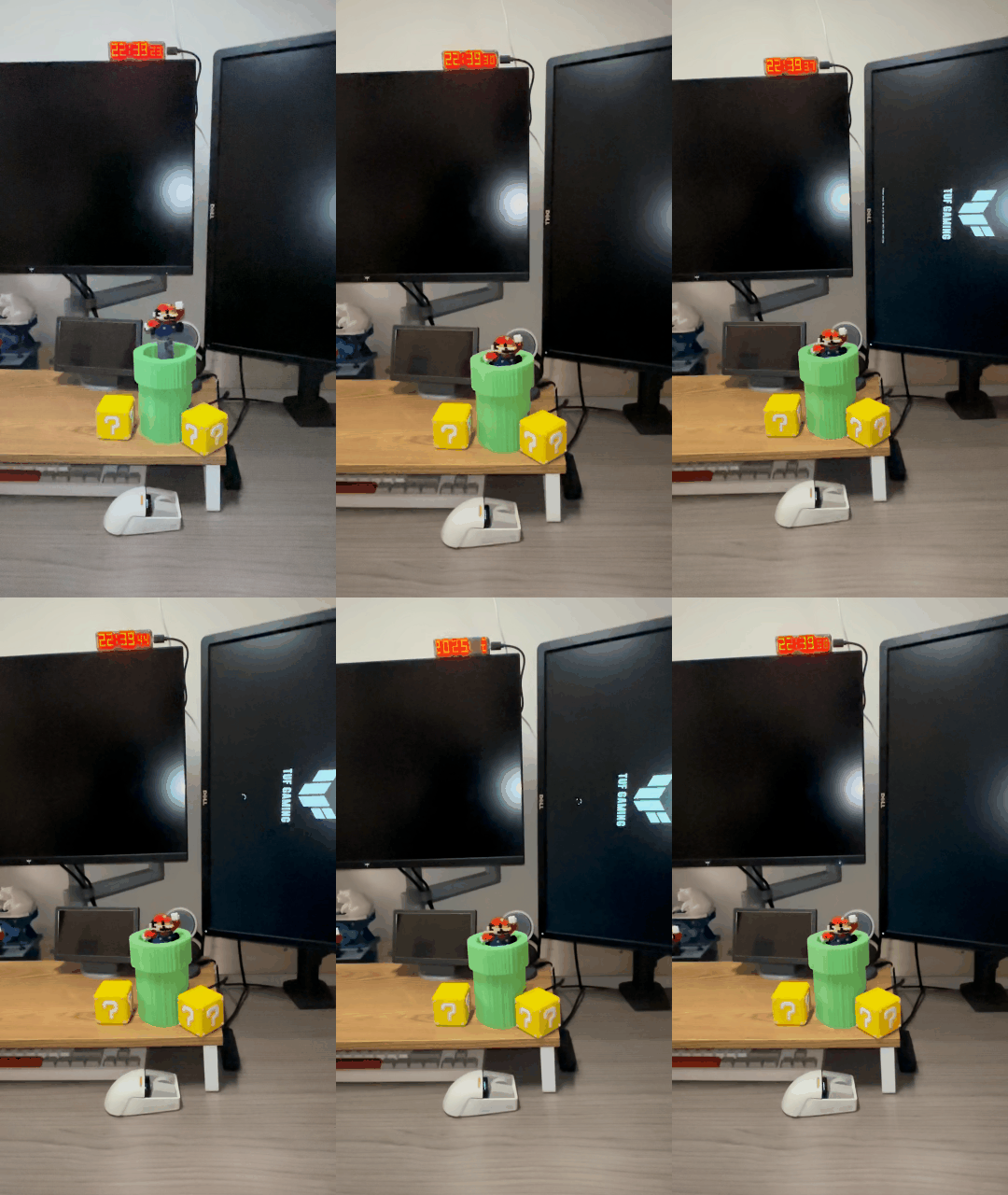
我設計是剛剛好下壓會按壓按鈕, 再次按壓也會觸發按鈕, 你自己組裝要確保你的按鈕高度有沒有能剛好按下
原本我是想要按下馬力歐會完全進到水管裡, 但是這樣水管可能要多10mm, 對於我的桌面來說太大佔空間, 如果你覺得想要全部進去可以自己修改結構
My design ensures that pressing down will activate the button, and pressing again will trigger it once more. When assembling it yourself, make sure the button's height aligns properly so it can be pressed smoothly.
Originally, I wanted Mario to fully descend into the pipe when pressed, but that would require the pipe to be about 10mm taller, which would take up too much space on my desk. If you prefer having him completely disappear into the pipe, you can modify the structure accordingly.
另外配合主題順手弄了可以放sd卡, micro sd, 小的usb disk的方塊, 可以印出來旁邊裝飾
I also designed a themed block that can hold SD cards, microSD cards, and small USB flash drives—just a fun little accessory to print and display next to the setup.
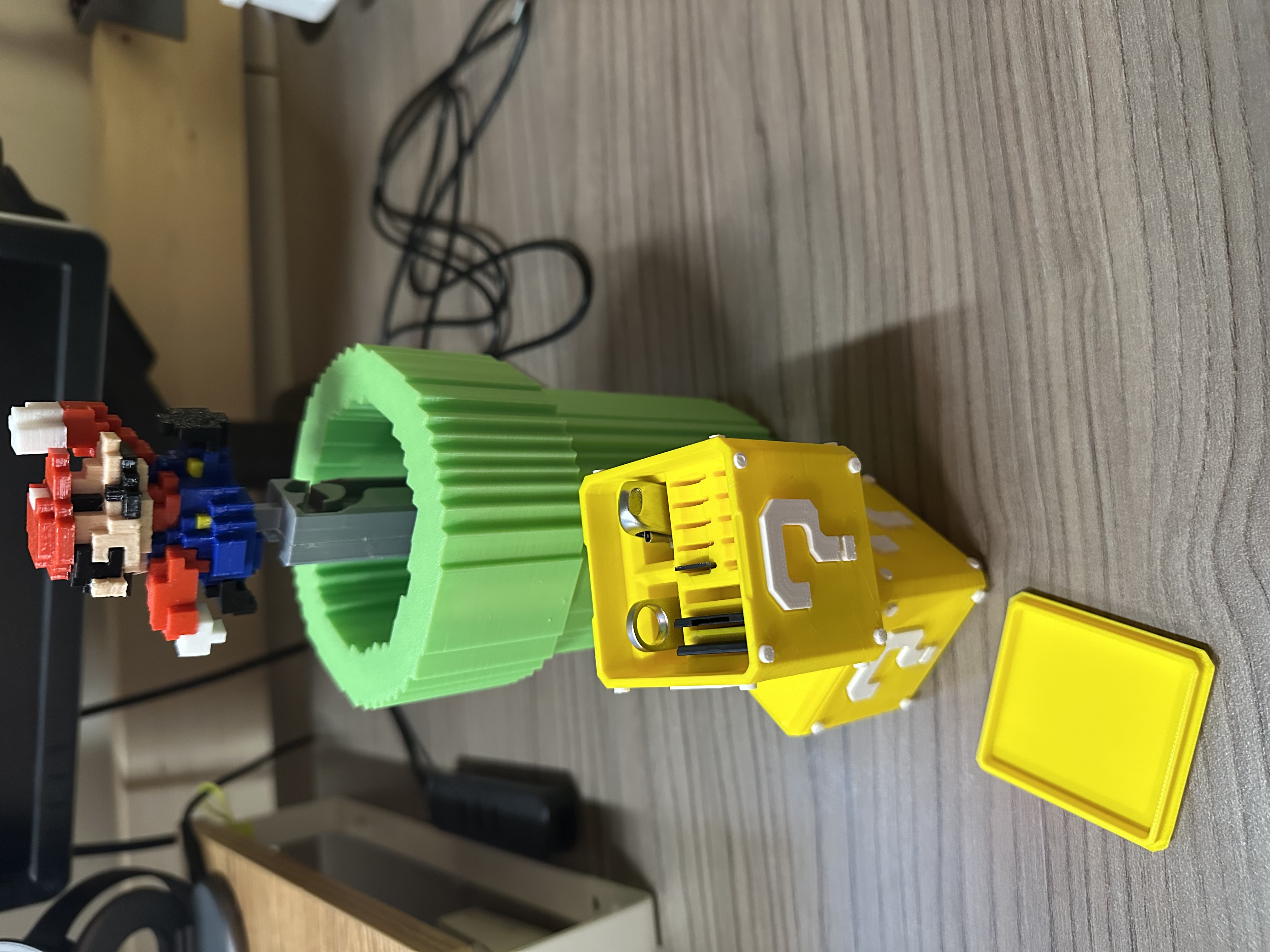
Mario jummping switch(push-lock switch) 馬力歐彈跳自鎖開關

Publicado em 6 de jun de 2025
Gostou deste modelo? Crie uma conta grátis para salvar seus favoritos e voltar a eles depois.
Criar conta