Você está no 3DFinder
Buscamos em Thingiverse, MakerWorld e Printables ao mesmo tempo para te dar o melhor de cada uma.
Descrição
A round bed scraper with a replaceable blade. Great for popping off thin prints like purge lines without messing up your nails. If you like, you can apply fuzzy skin to achieve a gorgeous texture like the one shown in the cover image.
Print Settings Grip Parts:
- Material: PLA
- Nozzle: 0.4mm
- Layer height: 0.20mm
- Supports: no
- Perimeters: 2
- Fuzzy Skin: yes (optional, You don't necessarily need to use fuzzy skin.)
Print Settings Blade:
- Material: PLA
- Print Sheet: Smooth PEI
- Nozzle: 0.4mm
- Layer height: 0.20mm
- Supports: no
- Perimeters: 3
- Elephant foot compensation: 0mm
Fuzzy Skin Tips:
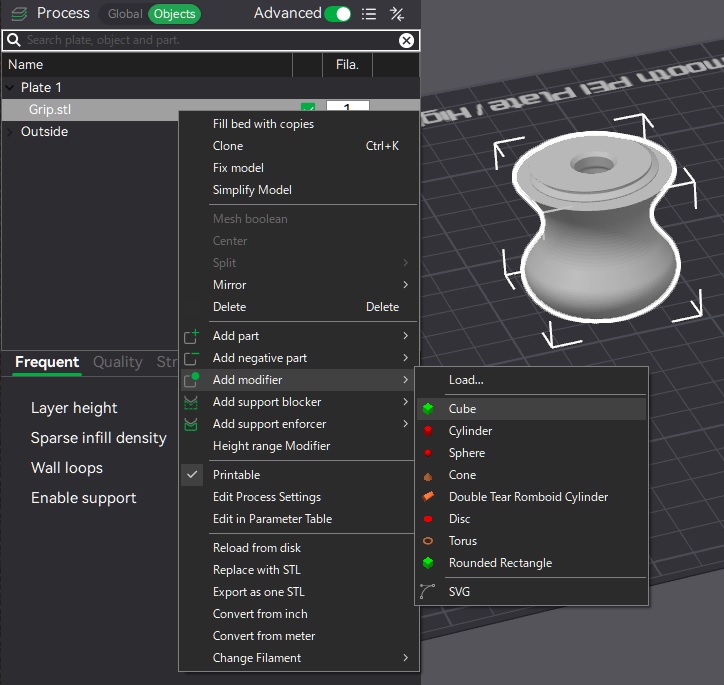
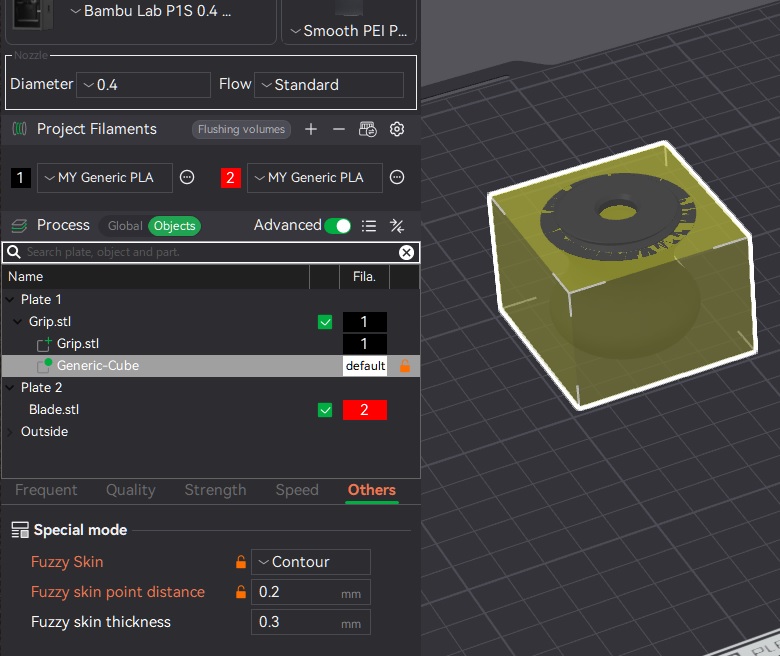
You need to avoid the screw threads and apply Fuzzy Skin only to specific areas. This can be done by using a modifier region to limit where the effect is applied. For this model, you’ll need to define the region up to a height of 36 mm.
- Load the model
In the Object List, right-click the model → Add Modifier → Box (or Cylinder).
3. A modifier object will appear beneath the main model. Adjust its position and size so it covers the region where you want Fuzzy Skin.
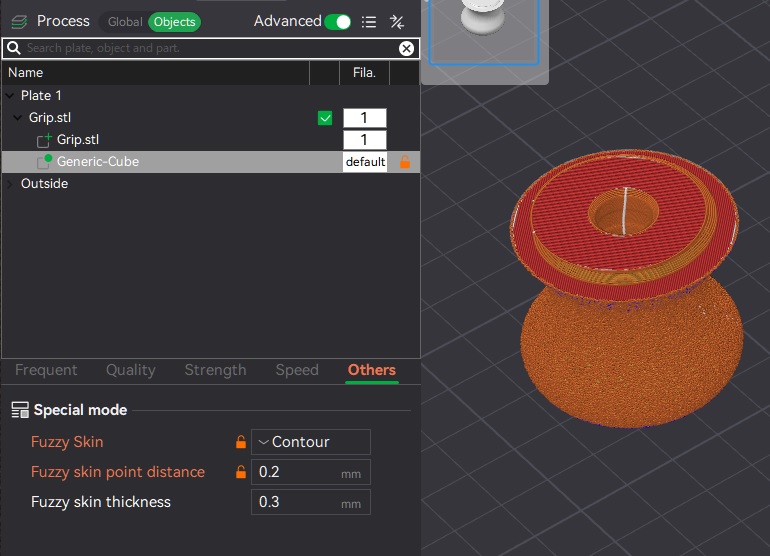
4. With the modifier object selected, go to the Other tab and enable the fuzzy skin setting.
Note:
- Please make sure to print the blade on smooth PEI. Textured PEI is not recommended.