Você está no 3DFinder
Buscamos em Thingiverse, MakerWorld e Printables ao mesmo tempo para te dar o melhor de cada uma.
Descrição
HOW TO PRINT:
Download the file and open it in bambu studio
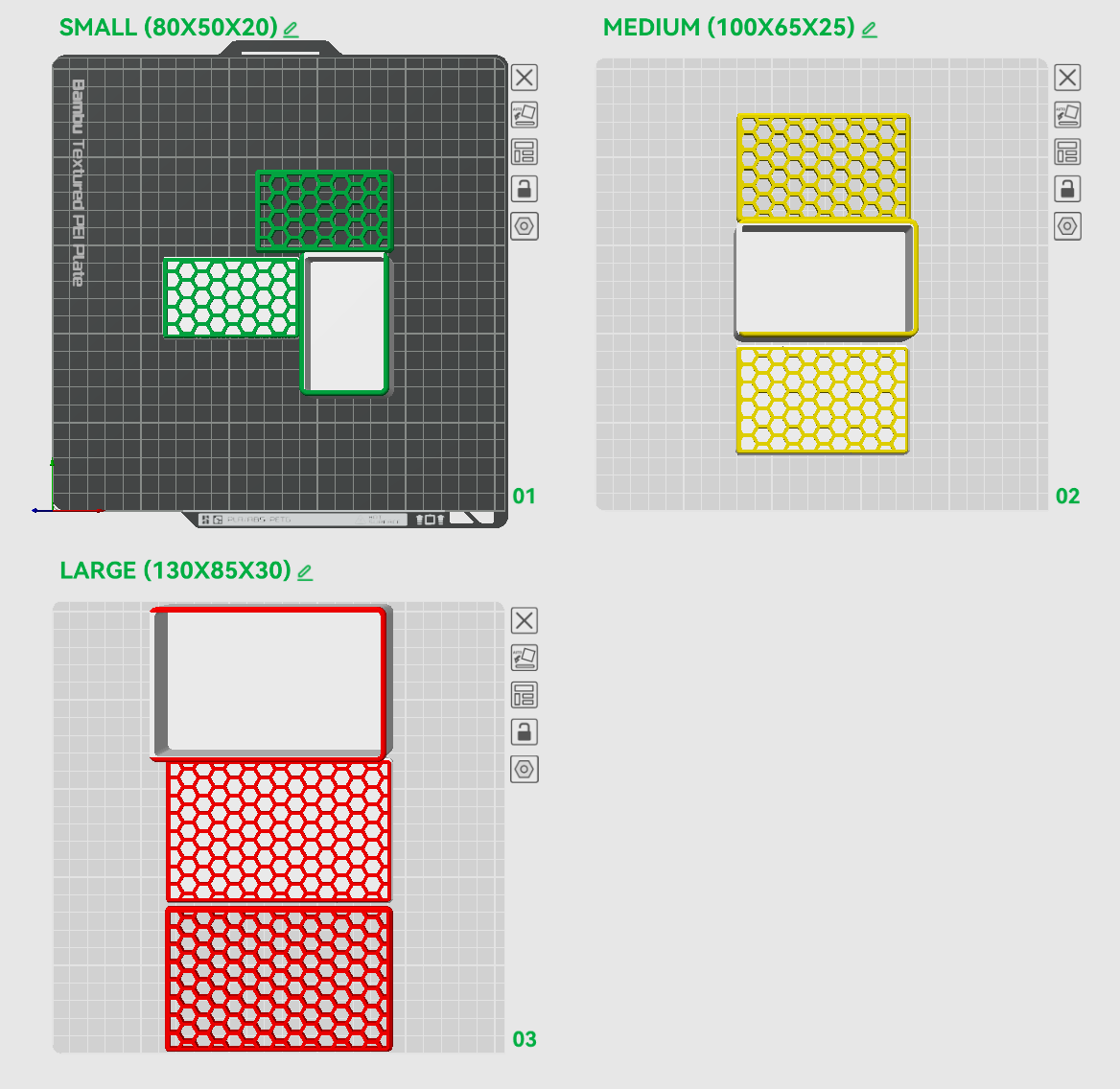
- Select the plate with the size you want to print
- Delete the lid variant (solid with embossed pattern or with holes) you don't want to print (or print both if you prefer)
- Change you colors
- Hit slice plate and print it, all the default settings will work fine
PS: remember to disable the prime tower! It is not needed here!
HOW T0 MAKE IT BI-COLOR WITHOU THE AMS:
Use the slider on the right in the slicer to set a pause at the correct layer to switch filament, you will need to print the lid and the box in 2 different plates.
HOW TO CHANGE THE SIZE:
Download the fusion 3d file, open it and then change the lenght, width and height parameters, you can also change the “Emboss_Or_Holes” parameter to select the type of lid you prefer, look at the parameters comments if you have any doubt, and feel free to ask.
Keep in mind the design might be heavy on your pc, it might take a while to change the parameter.
SOME NOTES:
I really worked a lot on this model, i wanted to make it parametric so i had to find out how to make the hexagon pattern scale with the size, it was not that easy since im a beginner in CAD, i also spent a lot of time and printed a ton of boxes to figure out the best way to design the sliding lid and make sure the tolerances were good, i hope you like it, if you do, please leave a boost its very appreciated!
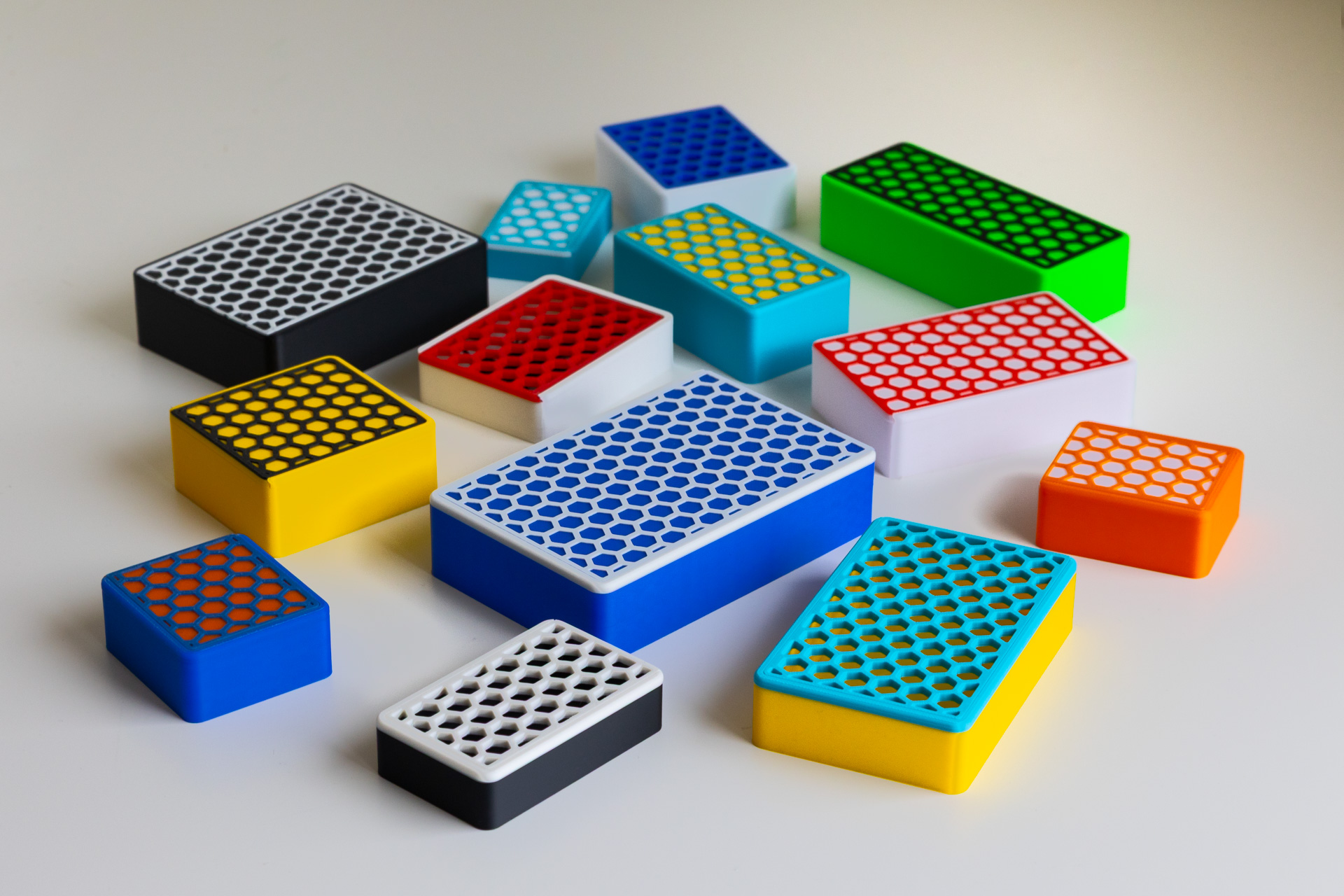
Sliding Lid Boxes (parametric)

Publicado em 25 de mai de 2025
Gostou deste modelo? Crie uma conta grátis para salvar seus favoritos e voltar a eles depois.
Criar conta