Você está no 3DFinder
Buscamos em Thingiverse, MakerWorld e Printables ao mesmo tempo para te dar o melhor de cada uma.
Descrição
Steering Dodge Car Toy
(Update: Thank you so much for the likes and all the kind comments — I really didn’t expect it! I've added a hand crank mod, which includes a crank, a new shell with hole for the crank, and a new handle to hold on while rotate the crank. If you don't want to re-print the shell, just drill a hole on it, it works too.
It becomes a two person game, but it is actually even more fun! For assembly you can reuse the roller from the original design: just swap the lower roller with the higher one and insert the crank into the roller’s motor shaft hole. The fit is a bit loose though due to the reuse, so I recommend securing the crank with some glue.)
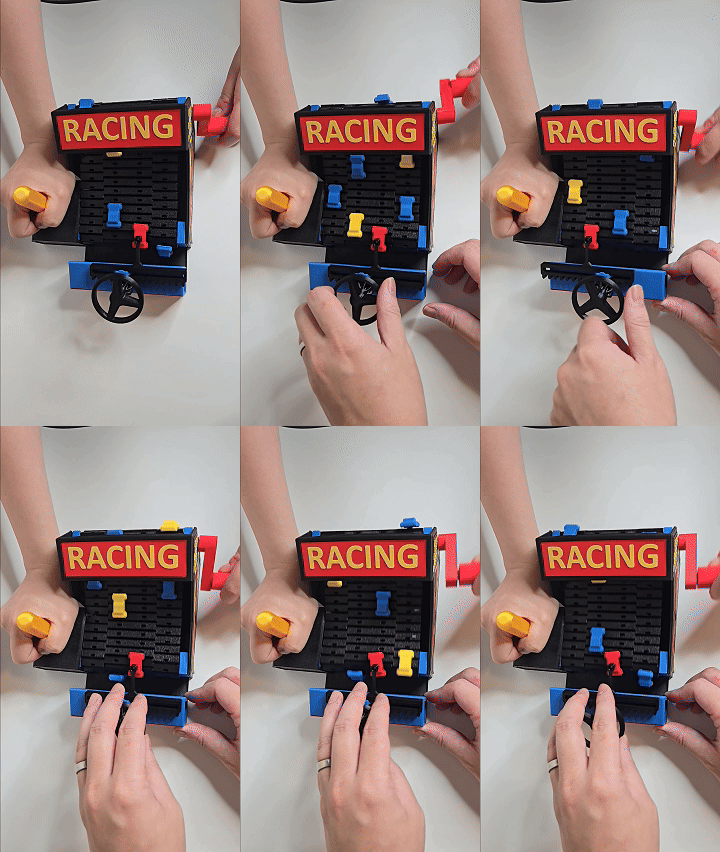
This 3D printed racing toy is all about fast reflexes and fun! Turn the steering wheel to dodge incoming cars that keep coming at you on a motorized conveyor belt. If you crash your car, it falls. It’s like a mini arcade game you can build yourself!
Besides 3D printed parts, all you need is Bambu stores “Maker's Beginner Kit”, which comes with the required motor, screws and magnets. The items we need from the kit are following:
- 030 Micro DC Motor
- AAA Battery Terminal Kit
- 1:49.7Dual-axis Plastic Reduction- Gear Kit
- D4x2mm Round Magnet
- BT3x8 SHCS Self Tapping Screw
Before you start, you need to assemble and print the Motor and Battery case using the components provided in “Beginner Kit”. Following the “Application Instruction” from the Beginner Kit store page on Bambu Store for instructions. I also found AlexY_ has a good youtube video on how to assemble them as part of his Escalator model assembly video.
After having the motor and battery box built from “Beginner Kit”, you can follow the assembly instructions below for building the toy:
If you couldn't open the youtube link, please use the following gifs for assembly instruction:
Step 1: screw the support onto base:
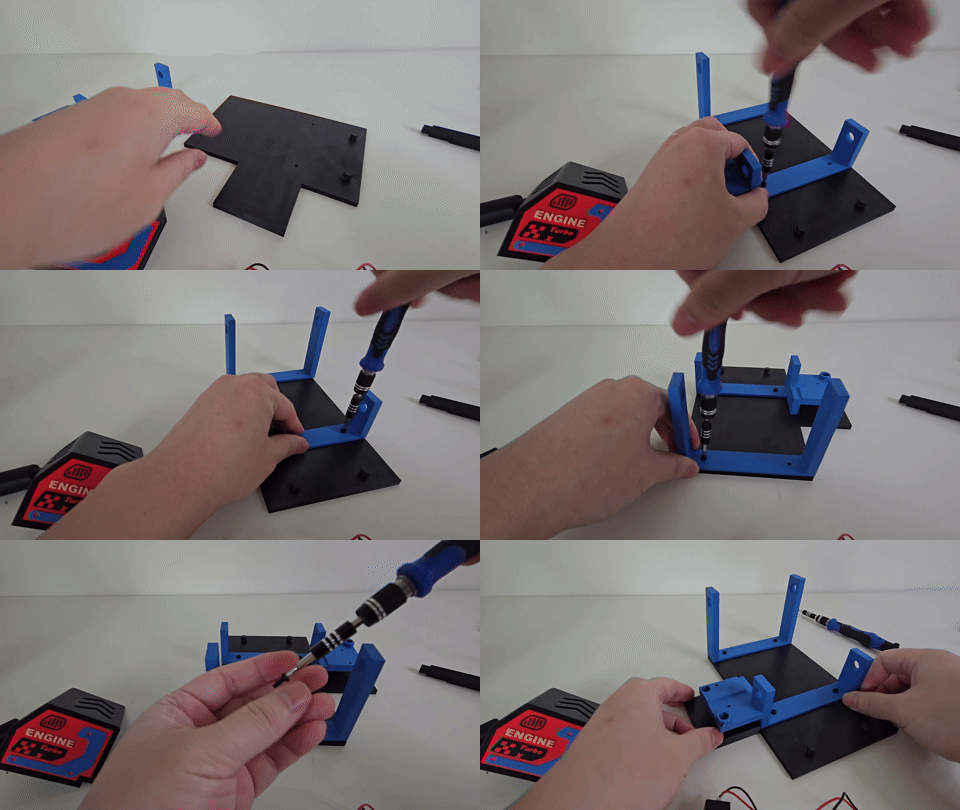
Step 2: Insert rollers
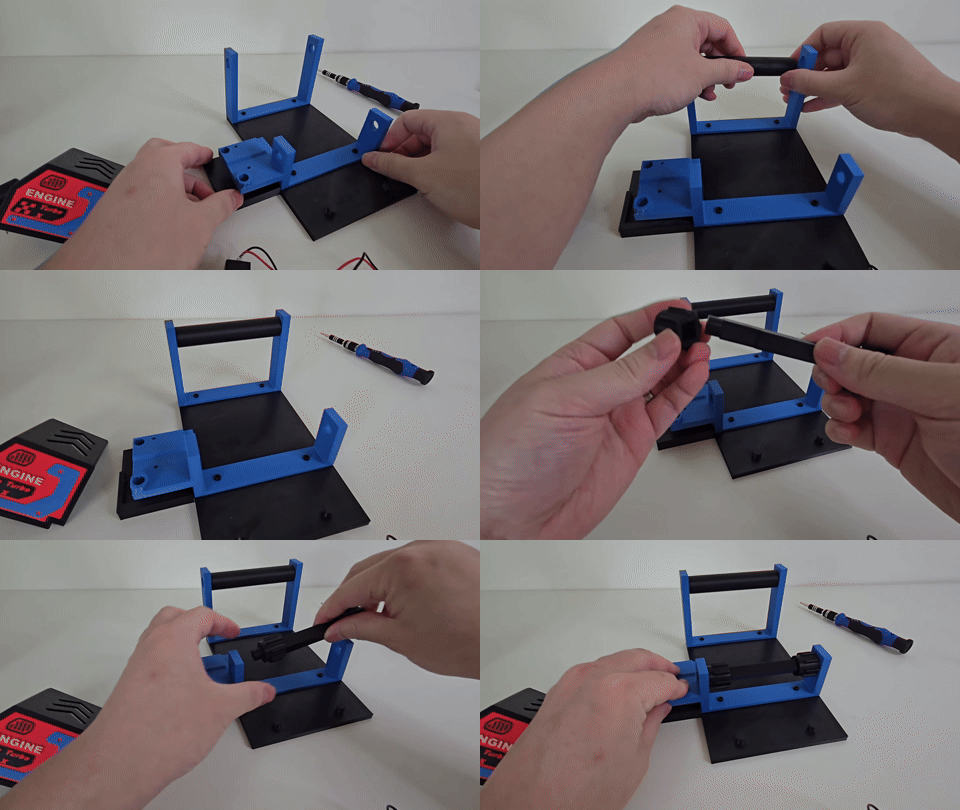
Step 3: insert cars onto the conveyer. 3-4 cars per track
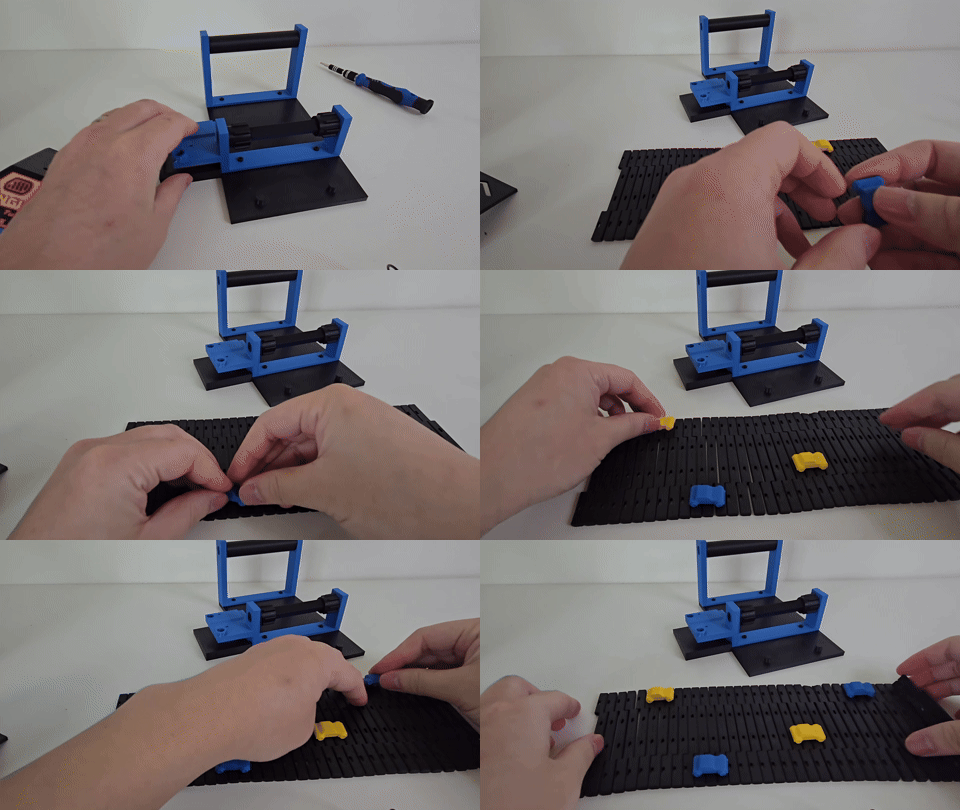
Step 4: Roll the track onto the roller. Click connect the ends. Make sure it rolls freely.
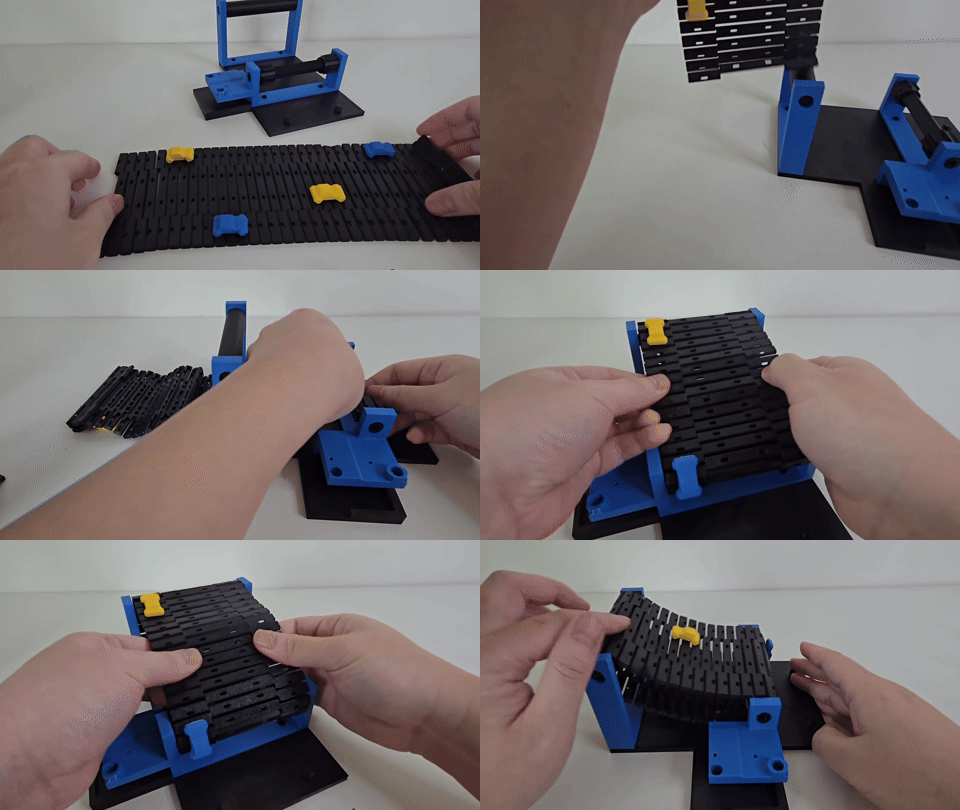
Step 5: Following the official “Application Instruction” from “Beginner Kit” page on Bambu store to assemble/print the motor/battery case.
Step 6: Insert the battery case and motor to place.
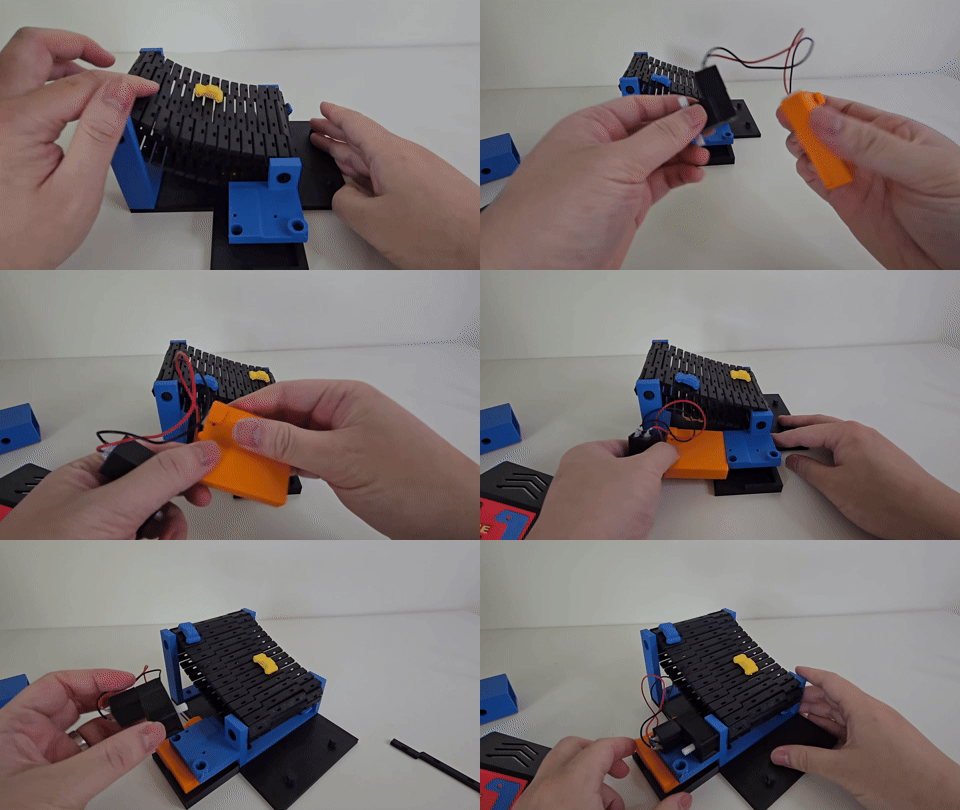
Step 7: Secure the motor using screws and the printed “bridge”
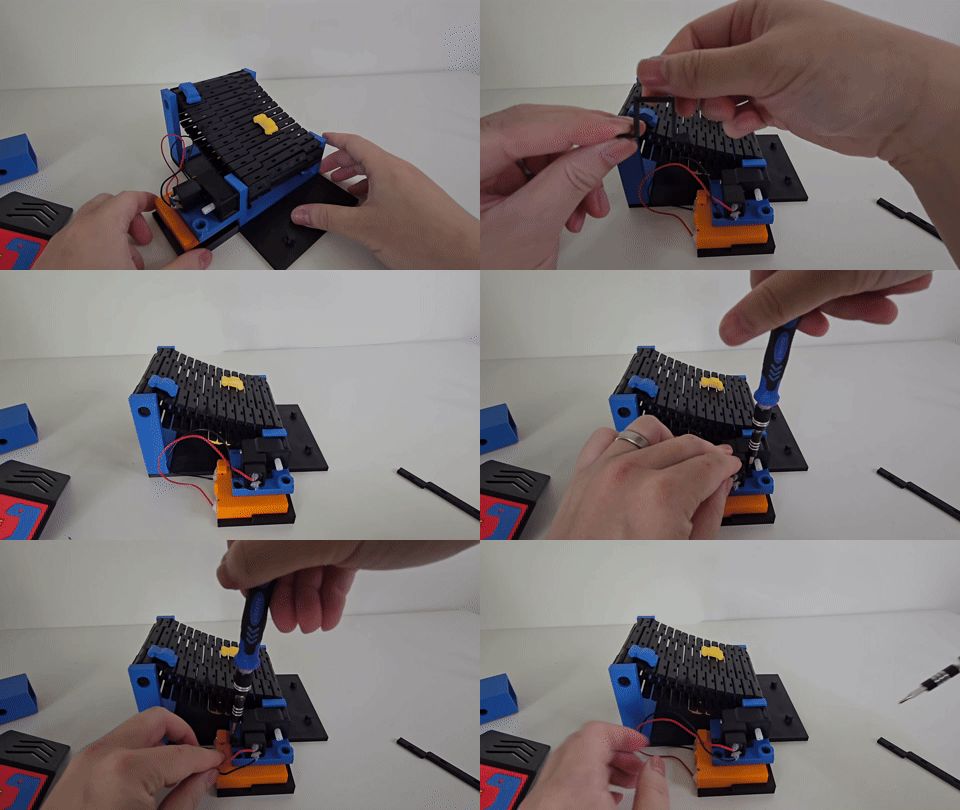
Step 8: Switch on the motor and make sure the conveyer track moves freely. The motor is not particularly strong, so if there is excessive friction, or maybe you screwed motor too tight, it may stuck. If that is the case, check where the friction comes from, loose screw a bit, or maybe certain pieces are not assembled correctly.
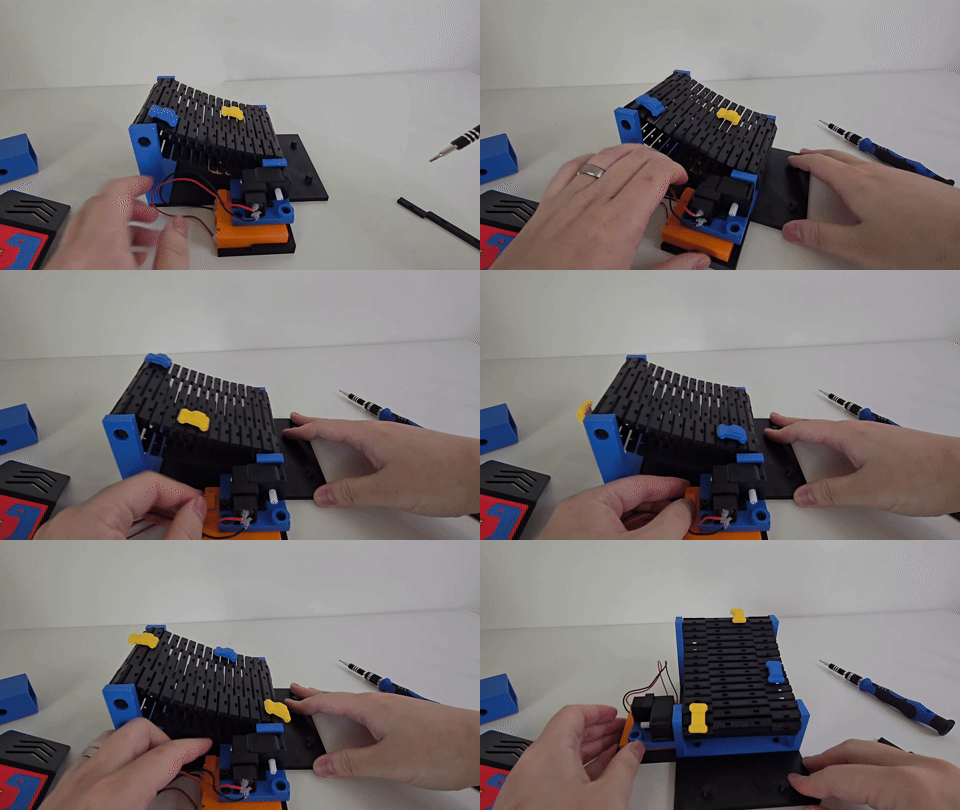
Step 9: Assemble the controller.
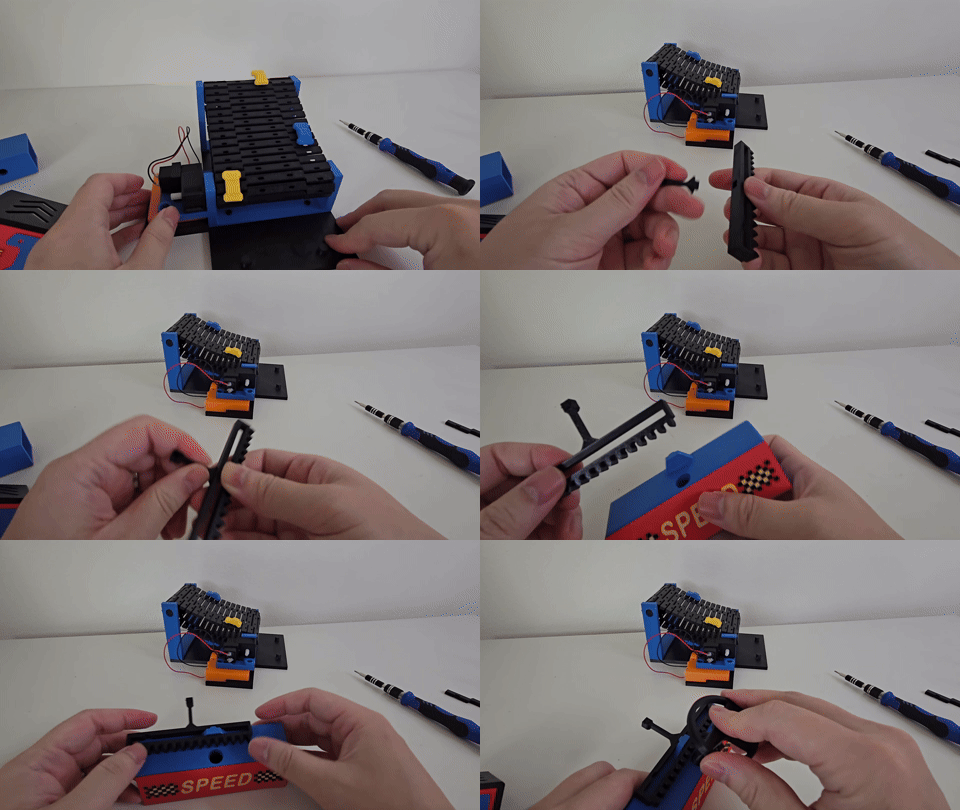
Step 10: Insert the steering wheel, maybe need a little bit force. Then insert magnets and the cap into the hole on the stick. you can use a bit glue to secure the magnet in place.
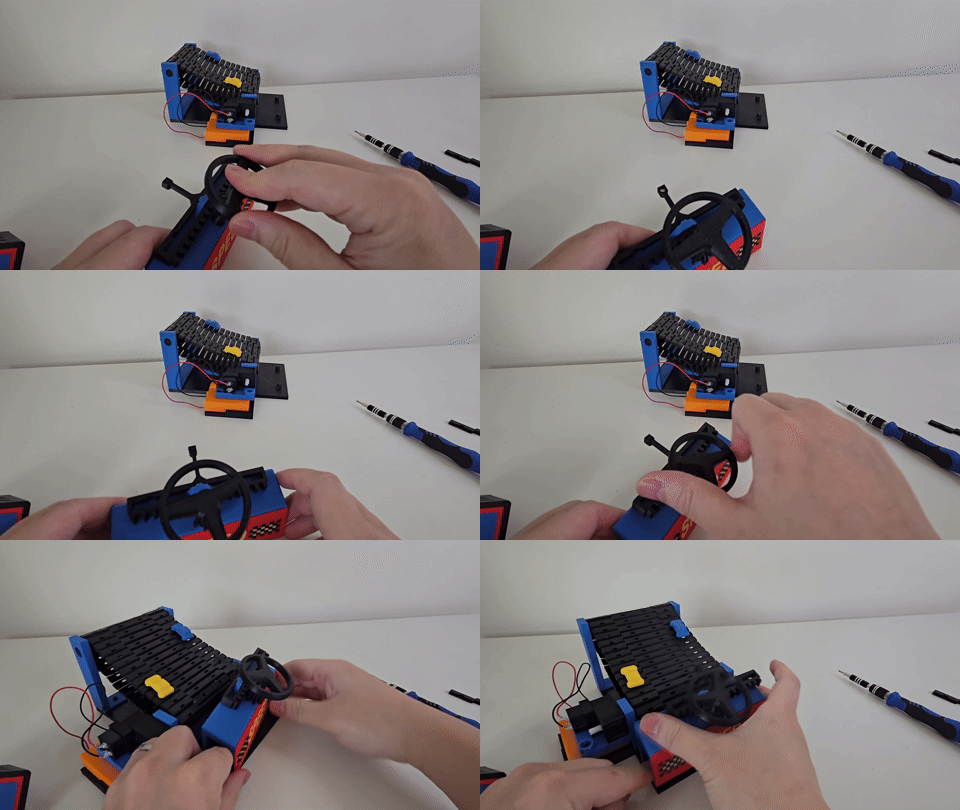
Step 11: Make sure the steering wheel can steer the magnetic stick left and right freely, then install the outer box.
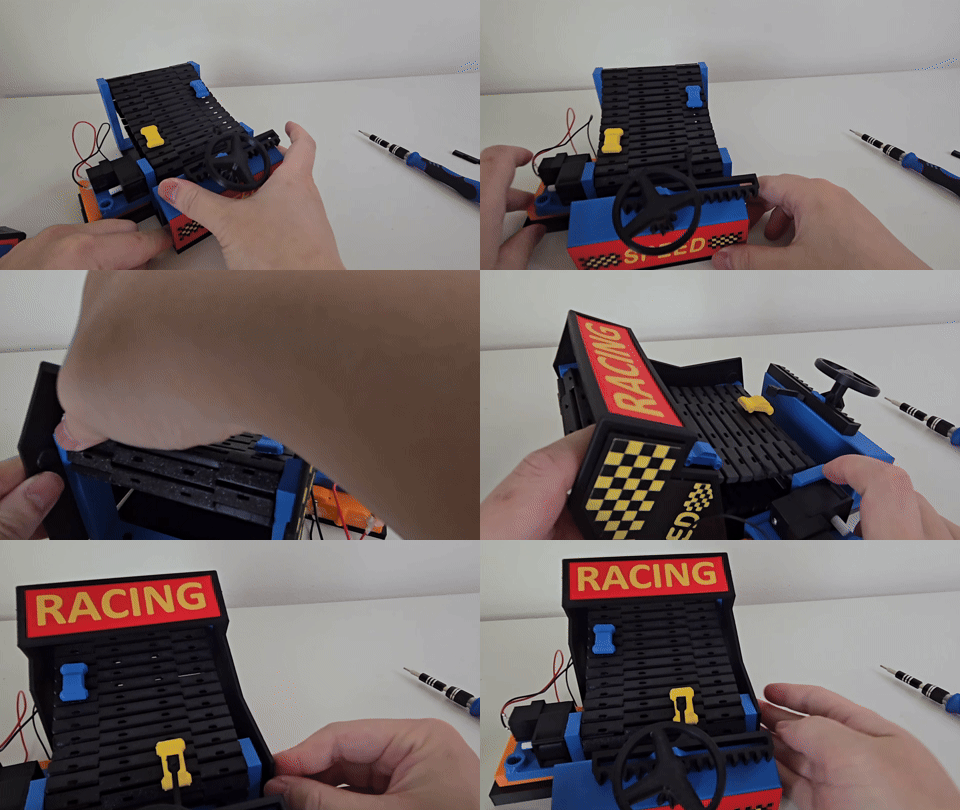
Step 12: Install the “engine cover”
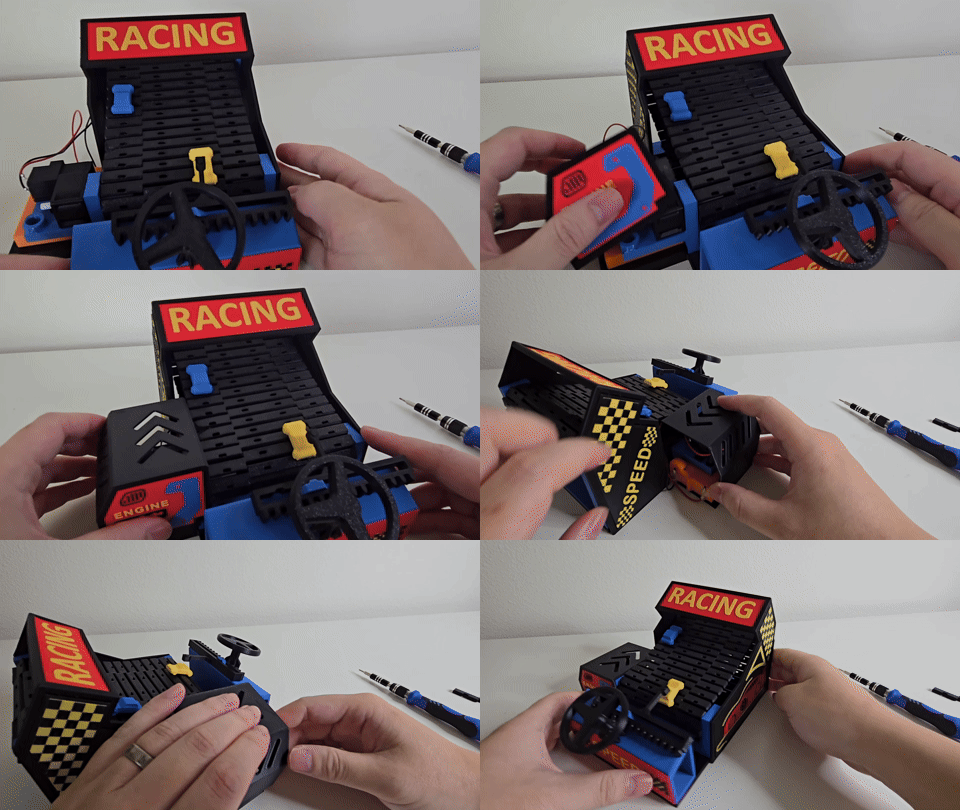
Step 13: Insert magnet to the player car, and attach the player car under the steering stick. Then you are ready to play!
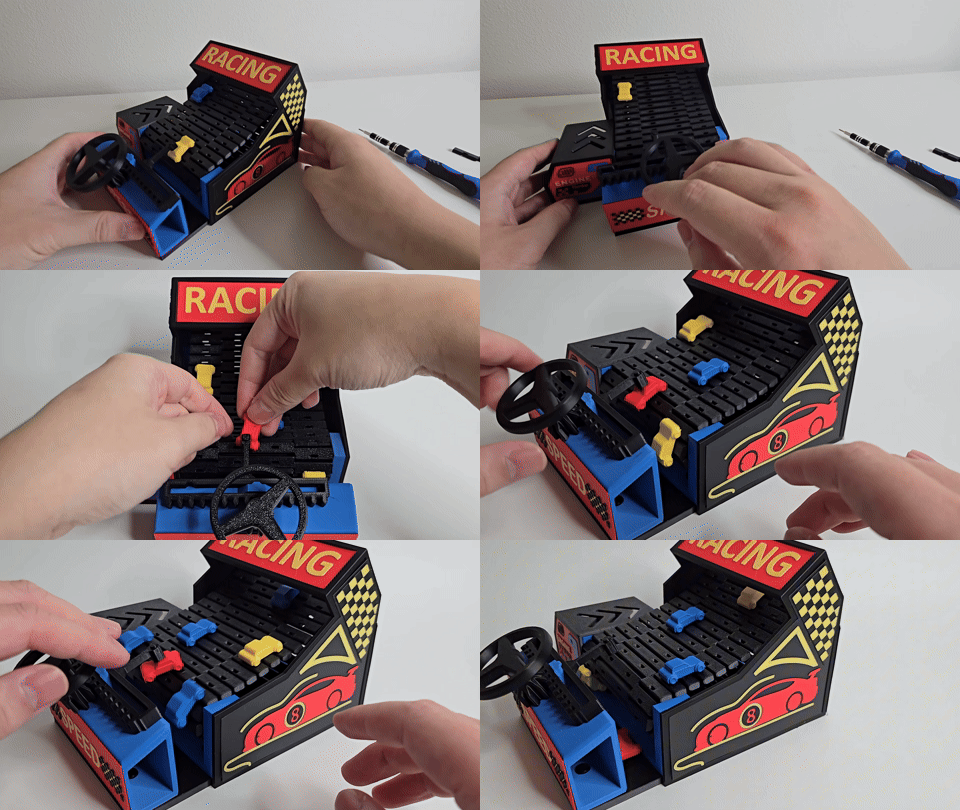
Mini Arcade - Steering Dodge Car Toy
Publicado em 19 de mai de 2025