Você está no 3DFinder
Buscamos em Thingiverse, MakerWorld e Printables ao mesmo tempo para te dar o melhor de cada uma.
Descrição
UPDATE V4: A user in the comments suggested the idea of cable management — so here it is!
The headphone stand has been updated with two 4 mm mounting holes on the back for optional cable management.
If you’ve already printed a previous version, a drill guide is included in the cable management print profile to assist with retrofitting.
Begin with a pilot hole and gradually increase drill size up to 4 mm for best accuracy.
The cable management component is designed to press-fit securely into place.
UPDATE V3: Now compatible to PS5, XBOX and Switch Pro Controllers and optional Dual Controller Stand!
FEEL FREE to upload your print profile here when your are done! You can collect Makerworld points for every download of your profile.
🎧 Create Your Own Carved Headset Stand 🎮
Following the positive feedback and suggestions from the comment section of my "Last of Us"-themed PS5 Headset & Controller Stand, I decided to create a customizable version that lets you design your own carved headset stand. You can even add an optional controller or remote holder!
✨ What's Included?
You can customize:
- A carved headset stand
- Optional remote stand or dual controller stand
🛠️ How to Customize It
Just follow these simple steps:
- Download Your Parts:
1 a) Controller Stand
1b) Dual Controller Stand
or
- 1 c) Remote Stand
- 2) Headset Stand Template / or use HeadsetStandTemplateOrca.zip with Orca
3) Additional Files.zip (unzip them)
Make sure the svg files in Files.zip are located in the Folder c:\svg\/ or use HeadsetStandTemplateOrca.zip with Orca, no need to put the svg files anywhere then.
1b. For MAC Users
You have to donwload HeadsetStandTemplateOrca.zip and use the included file with Orca, Orca doesn't need the orginal SVG Files.
- Customize the Design:
- Open carving.png and logo.png in your favorite image editor.
Replace the artwork with your custom graphics.
- Convert Your PNG Files to SVG:
Use an online tool like [https://convertio.co/png-svg](https://convertio.co/png-svg) to convert your edited images to .svg.
Edit the 3D Model in Bambu Studio:
- Open HeadsetStandTemplate.3mf.
- Go to Process → Objects.
- Right-click on the SVG files and choose Edit SVG.
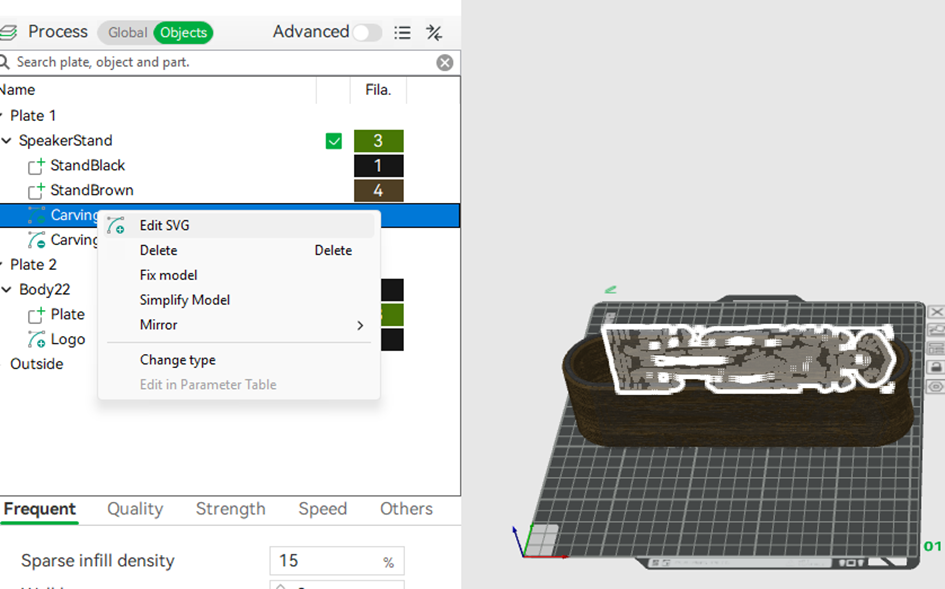
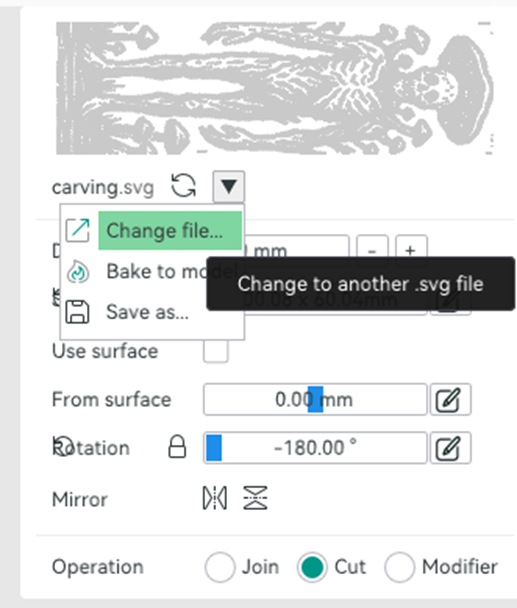
- Click the arrow icon and select Change file.
- Replace:
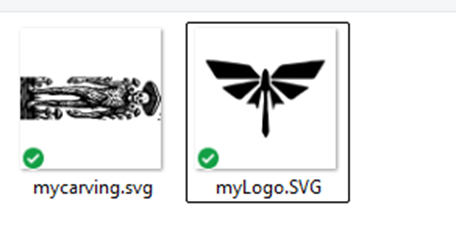
- carving.svg with your custom carving SVG (there are two carvings to change, one for each side)
- logo.svg with your custom logo SVG
Ready to Print!
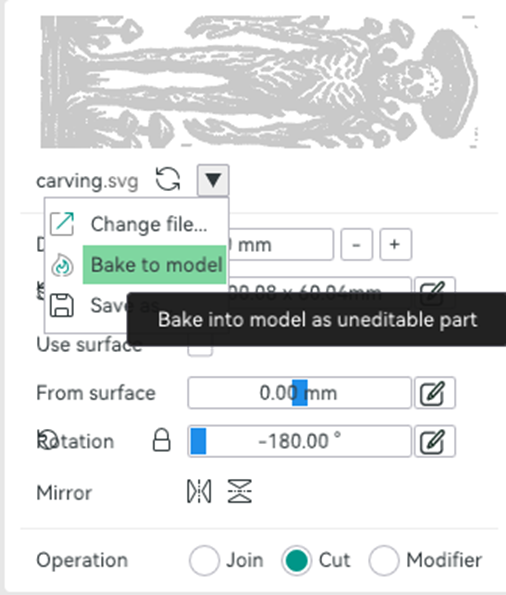
- If you'd like to upload your design as a print profile here, don’t forget to bake the updated SVGs into the model before sharing.
- Slicer warning about floating regions can be ignored!
Happy printing! 🧑🎨🖨️
Create your own: Themed Headset Controller Stand

Publicado em 18 de mai de 2025
Gostou deste modelo? Crie uma conta grátis para salvar seus favoritos e voltar a eles depois.
Criar conta