Você está no 3DFinder
Buscamos em Thingiverse, MakerWorld e Printables ao mesmo tempo para te dar o melhor de cada uma.
Descrição
EDITABLE Graduate coaster.
You can edit the “your name” to your name or personal message
You can edit the “Class of 2025” to your year or personal message.
Step1. Download and load file to your print bed and select the printer you're using.
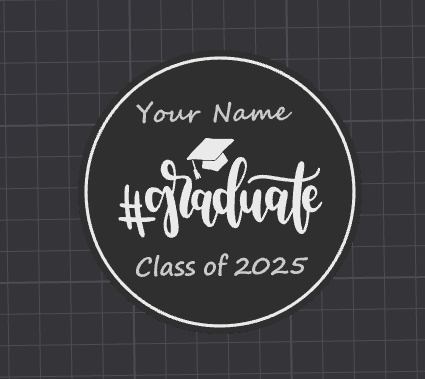
Step 2. Click on the print tower located upper LHS of the print bed as seen below. This print tower make look different depending on the version you are using.
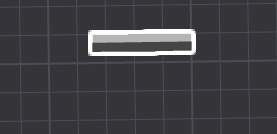
Step 3. Double click the print tower until you see the objects load on the left as pictured below.
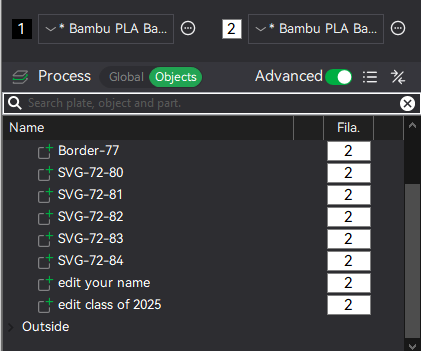
Step 4. Right click on the “edit your name”. You should get the text box upper right of the print plate as pictured below.
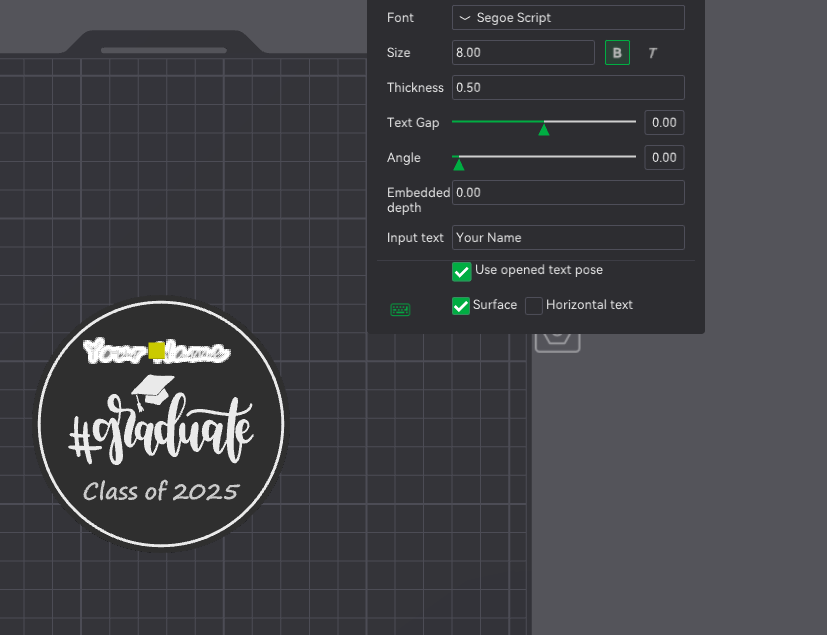
Step 5. Go to the input text tab and click on your name. Back this out and put the name or message you wish to have displayed on the coaster in the “your name” section. If your name is bigger and need more room, scale the size from 8 to 6. Once you have the name or message you want, hit enter. You should now see this displayed on the coaster. Repeat this step for Class of 2025 if you wish to change this but you the box listed as “edit class of 2025”.
Step 6. Slice and print. If you're having issues and need additional help, feel free to reach out to me in DM.
Enjoy and congrats on your graduation!!
COASTER HOLDER – > BASIC COASTER HOLDER FOR 4 COASTERS by 3Dprinting4fun - MakerWorld
Lots of coasters/door/wall/fridge signs posted on my profile page, just click the hyperlink below. All signs can be scaled to whatever size you like using Bambu slicer. If you're looking for something that's not listed, send me a message and I'll see what I can do! Please rate after printing. Thank you! Most signs are requested, please do not throw hate at me for designing them.
3Dprinting4fun | Published - MakerWorld
EDITABLE GRADUATE COASTER
Publicado em 24 de abr de 2025
Gostou deste modelo? Crie uma conta grátis para salvar seus favoritos e voltar a eles depois.
Criar conta