Você está no 3DFinder
Buscamos em Thingiverse, MakerWorld e Printables ao mesmo tempo para te dar o melhor de cada uma.
Descrição
Overview
This is the Arabic version of the Word Clock.
I also made a German version that that you can find here.
The original English version with full instructions is here. Everything you need to know to build this clock is on that page.
You only need to print the Arabic front and replace the two python files.
If you have already the English or the German version, you can just replace the front and the two python files on the Pi.
Note that I remodeled the entire clock using Fusion 360 based on the original. The “empty” Fusion file is available for download. It does not contain any letters. To make a translation you need the letter contours of the clock in SVG format and then extrude them in Fusion. You also need to edit the two python files to tell the clock which word is where.
How to build the hardware part of the clock?
The hardware part of the clock can be easily built following instructions on the original English version by johaniak, or visit his GitHub page. It's not very hard - the soldering part is a bit tedious.
How to 3D print the clock?
The original version is designed for use with 74 LEDs / meter. However, these LED strips are hard to come by, and I personally find the larger version using 60 LED / meter more attractive.
Print profiles are available for both. The scaling factor to go from the small to the large version is 123.33%.
Just be aware that the STL files provided here are for the original (smaller) 74 LED / meter version.
How to keep time when a network is not available, or when you wish to gift the clock to someone who is not a computer geek?
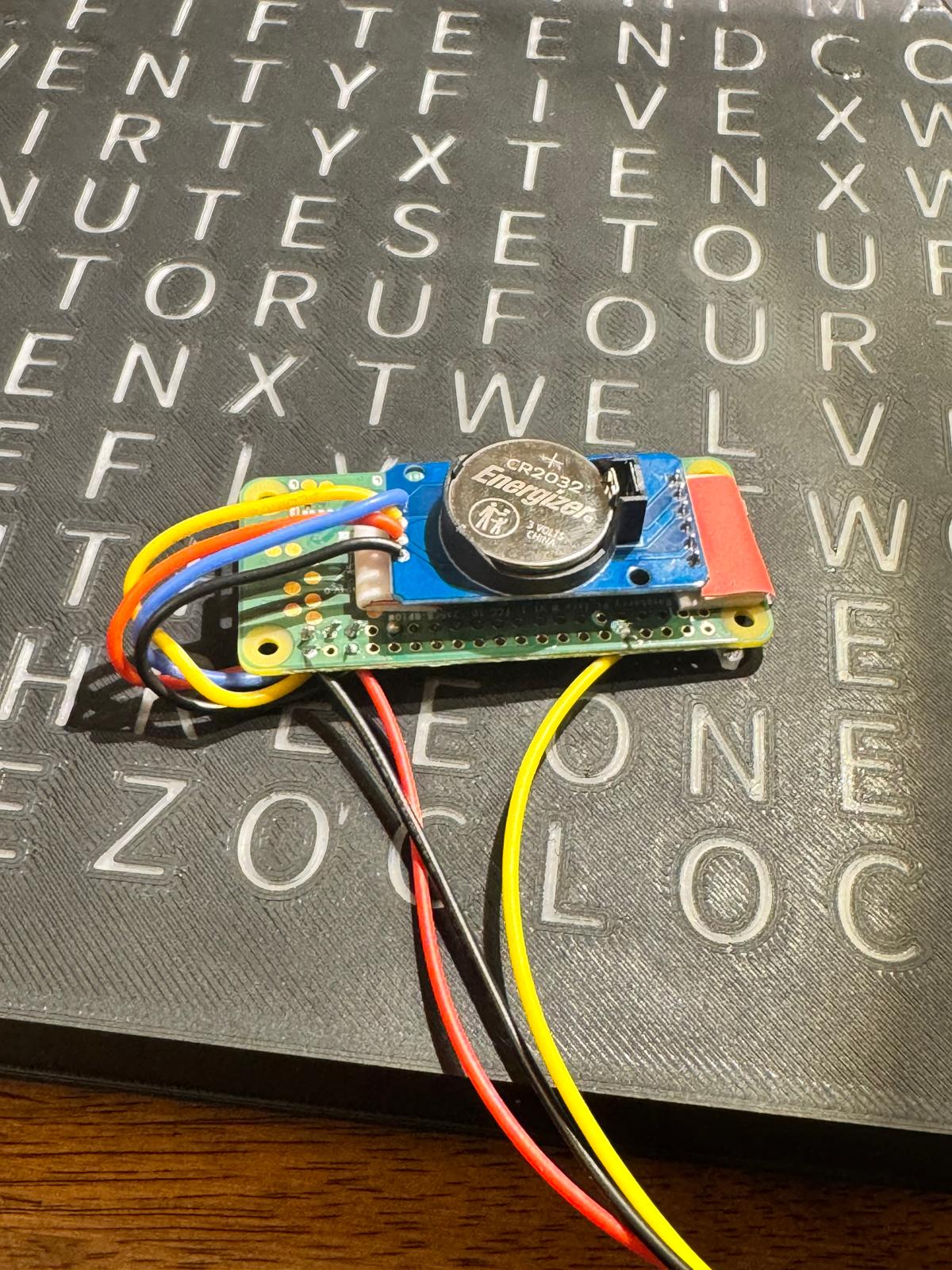
Add a real time clock to your Pi.
Adding a real time clock chip allows your clock keep time even when it cannot connect to the network.
Follow these instructions: [https://pimylifeup.com/raspberry-pi-rtc/](https://pimylifeup.com/raspberry-pi-rtc/)
Add a network connection file for a mobile hot-spot to your Pi.
Adding credentials for a mobile Wifi hot-spot allows you to sync time even if your clock is not “at home” and without having to login. This works well with an iPhone or Android hot-spot.
Create the following file on your Pi:
/etc/NetworkManager/system-connections/network.nmconnection
Then enter your hot-spot credentials credentials like so:
[connection]
id=network
type=wifi
autoconnect=true
autoconnect-priority=5[wifi]
mode=infrastructure
ssid=YourSSID[ipv4]
method=auto[ipv6]
method=ignore[wifi-security]
key-mgmt=wpa-psk
psk=YourWifiPassword