Você está no 3DFinder
Buscamos em Thingiverse, MakerWorld e Printables ao mesmo tempo para te dar o melhor de cada uma.
Descrição
These models allow you to create custom sized attachments for the Multiboard with no CAD knowledge using MakerWorld's Customize Tool. I've also added some practical models as print profiles and encourage you to do the same. Feel free to upload print profiles of your best models!
IMPORTANT Information:
- You'll find some useful notes in the parameters in the customize tool. In order to provide you with as much flexibility as possible, I've left most of the parameters with value-limits that may allow you to break the model in some way. I did my best to ensure that the model will work in just about any shape.
- PLEASE INSPECT YOUR OUTPUT CAREFULLY before printing to save you time and filament.
- I have uploaded all of the bins with a wall thickness of 3mm and chamfers set to 1mm which makes for an attractive and strong shape that will create a working model at just about any size.
- Please remember to enable standard supports for top-attach models and all press-fits.
- The recommended attachment is the “Bolt-Lock” method. For each bolt-locked container that you print you'll need one or two Snap(s) and Multipoint(s). The container that you create inserts into the front of the snap and the multipoint folds into a screw that you insert and thread into the container from behind the snap. You then insert this assembly into the Multiboard together.
There are six model types:
- Bolt-Locked Tray - Top Connect - (Uses bolt-locked connection; Connector is at top of bin)
- Bolt-Locked Tray - Bottom Connect - (Uses bolt-locked connection; Connector is at bottom of bin)
- Dual Bolt-Locked Tray - For Taller Models - (Has two vertically oriented bolt-locked attachments for taller models)
- Press-Fit Tray - Bottom Connect - (Uses press-fit connection; Connector is at bottom of bin)
- Press-Fit Tray - Top Connect - (Uses press-fit connection; Connector is at top of bin)
- Dual Press-Fit Tray - For Taller Models - (Has two vertically oriented press-fit attachments for taller models)
Although these models may be customized directly on MakerWorld, if you'd still rather work in Fusion you'll find detailed instructions below.
The Multiboard is a fantastic peg-board style system with a thriving remix community. Learn more at the website and read the licence here.
INSTRUCTIONS:
To adjust the size of the model:
- Download and open the .F3D file in Fusion.
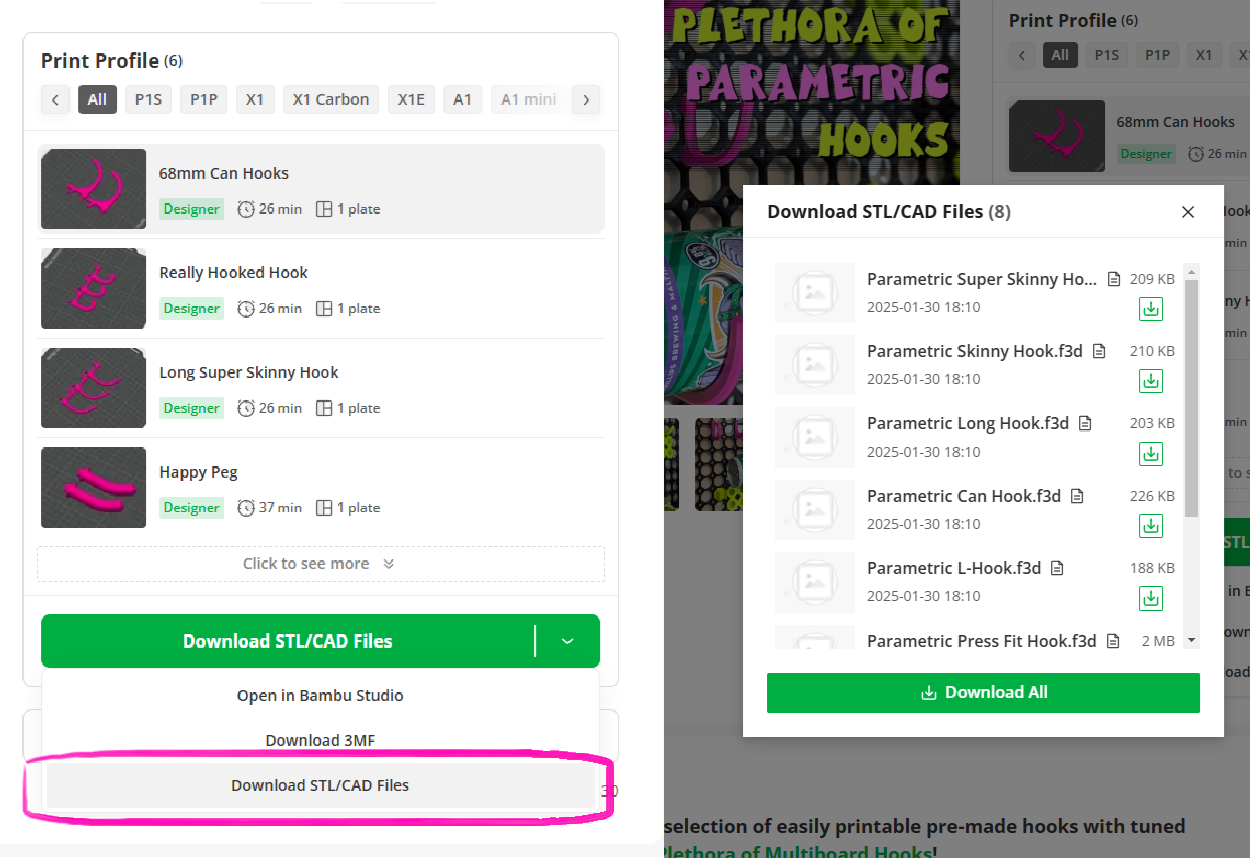
- Be sure that you download the file from the “DOWNLOAD STL/CAD FILES” option on this page. See photo below.
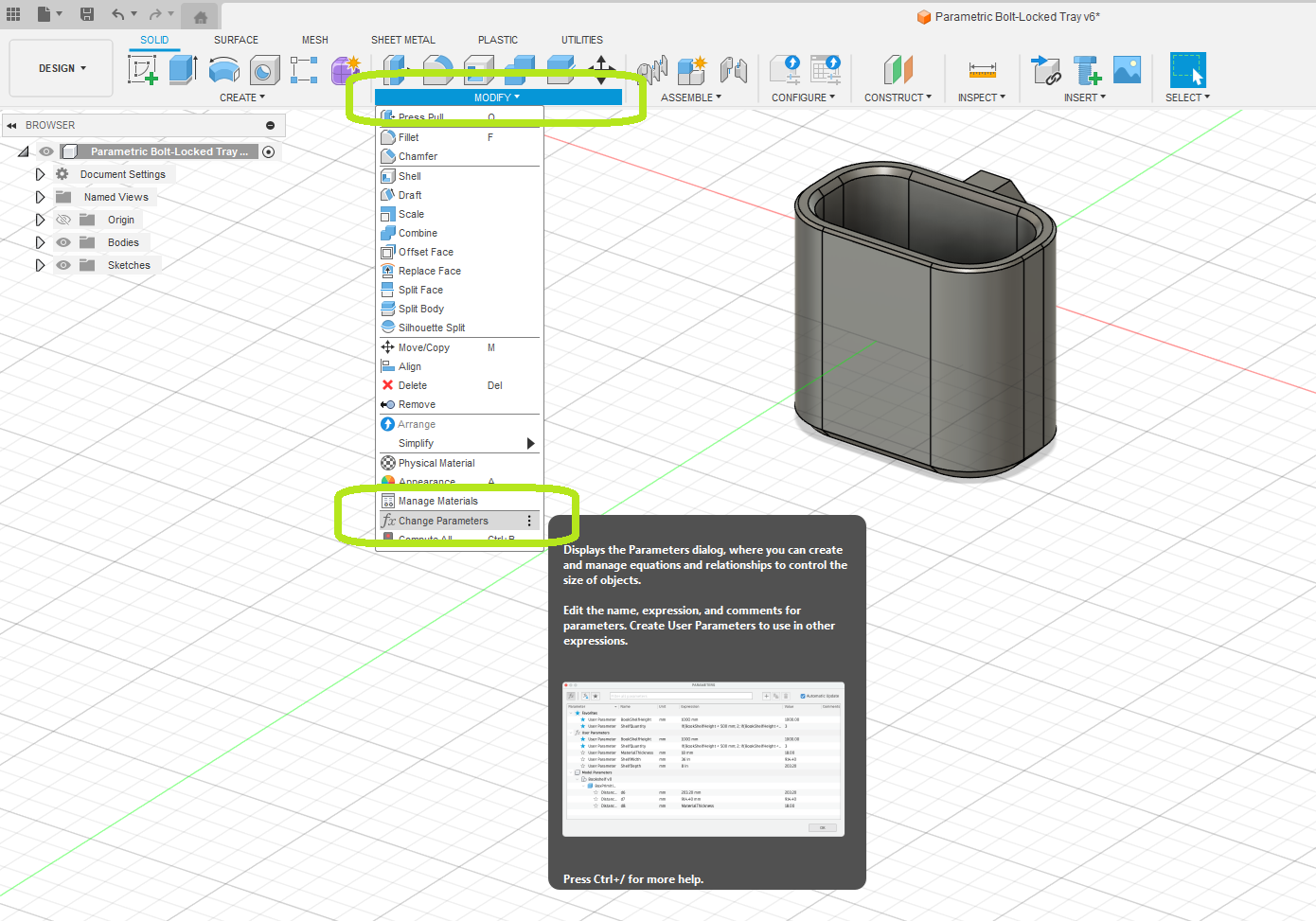
- On the Solid Body editing tab select the “MODIFY” drop down menu and then “Change Parameters” as shown below.
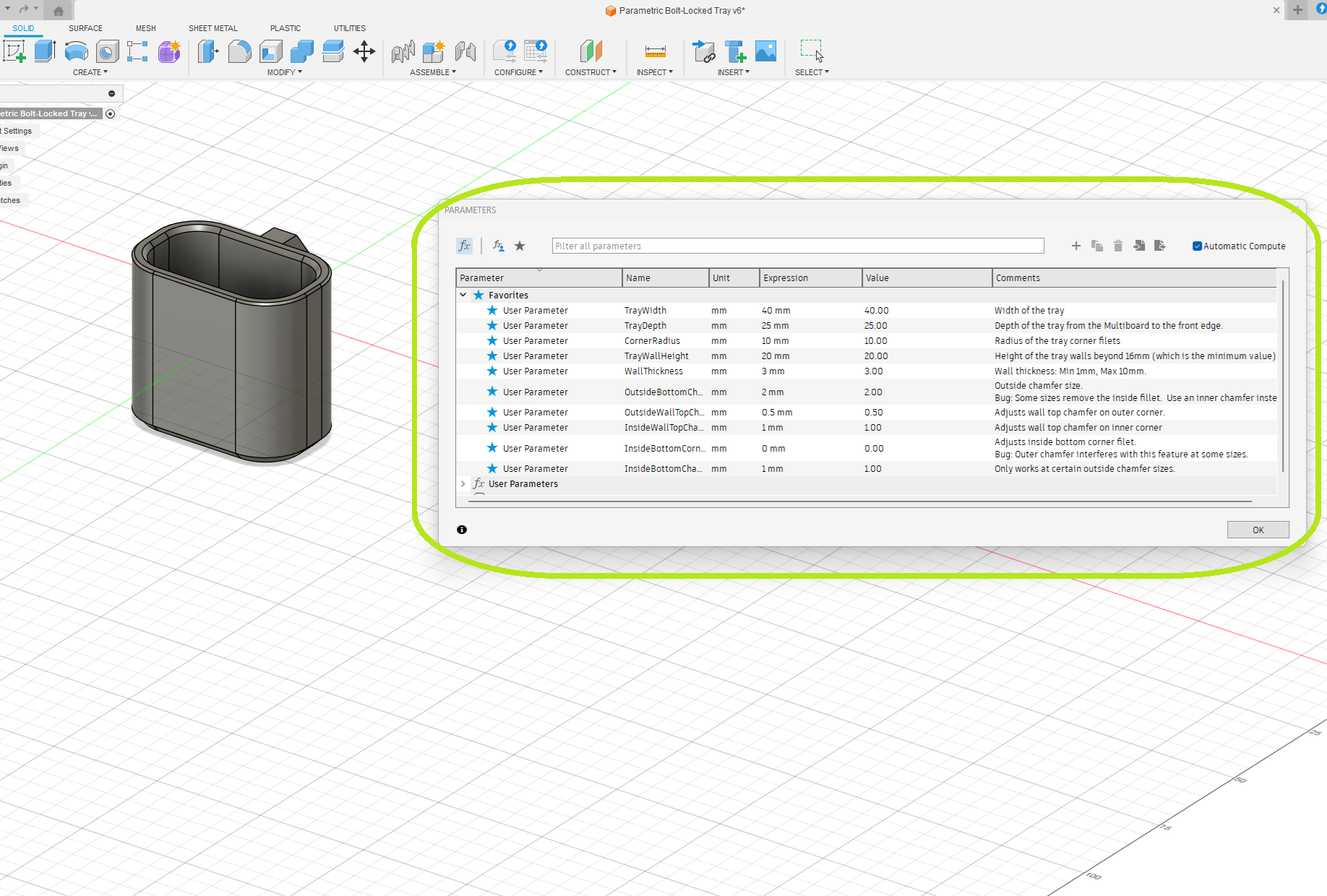
- Within the "Parameters menu you can adjust:
- Width and Depth
- Height
- Wall Thickness
- Chamfer Sizes for all edges
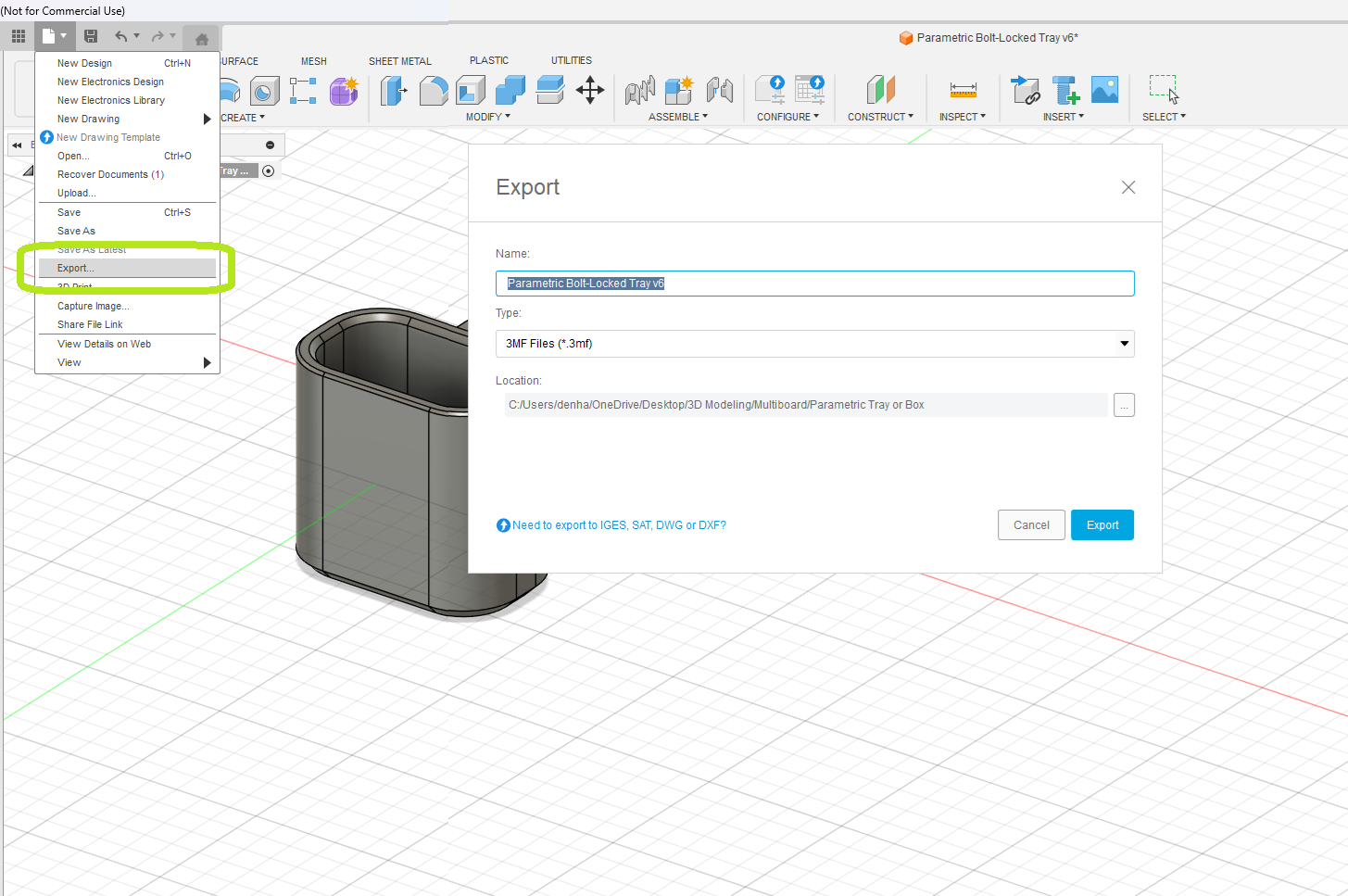
- On the file menu, select “EXPORT”. Choose an export location and file type (STL, STEP, 3mf are all fine) and then click export.
- Load the file into your slicer software / BambuStudio and print your model!
Step 1: Download and open the .F3Z file in Fusion.
Step 2 - Select “MODIFY”, then “Change Parameters”
Step 3 - Modify values in the Parameters menu and watch as the model updates with your changes
Step 4 - Select “Export” from the file menu; select your file type (.stl, .3mf, .step) and location and then click "Export"
Parametric Multiboard Bins (Custom Bin Generator)

Publicado em 4 de fev de 2025
Gostou deste modelo? Crie uma conta grátis para salvar seus favoritos e voltar a eles depois.
Criar conta