Você está no 3DFinder
Buscamos em Thingiverse, MakerWorld e Printables ao mesmo tempo para te dar o melhor de cada uma.
Descrição
Here comes a new take on Valentine's Day accessories, with a twist! You can print this as a keychain, or even as a necklace, and you can also print it with the name of your significant other.
Recommendations:
- use a smooth plate (it gives the heart a uniform texture when assembled)
- do not change print orientation
- depending on your filament you might need to increase the flush volumes, to prevent color bleeds (white is the most prone to this)
You can add your name to the parts with or without an AMS, and even without changing colors!
Here is how to do it:
If you have an AMS or want to print both pieces in the same color, download the Names_SequentialPrinting.3mf profile.
If you do not have an AMS, download the Names_TwoPlates.3mf profile.
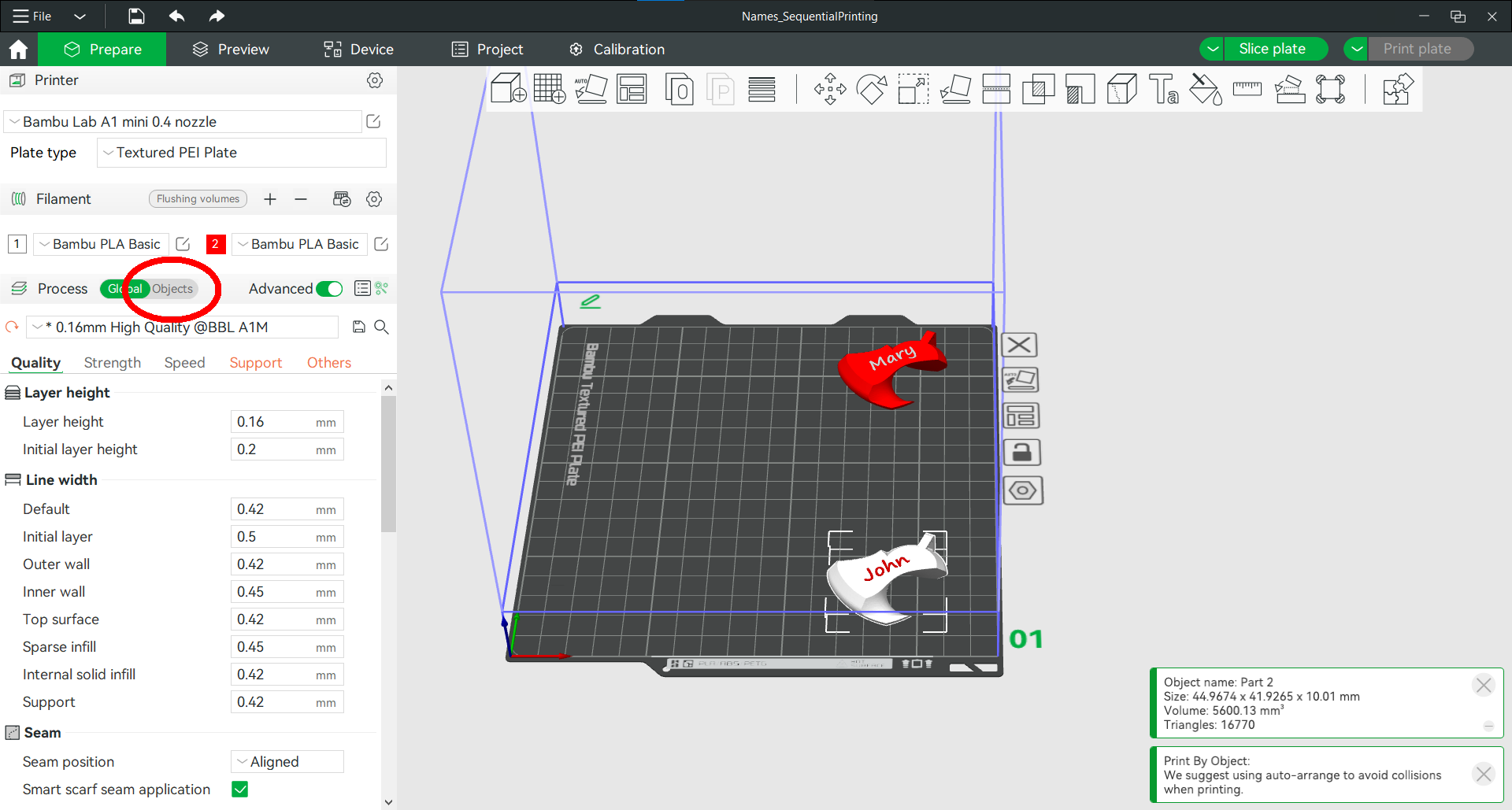
Go to the objects tab.
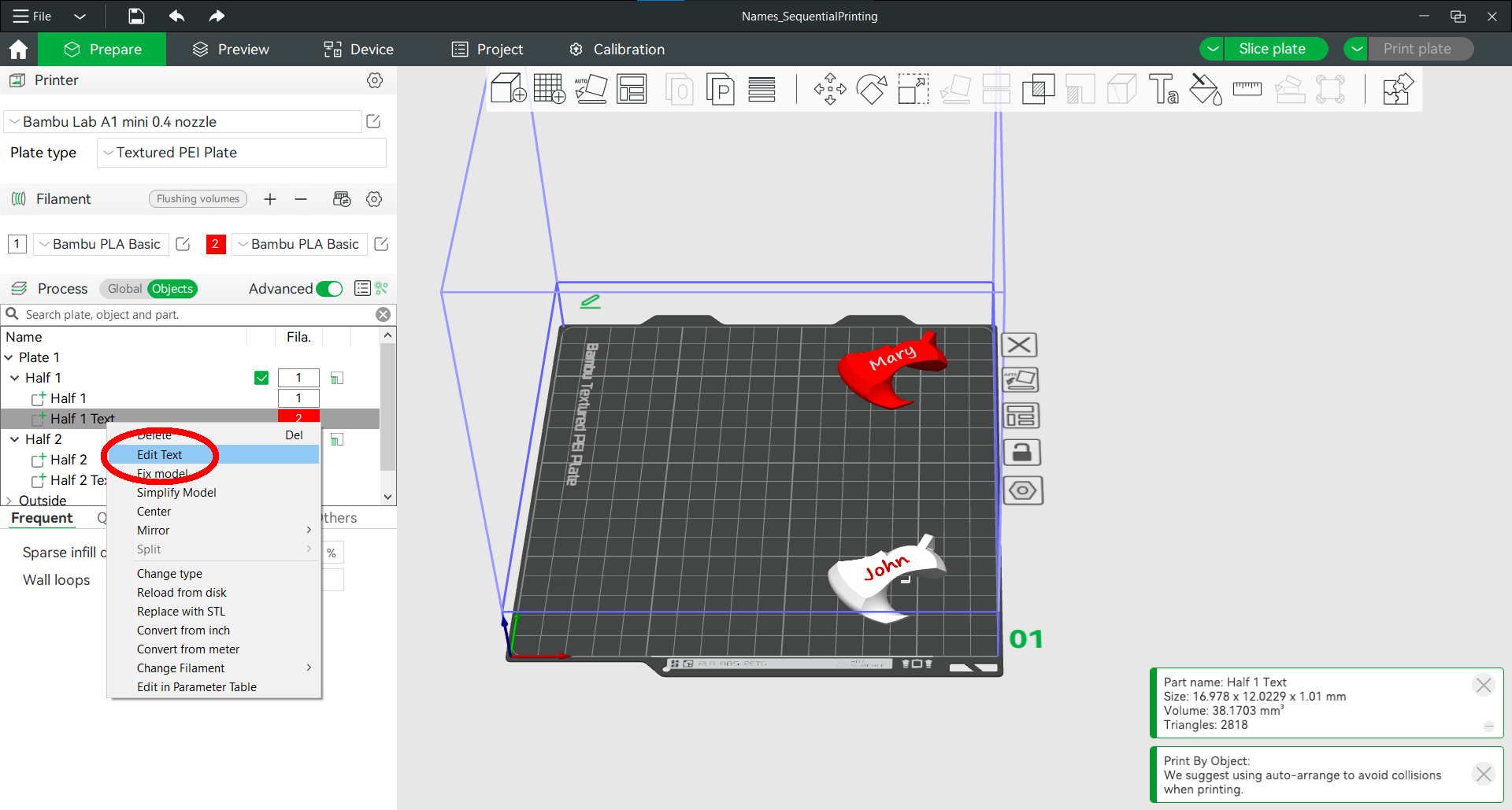
Then, right click one of the parts labeled as text and choose “Edit text”
A menu will pop up to the upper right. You can change its Input text, Font and Size parameters to your liking.
If you have an AMS, you're all set! This will print the text flush with the surface of the model, which is the nicest option, in my opinion.
If you however do not have an AMS, I still got you covered!
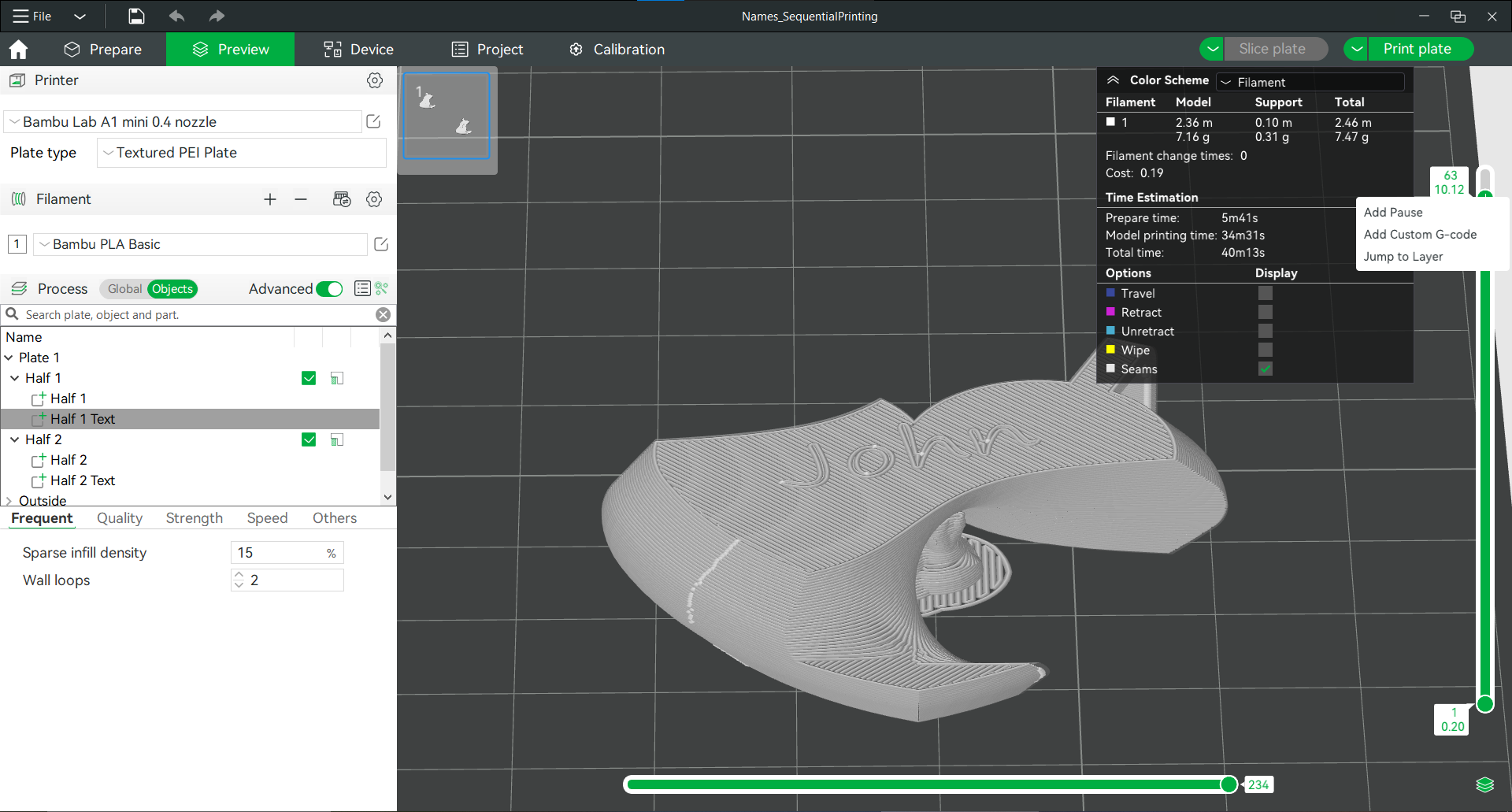
If you want to print the name with another color, do all steps above, and then increase the thickness parameter of the text object. Then, add a pause in the print and change your filament color. You can do so by using the bar on the right to scroll to the layer you want to add the pause at. Then, right click on the plus on the scroll bar and select Add pause.
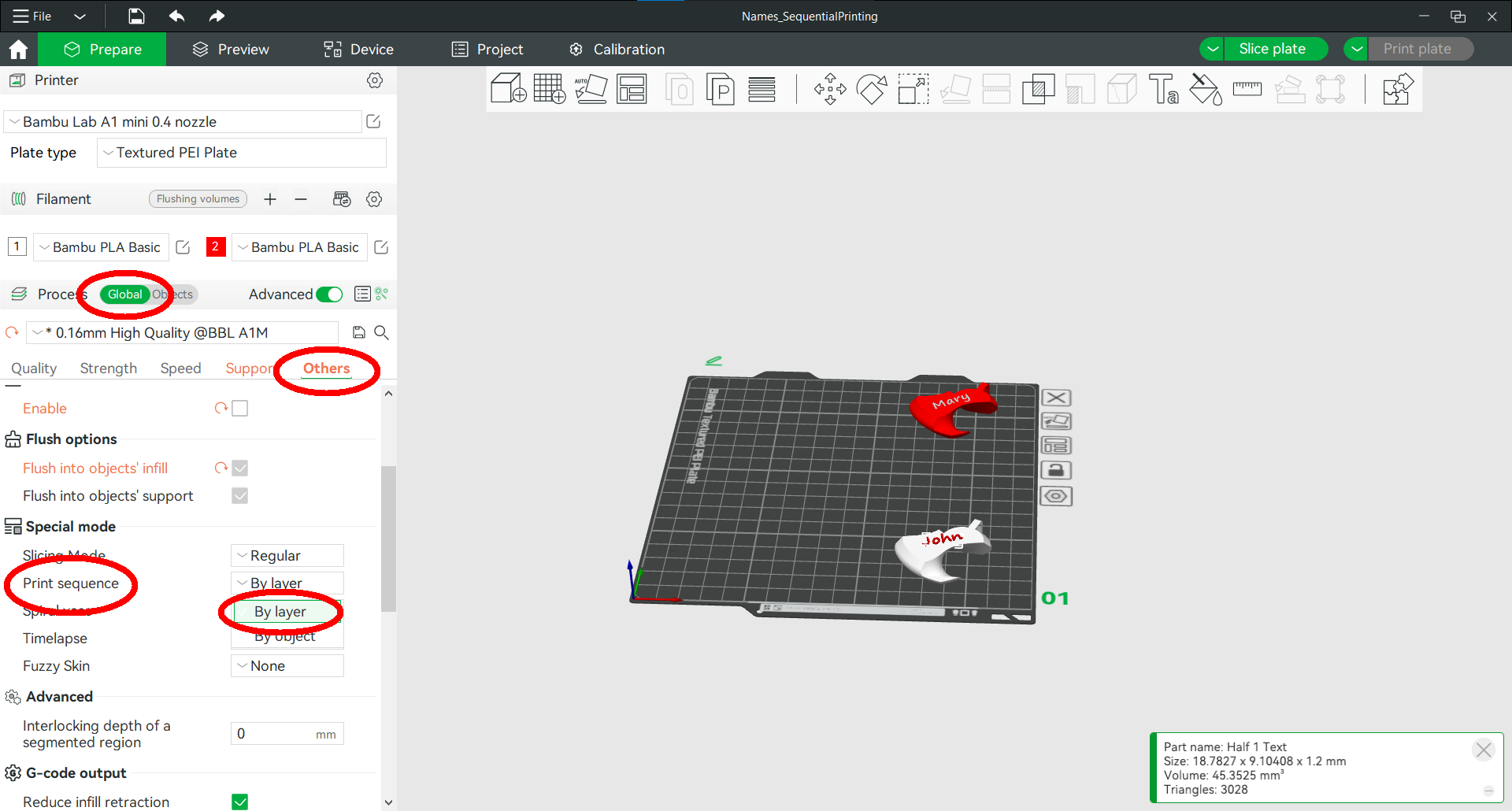
This will work directly for the Names_TwoPlates.3mf profile, but if you want to use the Names_SequentialPrinting.3mf profile to print both parts at the same time, you will need to go to the Global menu Others > Special Mode > Print Sequence and select By Layer (as you can't add a pause when using By Object Print sequence).
If you however do not want to bother changing colors by hand, there's another option for you! After adjusting the text to your liking, you can also adjust the Embedded depth parameter of the text. Then, right click the text object again, choose change type and pick Negative part.
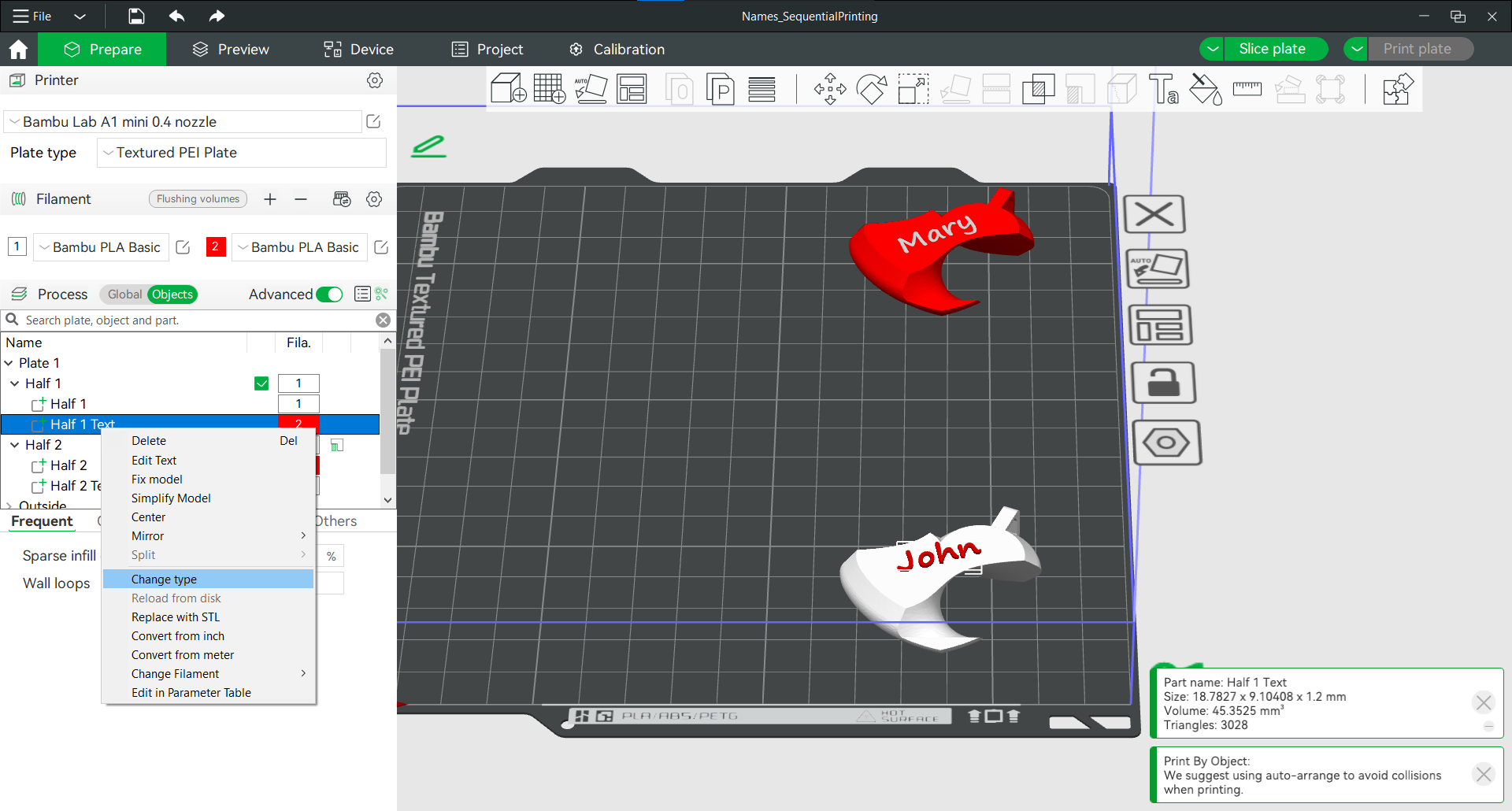
The text is a little less visible with this method, but it still makes for a nice gift.
Interlocking Matching Heart (Customizable)

Publicado em 31 de jan de 2025
Gostou deste modelo? Crie uma conta grátis para salvar seus favoritos e voltar a eles depois.
Criar conta