Estás en 3DFinder
Buscamos en Thingiverse, MakerWorld y Printables al mismo tiempo para darte lo mejor de cada una.
Descripción
EASY PROCESS
You MUST INSERT THE G CODE:
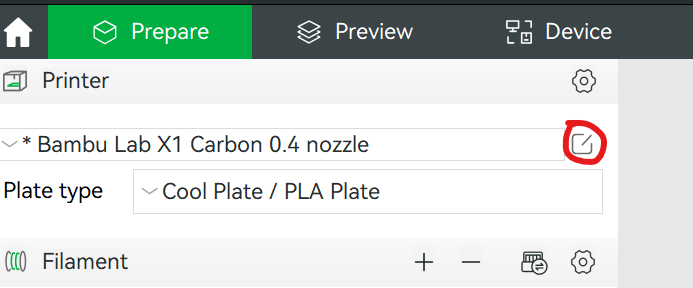
- Select the edit button to the right of your printer model to bring up printer settings.
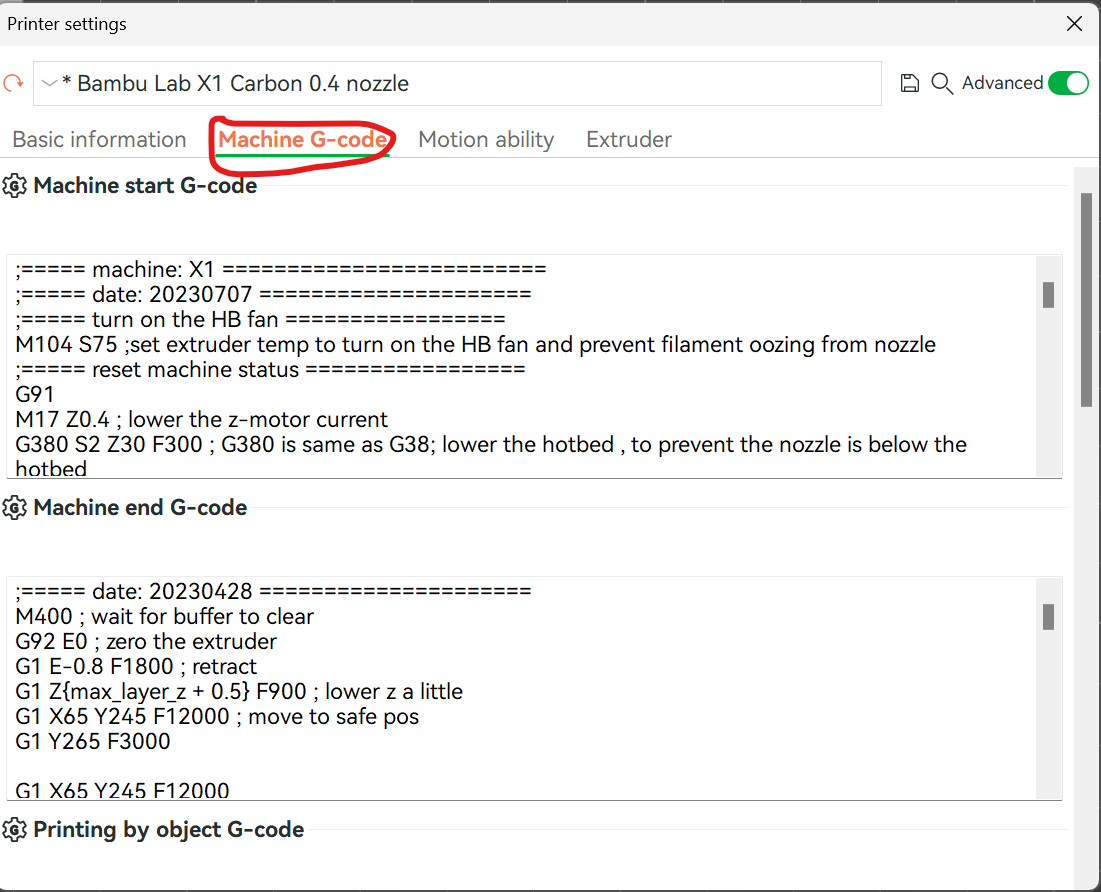
2. Select the “Machine G-code” tab
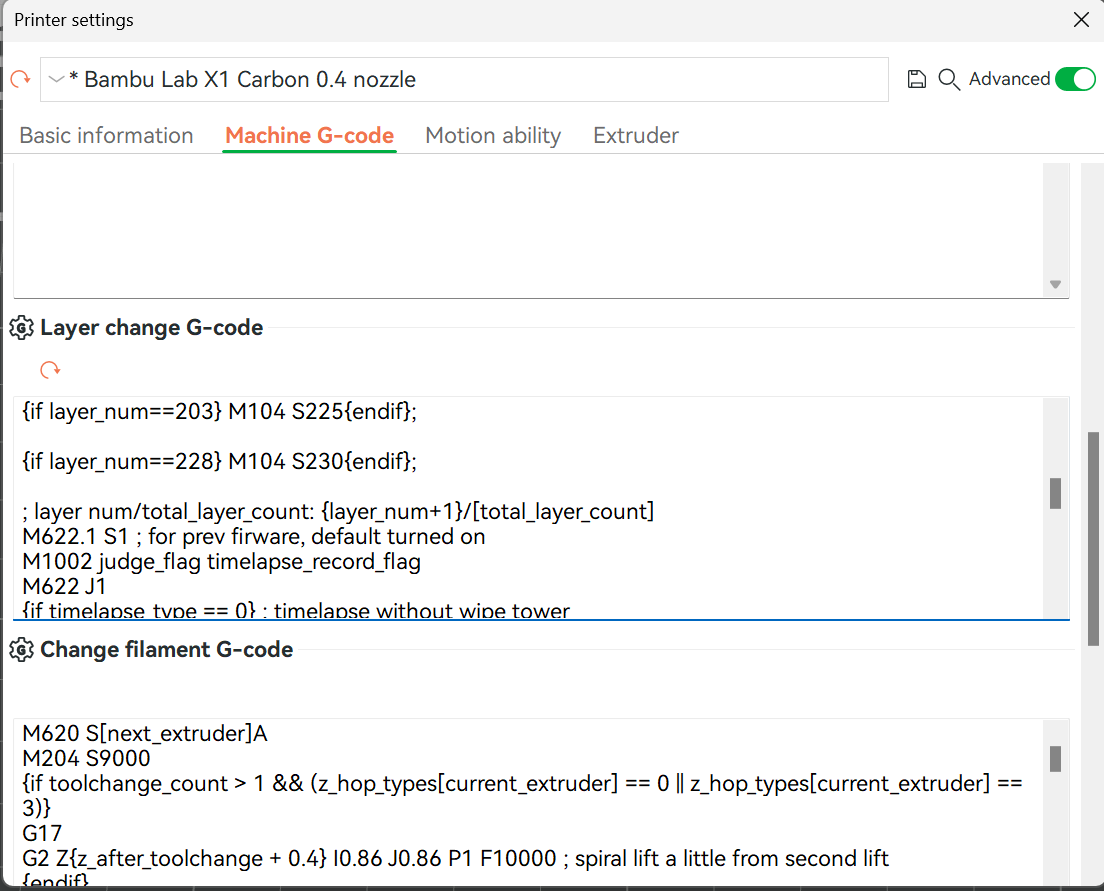
3. Scroll down to “Layer change G-code.” Now copy and paste this code above the current G-code (DO NOT REMOVE the current G-code, simply copy and paste it above.
{if layer_num==0} M104 S190{endif};
{if layer_num==28} M104 S195{endif};
{if layer_num==53} M104 S200{endif};
{if layer_num==78} M104 S205{endif};
{if layer_num==103} M104 S210{endif};
{if layer_num==128} M104 S215{endif};
{if layer_num==153} M104 S220{endif};
{if layer_num==178} M104 S225{endif};
{if layer_num==203} M104 S230{endif};
YOU ARE DONE :) You can slice the file, and select Temperature colour scheme to check if it worked and you will see a rainbow coloured model with different colours for each of the layers
PLA Temperature Tower (temp tower) G Code

Publicado el 21 de dic. de 2023
¿Te gusta este modelo? Crea una cuenta gratis para guardar tus favoritos y volver a ellos más tarde.
Crear cuenta