Você está no 3DFinder
Buscamos em Thingiverse, MakerWorld e Printables ao mesmo tempo para te dar o melhor de cada uma.
Descrição
EASY PROCESS
You MUST INSERT THE G CODE:
- Select the edit button to the right of your printer model to bring up printer settings.
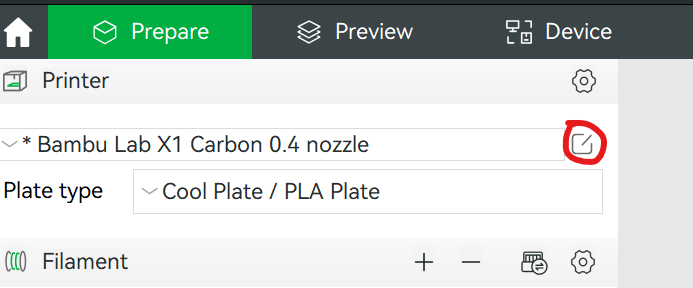
2. Select the “Machine G-code” tab
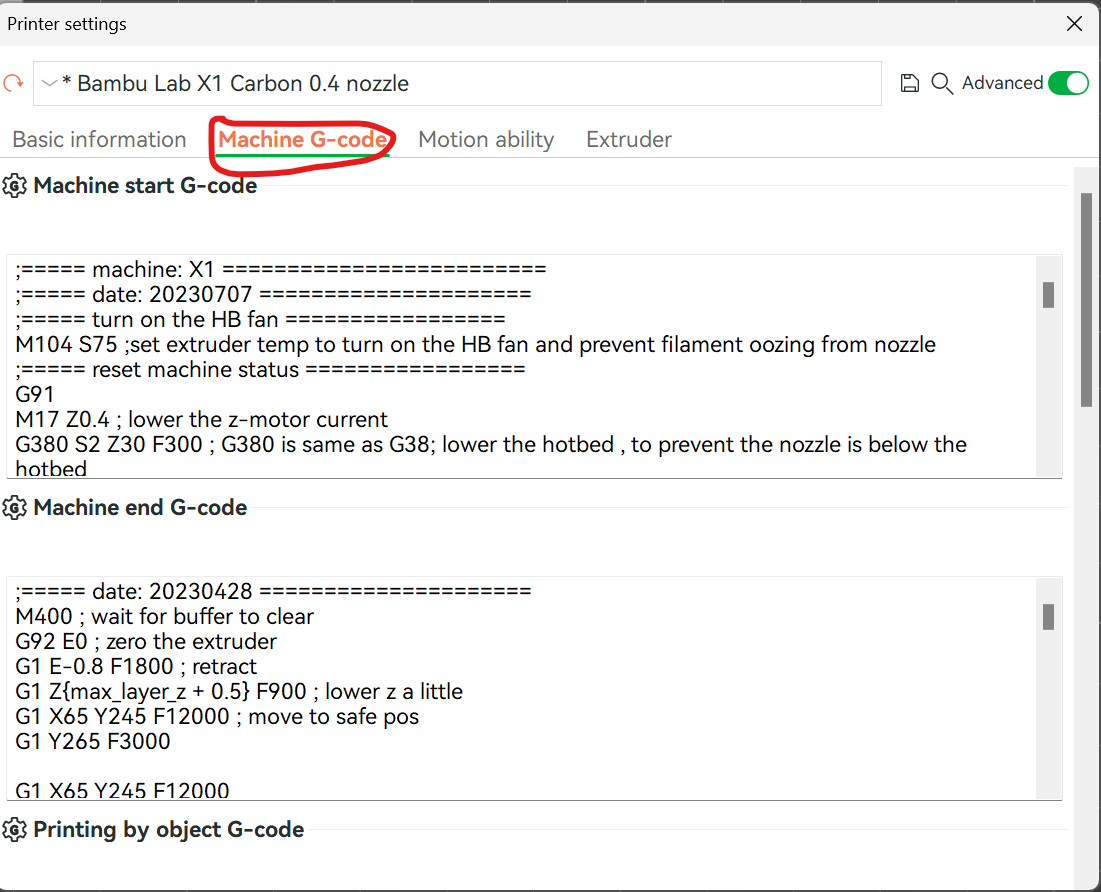
3. Scroll down to “Layer change G-code.” Now copy and paste this code above the current G-code (DO NOT REMOVE the current G-code, simply copy and paste it above.
{if layer_num==0} M104 S190{endif};
{if layer_num==28} M104 S195{endif};
{if layer_num==53} M104 S200{endif};
{if layer_num==78} M104 S205{endif};
{if layer_num==103} M104 S210{endif};
{if layer_num==128} M104 S215{endif};
{if layer_num==153} M104 S220{endif};
{if layer_num==178} M104 S225{endif};
{if layer_num==203} M104 S230{endif};
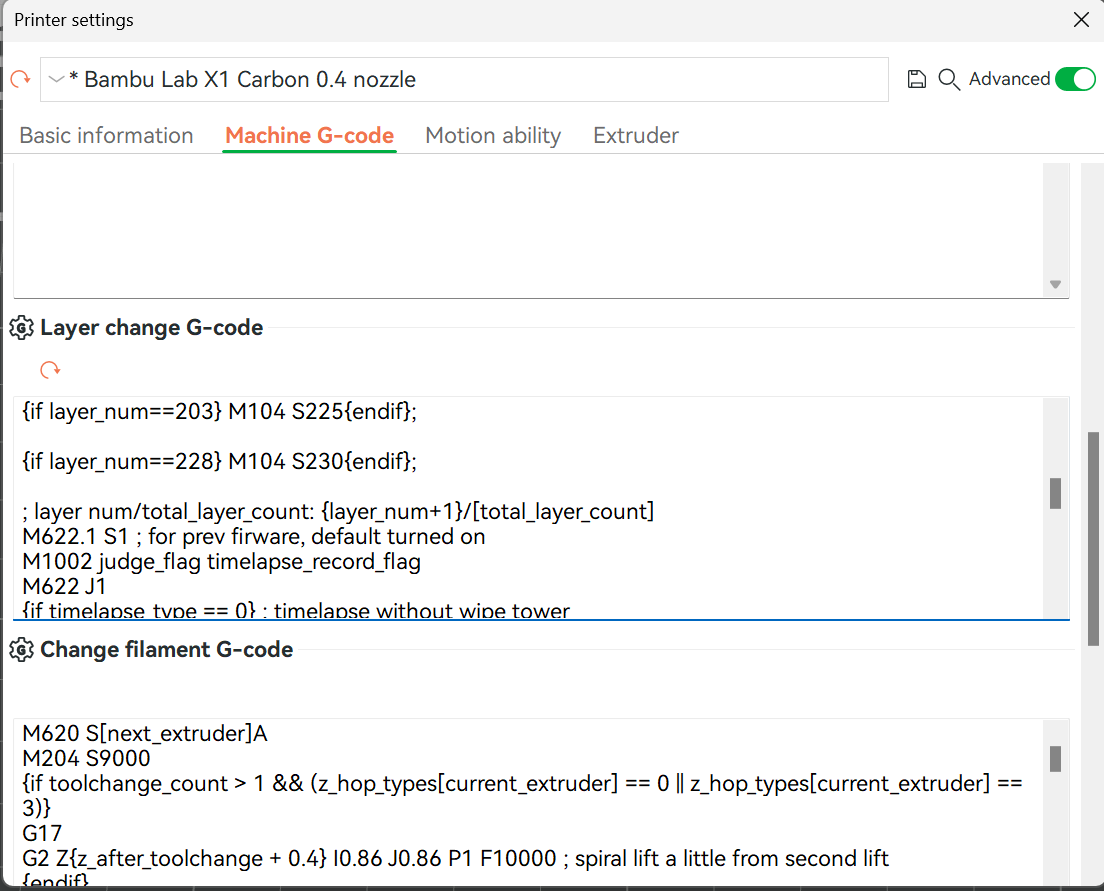
YOU ARE DONE :) You can slice the file, and select Temperature colour scheme to check if it worked and you will see a rainbow coloured model with different colours for each of the layers
PLA Temperature Tower (temp tower) G Code

Publicado em 21 de dez de 2023